 Polytoolhub
What is Polymarket Weather Command Center?
Polymarket Weather Command Center is a standalone weather research interface published by TESTED|MEDIA. It brings city-level forecast comparisons, airport observations, outcome buckets and market prices into one dashboard. It separates the contract’s named resolution series from supporting weather observations: the same city label does not make different stations interchangeable. The repository includes the interface, a thin read-only proxy and backtest aggregates, but the forecasting engine is not yet open-sourced. A default local launch uses synthetic sample data so the interface can be explored without that engine. A hosted instance requires an access key. The screenshots are supplied by the project and illustrate the interface, not independently verified forecasts or returns. The project provides research material and an interface to evaluate. Deploying it alone does not provide a live trading system or establish a profitable strategy.
Who it is for
- Weather-market researchers comparing settlement sources with model forecasts
- Developers evaluating a read-only weather dashboard before arranging a real upstream engine
Features and coverage
- Available on
- Web, Self-hosted interface
- Markets & venues
- Polymarket
- Research topics
- Temperature markets, Weather observations
- Station-level research
City panels distinguish Weather Underground readings, METAR and ASOS observations, local calendar time and model forecasts. Exact station mapping and resolution rules matter more than the city name.
- Bucket and forecast comparison
Expanded panels describe outcome prices, model probabilities, model-run age and a temperature timeline. Any displayed edge is a model estimate that still depends on inputs and costs.
- Explicit sample mode
Without an upstream engine the documented local mode serves bundled synthetic data across the interface. Example positions, trades and PnL do not represent executed activity.
- Backtest evidence boundaries
The README distinguishes scoring against actual Polymarket resolutions from ASOS-proxy research and discusses sample-size exclusions. The published aggregates were read, but neither recomputed nor independently audited.
Workflows with Polymarket Weather Command Center
Investigate a temperature contract
Read the contract’s named station, local date, unit and resolution source. Match those to the city panel, compare observation timestamps and source divergence, then inspect the model-run age before interpreting bucket probabilities.
Evaluate a dashboard integration
Review the public interface and demo-data contract first. For live use, obtain a compatible upstream engine and its access terms; validate missing-data behavior rather than mistaking populated demo panels for current readings.
Pricing and total cost
The repository is available under Apache License 2.0. Local demo evaluation does not include a live forecasting service. Hosting, upstream weather data and a compatible engine may carry separate costs; the access-key-gated hosted instance has no complete public price schedule in the reviewed README.
Access: Source, documentation and project screenshots are public. The hosted instance requires an access key. The forecast engine is announced for a follow-up release, so live operation requires a separately available compatible upstream.
Getting started
- Read the repository README, Apache license and the distinction between the public interface and the unreleased engine.
- If evaluating locally, follow the documented setup in an isolated environment and verify that the sample-data banner is visible; no repository commands were executed for this review.
- For a live deployment, arrange an authorized compatible upstream and keep its secret server-side. Verify station mapping, freshness and failure responses before relying on a panel.
Useful links
What to check
- The engine is not included in the public release; sample balances, trades and bot status must not be interpreted as live results.
- Project screenshots and backtest claims are author-supplied. Observation delays, station mismatch and incomplete resolution data can invalidate an apparent advantage.
- No provider code, hosted account, upstream connection, backtest or trade was executed during this documentation review.
A closer look
Ratings & reviews
User reviews 0
The main score switches to user ratings after 5 published reviews.
A specific example helps the next person choose the right tool.
Related tools
Browse category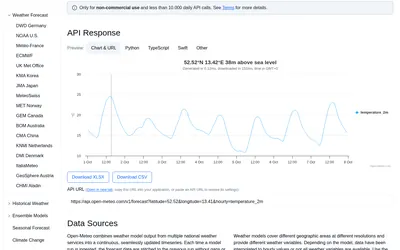

Retrieve weather forecasts, model comparisons and historical forecast runs for research around weather-linked prediction markets.
- Access API
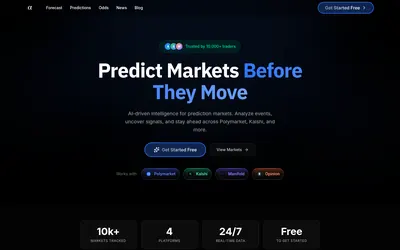

Turn a market link, question or screenshot into an AI forecast and compare it with market odds and news context.
- Access Web
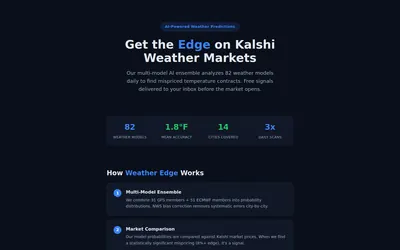
Read a weather-ensemble methodology and receive temperature-market signals based on model probability versus Kalshi prices.
- Access Web · Email
Frequently asked questions about Polymarket Weather Command Center
Is this a ready-to-run live trading bot?
No. The public package is a dashboard and read-only proxy. The forecast engine is not yet open-sourced, and default sample positions and trades are synthetic.
Can METAR data substitute for the market’s resolution source?
Not automatically. The project itself documents divergence between weather series. Check the contract’s actual source, exact station, rounding and local date.
Are the published win rates independently verified here?
No. The project provides aggregates and a verification script, but we did not execute it or audit the complete historical data. Proxy-weather results are not equivalent to resolved-market results.
Does opening the dashboard enable airport calls?
The README describes the phone-reading add-on as optional and disabled by default. It requires a separately configured service; it was not enabled or tested.