 Polytoolhub
What is Open-Meteo?
Open-Meteo is an external weather API. For prediction-market research, its value is in comparing models and reconstructing what a forecast said at the time of a decision. The forecast grid, the eventual observed value and a contract’s named settlement station remain distinct data sources.
Who it is for
- Researchers analyzing temperature and weather contracts
- Developers building location-specific weather dashboards
- Teams testing forecast-based models without future-data leakage
Features and coverage
- Available on
- REST API, JSON, CSV
- Markets & venues
- External weather data
- Research topics
- Weather
- Forecast API
Request current and hourly variables by coordinates.
- Model selection
Use best_match or choose individual weather models.
- Historical reanalysis
Retrieve long-run weather estimates for climate baselines.
- Historical forecasts
Use archived forecasts in a format similar to the live API.
- Previous runs
Compare fixed lead-time forecasts over a historical period.
- Single model runs
Select archived forecasts by initialization time.
- Multiple outputs
Use JSON, CSV or XLSX and query several coordinates.
- Related APIs
Explore ensemble, marine, air-quality and other documented weather products.
Workflows with Open-Meteo
Research a temperature contract
Read its station, unit, date and rounding rule, then request forecasts for the corresponding location. Compare model spread before relating the forecast to outcome buckets.
Backtest a forecast signal
Choose a forecast run available before the historical decision, preserve its initialization time and evaluate against the appropriate observed settlement series.
Build a weather panel
Request only the variables and locations required, cache the response and refresh according to model-update cadence.
Pricing and total cost
Non-commercial use is free up to the documented 10,000 daily calls without an API key. Commercial or higher-volume hosted use requires a subscription. Data attribution is required; the server code can also be self-hosted under its license.
Getting started
Before you start: A model grid point is not necessarily the contract’s official weather station observation.
- Read the weather contract’s exact settlement specification.
- Choose coordinates, variables, units and timezone.
- Select best_match or explicit models.
- For historical research, select forecast-run history rather than substituting reanalysis.
- Start with a bounded GET request.
- Choose the appropriate commercial-access plan for a product integration.
Useful links
What to check
- A model grid point is not necessarily the contract’s official weather station observation.
- Reanalysis uses information that may not have been available at prediction time.
- Model and archive start dates differ.
- Daily maxima depend on timezone and reporting window.
- Free hosted access is for non-commercial use; the data license and service-access terms are separate.
A closer look
Ratings & reviews
User reviews 0
The main score switches to user ratings after 5 published reviews.
A specific example helps the next person choose the right tool.
Write a review
How was your experience with Open-Meteo?
Share what you used, what worked and what could be better. We confirm your email and review the submission before publishing.
To submit a review, email info@polytradingbot.com with the tool name, your rating and your experience. Enable JavaScript to prepare a draft here.
Related tools
Browse category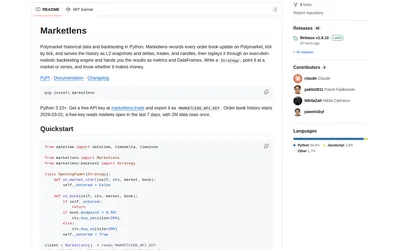

Retrieve historical Polymarket books and run either tick-level execution simulations or faster bar-based signal backtests in Python.
- Language Python
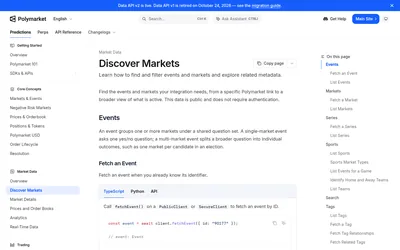

Discover Polymarket events, markets, tags, series and sports metadata before querying prices or building a market catalog.
- Data coverage Markets · Events
- Access API
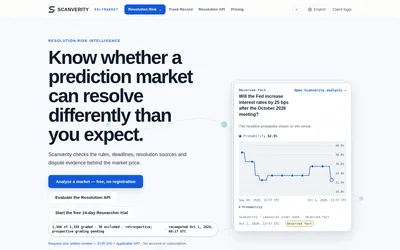

Review a contract’s rules, deadlines, resolution sources and dispute evidence, then monitor selected markets for changes.
- Data coverage Resolution evidence
- Access Web · API · Email
Frequently asked questions about Open-Meteo
Is Open-Meteo a Polymarket bot?
No. It supplies weather context for a separate research or trading workflow.
Which history avoids look-ahead leakage?
Use archived forecast runs with an initialization time before the decision.
Does no API key mean unrestricted commercial hosting?
No. Commercial hosted use follows the subscription terms.
Can I compare several models?
Yes. Select individual models rather than only best_match.