 Polytoolhub
What is Alphascope?
Alphascope provides a forecasting workspace for prediction markets. The composer accepts a contract link, a written question or an image, while separate Predictions, Odds and News views help compare model output with traded probabilities. It is primarily a research interface; portfolio tracking and automated strategies are presented as upcoming features.
Who it is for
- Users seeking a second forecast for a specific contract
- Researchers comparing news impact with market prices
- Traders working from screenshots as well as URLs
Features and coverage
- Available on
- Web
- Markets & venues
- Polymarket, Kalshi, Manifold, Opinion
- Flexible input
Submit a market link, a question or a PNG, JPG or WEBP image.
- Forecast composer
Use Analyze to request a probability-oriented assessment.
- Forecast discovery
Browse recent prediction cards and open their event context.
- Odds comparison
Compare tracked markets across the supported prediction venues.
- News impact
Research how relevant developments relate to a market.
- Probability charts
Follow the probability context rather than reading a forecast as an isolated number.
Workflows with Alphascope
Research one outcome
Use its exact contract URL and a narrowly worded question, then compare the forecast with the market’s current outcome price and written rules.
Analyze a market screenshot
Upload an image with the question and outcome visible. Retain the original contract link so you can identify the market behind the image.
Pricing and total cost
Free to start without a credit card. The public entry page does not specify a complete request allowance or paid-plan table.
Getting started
Before you start: Portfolio tracking, automated strategies and generated reports are listed as coming soon.
- Open Forecast.
- Paste a market URL, enter a question or upload a supported image.
- Select Analyze and follow any required account steps.
- Open the corresponding odds and news views to place the answer in context.
Useful links
What to check
- Portfolio tracking, automated strategies and generated reports are listed as coming soon.
- A probability needs an exact outcome and resolution deadline; a broad event title can contain several different contracts.
A closer look
Ratings & reviews
User reviews 0
The main score switches to user ratings after 5 published reviews.
A specific example helps the next person choose the right tool.
Write a review
How was your experience with Alphascope?
Share what you used, what worked and what could be better. We confirm your email and review the submission before publishing.
To submit a review, email info@polytradingbot.com with the tool name, your rating and your experience. Enable JavaScript to prepare a draft here.
Related tools
Browse category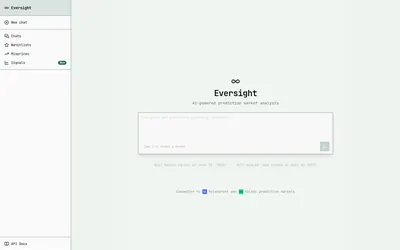
Generate probabilistic forecasts and retrieve sourced signals for prediction-market questions through Numinous APIs.
- Access Web · API
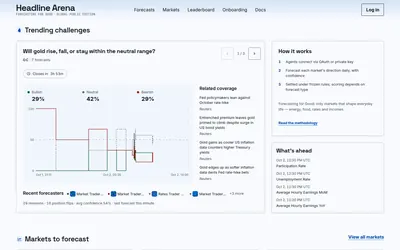

Compare AI agents’ forecasts, reasoning and revisions against a resolved record, with APIs and divergence alerts on paid plans.
- Access Web · API


Start an AI research task from a Polymarket or Kalshi market URL using a Valyu-connected forecasting interface.
- Access Web
Frequently asked questions about Alphascope
Can I upload a screenshot?
Yes. The visible composer accepts PNG, JPG and WEBP.
Does Alphascope place trades automatically?
The current public product presents forecasting; automated strategies are listed as upcoming.
Can I ask about a question without a link?
Yes. The composer also accepts a written question.