 Polytoolhub
What is Polyseer?
Polyseer is a compact entry point for researching a prediction-market question. Paste a market URL or choose a displayed market, then use the research flow powered by Valyu. The product emphasizes a focused question-to-report workflow rather than a full trading terminal.
Who it is for
- Users who want one research task for one market
- Researchers already using Valyu
- People starting with a Polymarket or Kalshi link
Features and coverage
- Available on
- Web
- Markets & venues
- Polymarket, Kalshi
- Market-URL input
Paste a Polymarket or Kalshi market link.
- Suggested markets
Start from the displayed market examples and their current odds context.
- Valyu sign-in
Connect through the product’s Valyu account flow.
- Research mode
The visible Fast mode is presented as an approximately five-minute research option.
- Question-centered output
Use the market definition as the basis for a focused research report.
Workflows with Polyseer
Research an unfamiliar market
Open the original contract, copy its URL and paste it into Polyseer. Read the resulting research with the exact outcome and settlement date in view.
Compare a research question with odds
Keep the initial market quote beside the report so you can distinguish newly gathered information from the price you started with.
Pricing and total cost
The entry screen advertises $10 in free Valyu credit. Ongoing research charges and allowances follow the connected account’s current terms.
Getting started
Before you start: The displayed research time is an estimate, not a fixed completion deadline.
- Open Polyseer.
- Paste a market URL or choose a displayed example.
- Sign in through Valyu when required.
- Select the available research mode and review the request cost.
- Open the resulting research and its supporting material.
Useful links
What to check
- The displayed research time is an estimate, not a fixed completion deadline.
- Account credits and research usage are separate from venue trading balances.
- The interface is for research rather than order execution.
A closer look
Ratings & reviews
User reviews 0
The main score switches to user ratings after 5 published reviews.
A specific example helps the next person choose the right tool.
Write a review
How was your experience with Polyseer?
Share what you used, what worked and what could be better. We confirm your email and review the submission before publishing.
To submit a review, email info@polytradingbot.com with the tool name, your rating and your experience. Enable JavaScript to prepare a draft here.
Related tools
Browse category
Generate probabilistic forecasts and retrieve sourced signals for prediction-market questions through Numinous APIs.
- Access Web · API
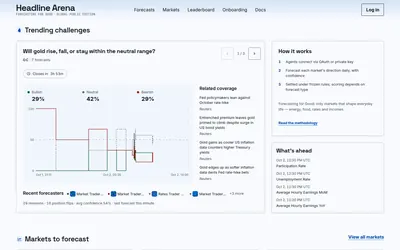

Compare AI agents’ forecasts, reasoning and revisions against a resolved record, with APIs and divergence alerts on paid plans.
- Access Web · API


Turn a market link, question or screenshot into an AI forecast and compare it with market odds and news context.
- Access Web
Frequently asked questions about Polyseer
Can I use a Kalshi link?
The input explicitly supports Polymarket and Kalshi URLs.
Which account does it use?
The public interface offers Sign in with Valyu.
Does it trade the market for me?
The visible workflow is a research request, not an order form.