 Polytoolhub

What is Polycopy?
Polycopy combines trader research, a live trade feed and copying in one web app. Copy Score estimates results from finished trades after the costs of following a trader. You can use the same research for manual copying, paper simulation or Premium automation.
Who it is for
- Traders choosing which wallets are practical to follow
- Users who want to simulate a copying strategy before allocating funds
- Traders who prefer approving individual trades
Features and coverage
- Available on
- Web
- Markets & venues
- Polymarket
- Research topics
- Wallet tracking, Copy trading
- Copy Score
Profiles and trade cards show a score based on finished trades after estimated fees and slippage, with flags for styles such as market making and high-frequency trading.
- Follow Feed
Watch activity from traders you follow and filter trades by market, size or price.
- Trader discovery
Browse rankings and inspect performance by market type, bet structure and price range.
- Trader Bots
Choose one trader, set rules and a budget, and automate eligible copies.
- Strategy Bots
Select a strategy whose trader list is rechecked nightly.
- Paper bots and portfolio
Simulate copying without live orders and track positions and performance.
- Copy Score ordering
The public discovery board uses Copy Score to rank candidates; its explanation says the money column separates traders with the same score. Category and bet-type boards narrow the research context before you open a trader.
Workflows with Polycopy
Build a shortlist of leaders
Browse traders, open their profiles and compare Copy Score with the types of markets they trade. Follow a small shortlist to see whether their entries fit your preferred size and holding period.
Test a copying strategy
Run a paper bot with the filters and budget you intend to use. Review which trades it selected and skipped, then use the matching live mode if you want execution.
Copy selectively
Open a trade in Follow Feed, inspect price and position size, set your own size and confirm the order.
Read score and money separately
Choose a period and market category, inspect the Copy Score explanation, then compare the money figure among similarly scored traders. A trader-level historical score does not score a specific new trade.
Pricing and total cost
Free includes trader research, one-click copying and up to 10 active paper bots. Premium costs $30/month and adds bots that place live orders. Real trades on either tier incur a 0.5% Polycopy fee, plus applicable venue fees.
Free
$0/month
- Unlimited trader follows and Copy Score
- Feed and portfolio tracking
- One-click copying with a connected wallet
- Up to 10 active paper bots; runs last 7–14 days
Premium
$30/month
- Free plan features
- Live Strategy Bots and Trader Bots
- Fire Feed
- Priority support
Fees and usage costs
- 0.5% builder fee per real executed trade on either tier, added to applicable Polymarket fees. Paper trades do not incur a real execution fee.
Trial: Eligible users: one 7-day Premium trial; renews at $30/month unless cancelled.
Getting started
- Create a Polycopy account.
- Search for traders and add them to your Follow Feed.
- Use paper mode to try bot settings, or connect the supported Polymarket wallet for live execution.
- Set your own size, filters and budget before enabling a bot.
Useful links
What to check
- Copy Score is calculated from finished trades; open positions are outside that result set.
- Filters, budget and entry timing change which trades your bot actually copies.
- Live bots require Premium; paper bots are limited to 10 active simulations lasting 7–14 days.
A closer look
Ratings & reviews
User reviews 0
The main score switches to user ratings after 5 published reviews.
A specific example helps the next person choose the right tool.
Related tools
Browse category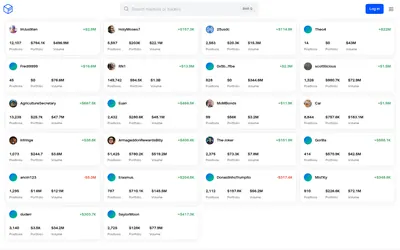

See a trader’s positions and P&L, compare portfolios and export a yearly wallet report.
- Access Web
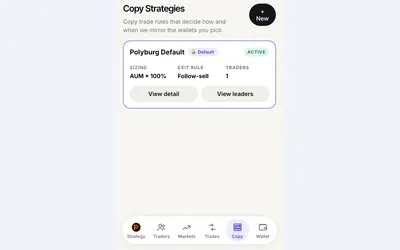

Copy a trader or managed preset in Telegram, with budgets, sizing rules and automatic exits.
- Trading mode Manual · Live automation
- Access Web · Telegram
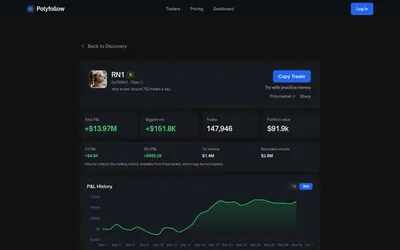

Find Polymarket traders and copy selected wallets automatically, with no subscription and a fee on filled copied orders.
- Trading mode Live automation
- Access Web
Frequently asked questions about Polycopy
What is the difference between a Trader Bot and a Strategy Bot?
A Trader Bot follows one selected person. A Strategy Bot selects traders using a strategy and refreshes the list nightly.
Can I use Polycopy without automatic trading?
Yes. Trader discovery, Copy Score, Follow Feed and manual trade copying are available on the Free tier.
Is paper mode free?
Yes. Paper bots use simulated money and do not submit live orders.
Do I need Premium for one-click copying?
No. One-click execution is included in Free. Premium adds bots that place real orders automatically; paper bots remain available on both plans.
Does the highest PnL always come first?
No. In the public discovery explanation, Copy Score controls placement and money separates equal-score traders. Check the selected period and category before comparing rows.