 Polytoolhub

What is Polyfollow?
Polyfollow centers the workflow on a public wallet address: discover a trader, inspect their record and configure copying through your account. Its public directory includes trader rankings, trade counts and quality badges. Execution uses a smart-account model with scoped session permissions described by the provider.
Who it is for
- Users seeking automatic wallet copying without a paid subscription
- Traders comparing leaders through a public directory
- People who want to monitor why a trade was copied
Features and coverage
- Available on
- Web
- Markets & venues
- Polymarket
- Wallet discovery
Search by address or trader name and browse featured traders.
- Leaderboards
Compare P&L, activity counts and displayed quality information.
- Automatic copying
Apply the selected account’s copy settings to followed traders.
- Execution logs
Review records explaining copied activity.
- Scoped session access
The documented permission model limits sessions to supported Polymarket trading.
- Account dashboard
Manage the copying workflow and tracked activity.
- Public copy simulator
Trader profiles expose a simulator with 7-day, 30-day, 90-day and all-history choices, fixed-dollar or proportional sizing, capital required, fees, drawdown and skipped buys. Open positions are marked at current prices.
Workflows with Polyfollow
Choose a leader
Search the wallet, review its record and recent trading style, then decide whether its markets and holding periods fit your allocation.
Start and review copying
Complete account setup, configure the leader and supported limits, then inspect execution logs to understand which trades were copied.
Inspect a simulation before account setup
Open a public trader profile, compare the simulation settings with the available history, and read the fill, minimum-order and exit assumptions alongside capital requirements. Keep this historical model separate from a running paper bot or live copying.
Pricing and total cost
No subscription or paid tiers. Polyfollow charges 1% on copied taker orders and 0.5% on copied maker orders, based on order value and only when the order fills. Polymarket collects this fee at execution through its Builder Program; its own market fees may apply separately. Polyfollow does not charge for deposits or withdrawals and covers withdrawal network fees.
Fees and usage costs
- 1% on filled copied taker orders; 0.5% on filled copied maker orders, calculated from order value.
- Polymarket collects the copying fee at execution through its Builder Program.
- No Polyfollow deposit or withdrawal charge; withdrawal network fees are covered.
- Underlying Polymarket market fees can still apply.
Getting started
- Browse the public trader list or paste a leader address.
- Complete the supported Privy and smart-account onboarding.
- Follow the current deposit flow.
- Configure the selected trader and copying settings.
- Review the execution dashboard after activation.
Useful links
What to check
- Entering a public address for discovery is different from authorizing an account to trade.
- Quality badges and aggregate P&L should be read alongside the trader’s actual markets and activity.
- Copied orders incur a Polyfollow fee when filled; applicable venue charges and differences in fill prices can add to the total cost.
- The public simulator excludes stop losses and relies on assumed fills; it does not demonstrate live execution or reproduce every account setting.
A closer look
Ratings & reviews
User reviews 0
The main score switches to user ratings after 5 published reviews.
A specific example helps the next person choose the right tool.
Related tools
Browse category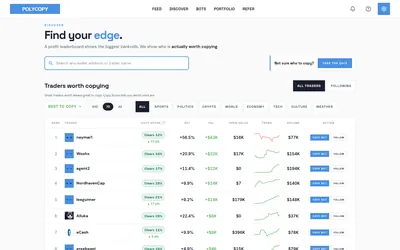

Find traders worth researching, try paper copying, or run a copy bot with your own rules and budget.
- Trading mode Paper · Manual · Live automation
- Access Web
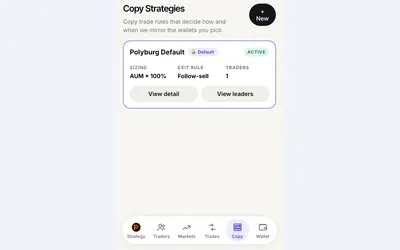

Copy a trader or managed preset in Telegram, with budgets, sizing rules and automatic exits.
- Trading mode Manual · Live automation
- Access Web · Telegram
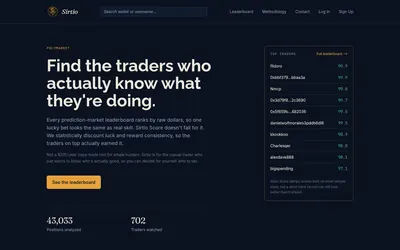

Compare selected Polymarket traders using a score that adjusts recent realized returns for sample size and consistency.
- Access Web
Frequently asked questions about Polyfollow
Is there a monthly subscription?
No. The pricing page lists no subscription, paid tiers or limit on the number of traders you can copy.
How is the copying fee calculated?
The fee is based on the copied order value: 1% for taker orders and 0.5% for maker orders. It is charged only when the order fills and collected by Polymarket at execution through its Builder Program.
Are there other trading costs?
Polymarket may charge its own fees on some markets, separately from the copying fee. Execution prices can also differ from the leader’s. Polyfollow lists no deposit or withdrawal charge and covers withdrawal network fees.
Does the simulator model my stop loss?
The displayed assumptions exclude stop-loss behavior. They model fills 2.15% worse than the leader, trading fees, a $1 minimum order and selling when the leader sells. A real stop loss could halt copying earlier.