 Polytoolhub
What is Polyburg?
Polyburg combines a Telegram mini-app, a manual trading terminal and a copy engine. Direct copy rules follow a selected leader; Presets package a managed strategy. Simple mode reduces configuration, while Advanced mode exposes more control over sizing, shared rules and exits.
Who it is for
- Telegram users who want copying and position management in one interface
- Traders who need fixed-dollar or percentage sizing
- Users choosing between an individual leader and a managed preset
Features and coverage
- Available on
- Telegram, Web
- Markets & venues
- Polymarket
- Direct copying
Create rules for a selected trader, including individual or shared settings.
- Simple and Advanced modes
Choose a short configuration flow or more detailed controls.
- Sizing and budgets
Use fixed-dollar or percentage-based sizing and constrain the amount allocated to copying.
- Exit rules
Configure supported exit triggers; distinguish stopping new copies from closing positions.
- Managed Presets
Join a packaged strategy with its own entry, performance and exit screens.
- Manual terminal and notifications
Place manual trades; fill notifications appear in the mini-app, while Telegram carries other alerts and system messages.
Workflows with Polyburg
Follow one trader with a fixed allocation
Open the leader, create a direct copy rule and set sizing plus budget. Review how the rule handles existing positions and exits before enabling it.
Use a managed preset
Read the strategy’s entry terms and performance view, then inspect the exit charge and commitment screen. Track your return since entry separately from the strategy’s chart.
Stop future copying
Use the stop or pause control appropriate to the mode. If you also want to close positions, use the separate position-exit action.
Pricing and total cost
Trade fees are charged per share on each buy or sell fill. The formula is max($0.0024, 0.056 × p × (1 − p)), where p is the share price in dollars.
Fees and usage costs
- 400 shares at $0.25: $4.20 service fee. A separate sale incurs its own fee.
- 1,000 shares at $0.02: $2.40 service fee, because the minimum applies.
- Redemptions are excluded from this trading fee. Preset exits can have a separate displayed charge.
Access: The homepage advertises a free subscription, while the copy guide refers to active membership; confirm the selected mode’s access terms in the mini-app.
Getting started
Before you start: Stopping or removing a copy rule does not necessarily close existing positions.
- Open the official Polyburg Telegram mini-app.
- Choose manual trading, an individual leader or a Preset.
- Use Wallet to inspect the supported funding route and resulting Polygon pUSD balance.
- Set the budget, sizing and exit behavior before enabling copying.
Useful links
What to check
- Stopping or removing a copy rule does not necessarily close existing positions.
- The per-share minimum makes fees proportionally larger for very low-priced shares.
- Preset performance charts and your return since entry cover different periods.
- Available deposit chains are controlled by the live funding picker.
A closer look
Ratings & reviews
User reviews 0
The main score switches to user ratings after 5 published reviews.
A specific example helps the next person choose the right tool.
Write a review
How was your experience with Polyburg?
Share what you used, what worked and what could be better. We confirm your email and review the submission before publishing.
To submit a review, email info@polytradingbot.com with the tool name, your rating and your experience. Enable JavaScript to prepare a draft here.
Related tools
Browse category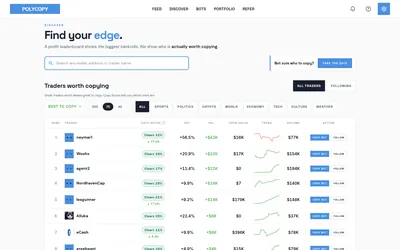

Find traders worth researching, try paper copying, or run a copy bot with your own rules and budget.
- Trading mode Paper · Manual · Live automation
- Access Web
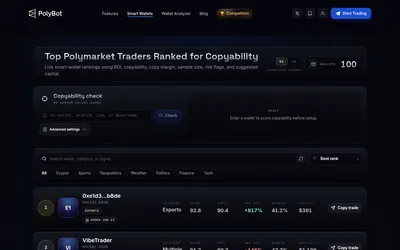

Place orders, copy wallets and configure crypto strategies directly in Telegram.
- Trading mode Manual · Live automation
- Access Telegram
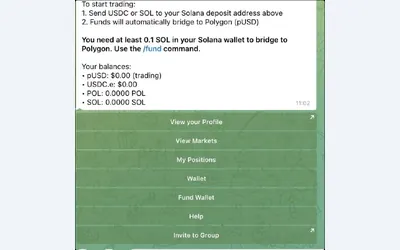

Trade and manage positions in Telegram, with fixed, proportional or counter-copy rules.
- Trading mode Manual · Live automation
- Access Telegram
Frequently asked questions about Polyburg
Does stopping a rule sell everything?
Do not treat stop, pause, remove and exit as the same action. Closing an existing position requires the relevant exit flow.
Are fees charged on sells too?
Yes. Each buy or sell fill is charged separately; redemption is excluded.
Where do I see fill notifications?
In the mini-app’s notification toasts. Other alerts and system messages can arrive in Telegram.