 Polytoolhub
What is Polybot?
PolyBot combines several trading modes under the official @TradePolyBot account. You can place an individual order, follow another wallet or configure the Auto Trader for supported crypto Up/Down markets. The mini-app provides a visual interface, while Telegram carries commands and alerts.
Who it is for
- Telegram users who need more than market-buy commands
- Traders configuring copy filters and daily limits
- Users managing stops, partial exits and redemption from one account
Features and coverage
- Available on
- Telegram, Mini-app
- Markets & venues
- Polymarket
- Research topics
- Copy trading, Crypto
- Manual order entry
Market buys, GTC limit buys, limit sells and partial or full position sales.
- Copy controls
Choose wallets, set filters and apply daily caps.
- Auto Trader
Timing, re-entry and circuit-breaker rules for supported crypto Up/Down markets.
- Exit management
Reusable exit presets, trailing stops and standalone stop monitoring.
- Position settlement
Automatic redemption handles eligible resolved positions.
- Parlays
Eligible combinations support 2–8 legs.
- Visual mini-app
Use /app for the visual interface alongside Telegram commands.
Workflows with Polybot
Copy a wallet within a budget
Research the public wallet, choose eligible markets and sizing, set a daily cap and inspect exit rules before activation.
Manage an existing position
Open the position, choose a partial or full sale or a supported exit preset, and check the resulting order state.
Automate a crypto window
Select the supported Up/Down strategy, configure timing and re-entry behavior and set its circuit-breaker limits.
Pricing and total cost
The standard PolyBot service fee is 1% of executed trading volume, with possible account-specific promotions.
Fees and usage costs
- At the standard rate, a $300 buy and $250 sell incur $5.50 in service fees.
- Normal in-product wallet actions have sponsored gas according to the docs.
- Venue and external funding charges remain separate.
Getting started
Before you start: Use the deposit destination from the funding flow, not a displayed profile address.
- Open @TradePolyBot through the official website.
- Follow onboarding and Safe creation.
- Use the in-app deposit flow for the selected chain and asset; the current trading balance is pUSD.
- Open /app or the bot menu and select manual, copy or Auto Trader mode.
- Review size, limits, fees and exit settings before activation.
Useful links
What to check
- Use the deposit destination from the funding flow, not a displayed profile address.
- Managed HFT and Robin Yield are beta or feature-gated modules.
- Telegram and mini-app controls do not have identical feature coverage.
- Stops trigger exit attempts; the actual fill depends on the available order book.
A closer look
Ratings & reviews
User reviews 0
The main score switches to user ratings after 5 published reviews.
A specific example helps the next person choose the right tool.
Write a review
How was your experience with Polybot?
Share what you used, what worked and what could be better. We confirm your email and review the submission before publishing.
To submit a review, email info@polytradingbot.com with the tool name, your rating and your experience. Enable JavaScript to prepare a draft here.
Related tools
Browse category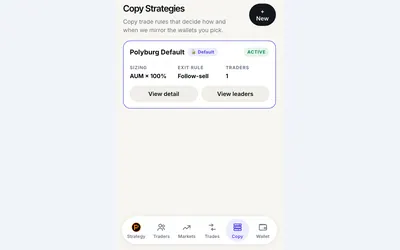

Copy a trader or managed preset in Telegram, with budgets, sizing rules and automatic exits.
- Trading mode Manual · Live automation
- Access Web · Telegram
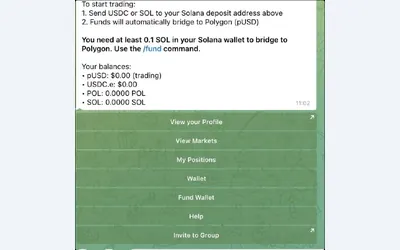

Trade and manage positions in Telegram, with fixed, proportional or counter-copy rules.
- Trading mode Manual · Live automation
- Access Telegram
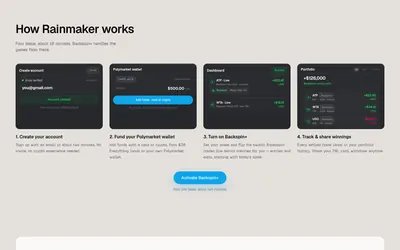

Automate Polymarket tennis strategies with stake limits, managed exits and a portfolio history.
- Trading mode Live automation
- Access Web
Frequently asked questions about Polybot
Which Telegram bot is official?
Use @TradePolyBot via the link on polybot.trading.
Can I sell only part of a position?
Yes. The documented position controls include partial and full sales.
Is the 1% fee based on my deposit?
No. It is based on executed trading volume.
How do I open the visual interface?
Use /app from the bot.