 Polytoolhub
What is Polycule?
Polycule is a Telegram trading interface with market search, account controls and shareable copy configurations. Its copy modes include fixed sizing, proportional sizing and taking the opposite outcome. Position and order management remain available separately from copying.
Who it is for
- Traders who want market and position controls inside Telegram
- Users sharing a copy configuration with others
- Traders comparing different copy-sizing modes
Features and coverage
- Available on
- Telegram
- Markets & venues
- Polymarket
- Market discovery
Use trending markets or search to find a contract and view its chart.
- Position management
Inspect holdings and manage supported buys, sells and open orders.
- Limit orders
Use limit buys and sells instead of relying only on immediate execution.
- Copy sizing
Choose fixed or proportional sizing for a followed wallet.
- Counter mode
Configure the opposite outcome rather than mirroring the leader’s side.
- Shareable configurations
Share copy settings and manage pause or deletion from the bot.
Workflows with Polycule
Build a copy configuration
Select the leader, choose sizing and direction, then review sell rules and filters. Save the configuration and use its controls to pause future copying when needed.
Place a manual limit order
Find the market with search, open the desired outcome and enter the price and size. Use the orders or positions view to manage it afterward.
Pricing and total cost
A complete trading tariff is not published in the guide. Its Solana-to-Polygon funding instructions say Polycule adds no bridge surcharge, while deBridge fees remain; this is separate from the trading fee.
Getting started
Before you start: The documentation uses both /copy and /copytrade; follow the current bot menu.
- Open the official Polycule Telegram link.
- Use the current menu or /help for available commands.
- Review /wallet and /fund for the selected asset and network.
- Search a market or open the copying menu and configure the desired mode.
Useful links
What to check
- The documentation uses both /copy and /copytrade; follow the current bot menu.
- Pausing or deleting a configuration does not automatically mean existing positions are liquidated.
- Counter-copying takes the other outcome; it is a separate position with its own price and costs.
- The provider discloses a historical withdrawal-processing incident and infrastructure changes on its security page.
A closer look
Ratings & reviews
User reviews 0
The main score switches to user ratings after 5 published reviews.
A specific example helps the next person choose the right tool.
Write a review
How was your experience with Polycule?
Share what you used, what worked and what could be better. We confirm your email and review the submission before publishing.
To submit a review, email info@polytradingbot.com with the tool name, your rating and your experience. Enable JavaScript to prepare a draft here.
Related tools
Browse category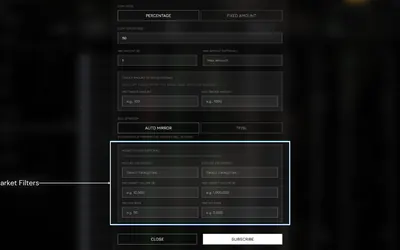

Research wallets and trade through Telegram or the web, with percentage/fixed copying, source-trade filters and distinct copy and Autopilot exit behavior.
- Trading mode Manual · Live automation
- Access Web · Telegram
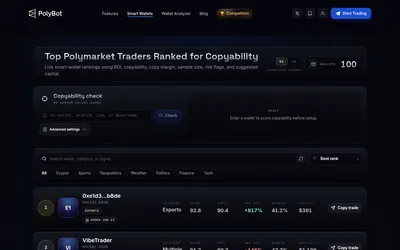

Place orders, copy wallets and configure crypto strategies directly in Telegram.
- Trading mode Manual · Live automation
- Access Telegram
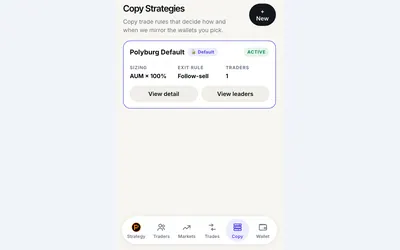

Copy a trader or managed preset in Telegram, with budgets, sizing rules and automatic exits.
- Trading mode Manual · Live automation
- Access Web · Telegram
Frequently asked questions about Polycule
Can I take the opposite side of a followed trader?
Counter mode is designed for that behavior.
Can I share a copy strategy?
The guide describes shareable copy configurations. They share settings, not another account’s balance or entry price.
Does a fee-free bridge route mean free trading?
No. The bridge statement concerns one funding route; trading and network costs are separate.