 Polytoolhub
What is Insiders.bot?
Insiders.bot combines a market terminal, wallet filters and a Telegram trading agent. Standard copying lets you choose a source wallet and independently configure sizing, market filters and exits. Autopilot is a different budget-based beta that holds positions to settlement. The shared account supports Telegram social login or an external-wallet delegation workflow.
Who it is for
- Users configuring wallet copying from Telegram
- Traders filtering source activity by size and market characteristics
- Users who need web and chat views of the same account
Features and coverage
- Available on
- Telegram, Web
- Markets & venues
- Polymarket
- Two copy modes
Copy 1–100% of source size or a fixed amount starting at $1.
- Follower limits
Set minimum and maximum copied amount in percentage mode.
- Source-size filters
Exclude original trades below or above selected amounts.
- Market filters
Choose categories, volume and holder-count ranges.
- Mirrored exits
Auto-Mirror Sell follows a leader’s proportional sale.
- Independent exits
Standard copy settings offer custom take-profit and stop-loss.
- Telegram management
Use /copytrade, /mycopytrades, /copyhistory and /stopcopy.
- Natural-language agent
Request research and configure supported trading parameters in chat.
- Separate Autopilot
Commit a budget to the hold-to-settlement strategy.
- Wallet options
Choose Privy-powered social login or explicit external-wallet delegation.
Workflows with Insiders.bot
Create a percentage copy
Use /copytrade, provide the leader and enter percentage,max,min, then review filters and exits.
Create a fixed copy
Choose the amount, source-size filters and market universe, then confirm.
Pause and inspect
Stop the configuration and inspect remaining positions and fill history separately.
Evaluate Autopilot
Read its budget and settlement-only policy before treating it as equivalent to ordinary copy trading.
Pricing and total cost
A numerical platform fee and Pro subscription schedule were not established by the reviewed public documentation. Normal Polymarket execution is described in the current onboarding guide as gasless.
Getting started
Before you start: Autopilot holds to settlement and has no take-profit or stop-loss; ordinary copying has separate exit controls.
- Open InsidersDotBot and use /start.
- Choose social login or an external-wallet route.
- Use the current deposit screen: onboarding describes eligible assets converted to PUSD.
- Inspect any delegation or approval request.
- Configure a copy and its limits.
- Review fills and open positions after activation.
Useful links
What to check
- Autopilot holds to settlement and has no take-profit or stop-loss; ordinary copying has separate exit controls.
- Social-login wallets and external delegated wallets have different key-management models.
- Older FAQ sections mention POL gas and USDC funding; the newer onboarding guide describes gasless PUSD trading, so use the current deposit instructions.
- Pausing new copying is separate from closing existing positions.
A closer look
Ratings & reviews
User reviews 0
The main score switches to user ratings after 5 published reviews.
A specific example helps the next person choose the right tool.
Write a review
How was your experience with Insiders.bot?
Share what you used, what worked and what could be better. We confirm your email and review the submission before publishing.
To submit a review, email info@polytradingbot.com with the tool name, your rating and your experience. Enable JavaScript to prepare a draft here.
Related tools
Browse category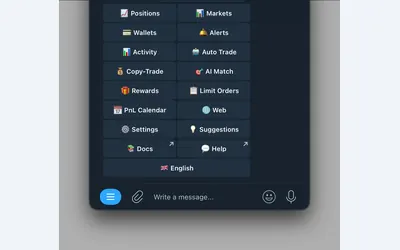

Manage wallet copying, alerts and automated strategies from Telegram or a connected web terminal.
- Trading mode Manual · Live automation
- Access Web · Telegram
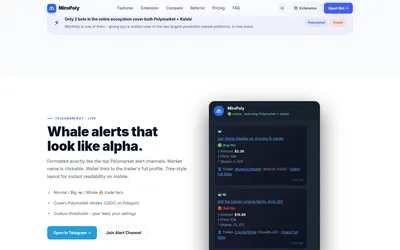
Receive whale and price alerts in Telegram, configure Polymarket copying, and add market-context panels through a free browser extension.
- Trading mode Live automation
- Access Telegram · Browser extension
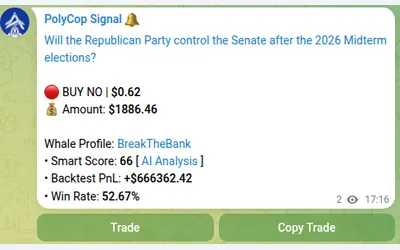

Copy Polymarket wallets in Telegram with market or limit orders, granular exposure limits, order-book pricing and a separate BTC automation mode.
- Trading mode Manual · Live automation
- Access Telegram
Frequently asked questions about Insiders.bot
What is the fixed-copy minimum?
$1.
Can I copy only selected categories?
Yes.
Does Autopilot use TP/SL?
No, its public policy is hold to settlement.
Which bot trades?
InsidersDotBot; the community channel is a separate destination.