 Polytoolhub
What is Kreo?
Kreo combines wallet research, trade execution and task management. Its Telegram bot can follow a trader at a fixed size, in proportion to their trades, or relative to portfolio balances. Each copy task has its own budget, market filters and exit rules. The web app adds wallet activity tables, unusual-activity research and market price alerts. A shared account connects browser orders with Telegram notifications.
Who it is for
- Traders who want separate copy rules for several wallets
- Users who need per-market and daily spending limits
- Researchers who want wallet alerts before enabling execution
- Crypto and sports traders building repeatable entry rules
Features and coverage
- Available on
- Telegram, Web
- Markets & venues
- Polymarket, Kalshi
- Research topics
- Wallet tracking, Copy trading, Crypto, Sports
- Five sizing methods
Choose fixed dollars, the leader’s exact amount, a percentage of their trade, portfolio weighting or balance weighting. Balance weighting also has a multiplier for scaling exposure.
- Task budgets
Cap spending across a task, within a day and within a market. One-entry controls can prevent repeated buys, including overlapping entries from different copied traders.
- Copy filters
Filter by category, trade size, market liquidity, volume, expiry and words in the market title. Set a price range and slippage tolerance independently.
- Configurable exits
Choose percentage, fixed-price or layered stop-loss and take-profit settings. Exits attach to the shares from each copied fill.
- Wallet research
Look up a public wallet, open its positions and PnL calendar, and run a 30-day audit with trade counts, volume, entry/exit averages and hedging statistics.
- Task manager
Name, pause, duplicate and edit tasks. Compact view and bulk settings help manage large lists; activity separates executed, skipped and failed trades.
- Alerts without copying
Track named wallets, import several addresses together, or create market price alerts. The web alert form lets you choose bid, ask or midpoint and an above/below threshold.
- Crypto and sports automation
Configure entry conditions, selected assets or leagues, timing and trade size in separate Auto Trade tasks.
- Connected web trading
The browser wallet tracker combines market prices, spread, volume and liquidity with individual wallet fills. Quick Buy and outcome buttons lead into order placement.
- Kalshi access
The provider also documents Kalshi access alongside its Polymarket product through the Kreo product family.
Workflows with Kreo
Research before copying
Use /portfolio with the target wallet, inspect its open positions and 30-day audit, then create a copy task from that wallet’s panel. Compare its typical trade size with the amount your chosen sizing method would produce.
Separate trader budgets
Create one task per strategy, assign a recognizable name, then set total, daily and per-market caps. Enable the cross-task one-entry option when several leaders often buy the same market.
Watch without execution
Use /tracker, add a public wallet and a label, and receive trade notifications. Mass Import accepts one name:address pair per line.
Diagnose a missed copy
Open the task’s Activity view and inspect skipped or failed entries. Compare the reason with price filters, liquidity thresholds, spending limits and the task’s Running/Stopped status.
Pricing and total cost
Trading fees depend on the share price. The published formula is max(0.003, 0.07 × price × (1 − price)) per share. Claims/redeems have a separate 0.3% charge. Cashback tiers reduce effective fees.
Fees and usage costs
- At a 50¢ share price, the stated fee is 0.0175 per share; at 10¢ or 90¢ it is about 0.0063.
- Funding through a bridge or card service uses that route’s payment terms.
Access: The setup guide specifies a $2 minimum deposit and a $1 minimum copy-trade amount.
Getting started
Before you start: Copy tasks can keep running when their notifications are muted; muting and stopping are separate controls.
- Open @KreoPolyBot and tap Start.
- Use /wallets to view the generated wallet and deposit options; select the intended funding network.
- For research only, start with /tracker or /portfolio and paste a public Polymarket address.
- For copying, open /copytrade → Add Task, enter a wallet or username, name the task and choose the Kreo wallet it will use.
- Select the sizing method; configure spending caps, price range, slippage, filters and buy/sell behavior.
- Set any exits and review the full task summary before confirming. Use Activity to monitor the result.
- To use the web terminal, choose Web in /start, connect with Telegram in the browser and approve the matching connection request in the bot.
Useful links
What to check
- Copy tasks can keep running when their notifications are muted; muting and stopping are separate controls.
- An account can contain up to 1,000 tasks; overlapping tasks can still compete for the same wallet balance unless budgets and one-entry rules prevent it.
- The wallet audit covers 30 days. Its reported copy-performance calculation includes entry and exit price shifts.
- Polymarket and Kalshi use separate Telegram bots. This card’s main link opens the Polymarket bot.
A closer look
Ratings & reviews
User reviews 0
The main score switches to user ratings after 5 published reviews.
A specific example helps the next person choose the right tool.
Write a review
How was your experience with Kreo?
Share what you used, what worked and what could be better. We confirm your email and review the submission before publishing.
To submit a review, email info@polytradingbot.com with the tool name, your rating and your experience. Enable JavaScript to prepare a draft here.
Related tools
Browse category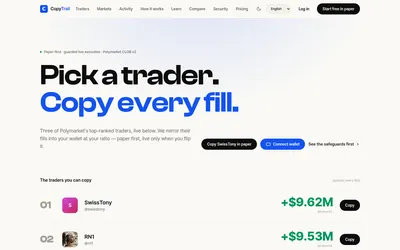

Test a wallet-copy strategy on paper, inspect the fills, then set live budgets and slippage limits.
- Trading mode Paper · Live automation
- Access Web
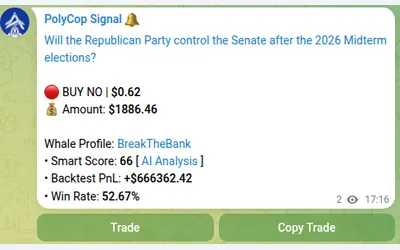

Copy Polymarket wallets in Telegram with market or limit orders, granular exposure limits, order-book pricing and a separate BTC automation mode.
- Trading mode Manual · Live automation
- Access Telegram
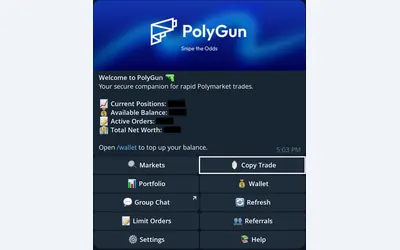

Trade Polymarket in Telegram, copy wallets with three sizing modes, manage TP/SL and automate crypto entries with AutoPilot.
- Trading mode Manual · Live automation
- Access Telegram
Frequently asked questions about Kreo
Can I follow a wallet without copying trades?
Yes. Use /tracker to receive its trade notifications; create a Copy Trade task only when you want execution.
Can I stop two leaders buying the same market?
Global One Entry/Market coordinates participating tasks so the first entry blocks overlapping entries until the tasks have exited.
Can I copy sells but change my entry size?
Yes. Sizing and trade behavior are separate settings, including Follow Buys, Copy Sells and Counter Trade.
Why choose bid, ask or midpoint for alerts?
They measure different prices. Bid reflects available buyers, ask reflects sellers, and midpoint sits between them; pick the one relevant to your planned action.
Where do I see why an order was skipped?
In the copy task’s Activity section, alongside executed and failed trades.