 Polytoolhub
What is MiroPoly?
MiroPoly combines a Telegram bot with a browser extension. The bot supports market search, price checks, portfolio queries and alerts across its advertised Polymarket/Kalshi coverage. Polymarket copy trading adds fixed or percentage sizing and optional exit rules. The extension places crypto, sports, macro, wallet and order-book panels beside the market page.
Who it is for
- Users wanting whale alerts in Telegram
- Polymarket users testing wallet-copy settings
- Browser traders who need external context beside the market
Features and coverage
- Available on
- Telegram, Chrome extension
- Markets & venues
- Polymarket, Kalshi
- Whale thresholds
Set notification sizes from $500 to $50,000-plus and distinguish normal, big and whale trades.
- Linked trade messages
Read the market, wallet, direction, price, amount and share count.
- Bot commands
Use /search, /price, /portfolio and /alert.
- Resolution notifications
Track the outcome of followed markets.
- Copy modes
Choose a fixed amount or percentage, with sizing and slippage controls.
- Copy filters
Set a price range and optional take-profit/stop-loss rules.
- Context extension
Open charts, crypto prices, sports scores, macro releases, weather, wallet and book panels.
- Cross-venue research
Browse Kalshi markets alongside Polymarket coverage.
Workflows with MiroPoly
Set a useful whale feed
Choose a minimum trade size, inspect a message and open its wallet and market links.
Configure a copy
Select a leader, sizing mode, slippage and price range, then review exit settings.
Research while browsing
Install the official extension and open only the context panels relevant to the contract.
Pricing and total cost
The provider’s current pricing FAQ lists no monthly subscription and a 0.3% execution fee for trades through the bot. Alerts and all extension panels are described as free.
Getting started
Before you start: The published copy-trading polling interval is 30 seconds; this differs from the faster whale-alert latency claim.
- Open MiroPolyBot and start the bot.
- Choose markets and alert thresholds.
- Try read-only search and price commands.
- Install the extension if needed.
- Configure wallet and limits separately before funded copying.
Useful links
What to check
- The published copy-trading polling interval is 30 seconds; this differs from the faster whale-alert latency claim.
- Kalshi research coverage does not by itself establish identical copy-trading support.
A closer look
Ratings & reviews
User reviews 0
The main score switches to user ratings after 5 published reviews.
A specific example helps the next person choose the right tool.
Write a review
How was your experience with MiroPoly?
Share what you used, what worked and what could be better. We confirm your email and review the submission before publishing.
To submit a review, email info@polytradingbot.com with the tool name, your rating and your experience. Enable JavaScript to prepare a draft here.
Related tools
Browse category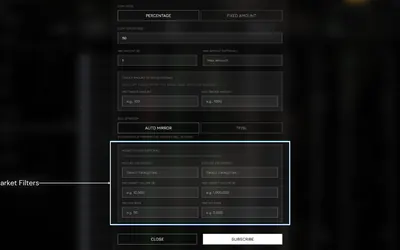

Research wallets and trade through Telegram or the web, with percentage/fixed copying, source-trade filters and distinct copy and Autopilot exit behavior.
- Trading mode Manual · Live automation
- Access Web · Telegram
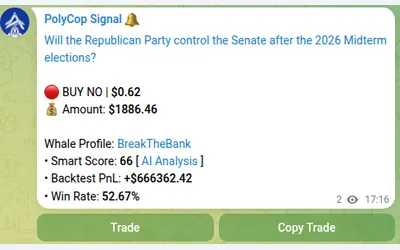

Copy Polymarket wallets in Telegram with market or limit orders, granular exposure limits, order-book pricing and a separate BTC automation mode.
- Trading mode Manual · Live automation
- Access Telegram
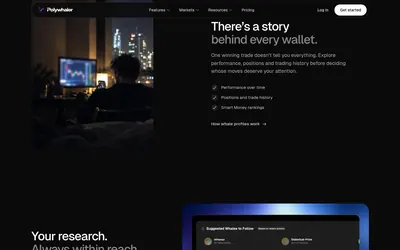

Research whale activity, build wallet alerts and test copying in Orca, with a separate API plan for historical data, webhooks and exports.
- Access Web · Telegram · Discord · API · iOS
Frequently asked questions about MiroPoly
Is the extension paid?
All advertised panels are free.
What does execution cost?
The pricing FAQ lists 0.3% per executed trade.
How often does copying check a leader?
The FAQ states every 30 seconds.
Can I filter whale size?
Yes. Configurable thresholds are listed.