 Polytoolhub
What is Polywhaler?
Polywhaler links a public trade feed with wallet profiles, event research and chart overlays. You can follow a wallet through a watchlist, define matching-trade notifications and inspect the score components behind unusual activity. Its Orca product extends the research into paper portfolios, copy simulations, quick backtests and connected live trading. The Quant plan adds programmatic access to the same research data.
Who it is for
- Users investigating a wallet beyond one large trade
- Traders who want Telegram or Discord rules for selected activity
- Researchers testing a whale-copy idea before live use
- Developers building on scored trade and wallet data
Features and coverage
- Available on
- Web, Telegram alerts, Discord alerts, iOS, REST API
- Markets & venues
- Polymarket, Kalshi
- Research topics
- Whale research, Paper copying
- Whale tape
Filter exchange-sourced activity and inspect the trade’s market, side, size and time.
- Wallet profiles
Review positions, history, equity curves, trading patterns and performance measures.
- Explained scores
Inspect unusual-activity and trader-quality components instead of relying only on a badge.
- Event and map research
Group whale activity by event or geographic context.
- Chart overlays
Place whale trades over price history and compare several series on supported plans.
- Custom alerts
Send matching activity to Telegram or Discord using configured rules.
- Orca paper workflows
Create a simulated portfolio, copy a wallet and run a quick historical review.
- Orca live accounts
Use a separate connected live portfolio for supported Polymarket or Kalshi execution.
- Quant data access
Retrieve REST data, outbound webhooks and historical exports in CSV, JSON or Parquet.
Workflows with Polywhaler
Research a whale
Open its profile from the feed, inspect positions and the equity curve and read the score breakdown before adding it to a watchlist.
Create a targeted alert
Choose the wallet or market criteria, configure a rule and connect the intended delivery channel.
Test a copying idea
Use Orca’s paper portfolio and quick backtest, inspect the simulated fills and results, then separately configure any live account.
Build a data workflow
Use Quant for API calls or webhooks and choose bulk exports when a full-history query is more practical than repeated polling.
Pricing and total cost
A free feed is available, with Pro for deeper app workflows and Quant for data access. The public pricing view shows annual billing equivalents.
Free
$0
- Whale feed, watchlist and leaderboard
- Public charts and event activity
- One paper portfolio and basic Orca simulation features
Pro — annual billing
$4.92/month equivalent
- Full whale profiles and custom alert rules
- Chart overlays and deeper research
- Full Orca access and The Prophet
Quant — annual billing
$599/year ($49.92/month equivalent)
- Everything in Pro
- REST API: 10,000 requests/day
- Webhooks, historical data and bulk exports
Access: Monthly billing is also offered. Pro subscriptions from iOS unlock the web account; Quant is purchased on the web.
Getting started
Before you start: The stated median feed delay is around 30 seconds, separate from venue execution timing.
- Open the free feed and inspect a wallet or event.
- Create an account for your watchlist and saved workflow.
- Use the score documentation to interpret the badges.
- Choose Pro if you need custom Telegram/Discord rules or full Orca access.
- Start with an explicitly labeled paper portfolio in Orca.
- Choose Quant only when your workflow needs programmable data or bulk history.
Useful links
What to check
- The stated median feed delay is around 30 seconds, separate from venue execution timing.
- Statistical unusual-activity scores are not findings about a trader’s private information or wrongdoing.
- Paper and live portfolios are separate modes with different execution consequences.
- The displayed annual monthly equivalents are not monthly-billed prices.
- A zero Orca platform fee does not remove venue execution costs.
A closer look
Ratings & reviews
User reviews 0
The main score switches to user ratings after 5 published reviews.
A specific example helps the next person choose the right tool.
Write a review
How was your experience with Polywhaler?
Share what you used, what worked and what could be better. We confirm your email and review the submission before publishing.
To submit a review, email info@polytradingbot.com with the tool name, your rating and your experience. Enable JavaScript to prepare a draft here.
Related tools
Browse category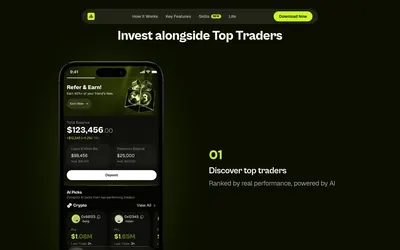

Discover traders and copy their positions from a mobile app, with an allocation budget, direct or inverse copying and portfolio controls.
- Access iOS · Android
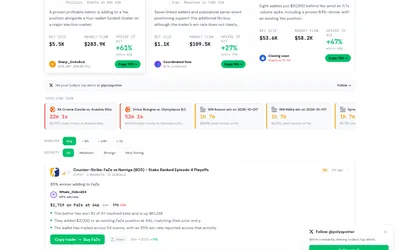
Investigate notable Polymarket trades, grouped event activity and wallets taking related positions across several markets.
- Access Web · Email
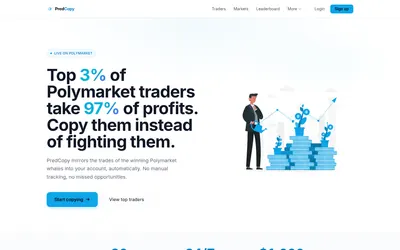

Practice copying a wallet with a virtual balance, then review limits and exit rules before live use.
- Trading mode Paper · Live automation
- Access Web
Frequently asked questions about Polywhaler
Can I receive Telegram alerts?
Yes. Custom matching-trade rules support Telegram and Discord on Pro.
What does Quant add?
A 10,000-request/day REST API, webhooks, full historical trades and bulk exports.
Is Orca only a simulator?
It supports paper workflows and separate connected live portfolios.
Does an iOS Pro subscription carry over to the web?
The pricing FAQ says it does when using the same account.