 Polytoolhub
What is PredictFolio?
PredictFolio is a wallet and portfolio research workspace. Search for a public trader to explore positions, portfolio value, volume and performance, or use reporting tools for your own verified wallet. It also supports importing P&L history from other venues and accounting for combo positions through its Auspex indexer.
Who it is for
- Traders researching another wallet’s performance
- Users reconciling their own positions and transaction history
- People who want a combined view of results across venues
Features and coverage
- Available on
- Web
- Markets & venues
- Polymarket, Imported venue histories
- Trader search
Find a profile by trader identity or public wallet and open its dashboard.
- Portfolio views
Inspect positions, portfolio value, trading volume and P&L together.
- Yearly transaction report
Verified wallets can generate a beta report including realized P&L and fees.
- PDF and CSV exports
Download the report as a readable document or a file for further analysis.
- Combo accounting
The Auspex indexer accounts for combined-market positions.
- Imported P&L
Add an export from Kalshi or another venue to the chart, separately or summed with Polymarket.
Workflows with PredictFolio
Understand a trader’s record
Search the wallet, open the dashboard and inspect the positions behind its P&L. Compare portfolio value with trading volume to distinguish current exposure from turnover.
Prepare your yearly transaction file
Verify the wallet, choose the report year and generate the report. Use PDF for reading or CSV for sorting transactions and reconciling fees.
Compare results across venues
Import the other venue’s history and choose whether to show it separately or combine it with Polymarket. Keep the reporting periods aligned.
Pricing and total cost
Free to use. The yearly transaction report is in beta and requires wallet verification.
Getting started
Before you start: The yearly transaction report is a beta feature and requires a verified wallet.
- Open PredictFolio and search for a trader or wallet.
- Open the profile dashboard to inspect positions and performance.
- For your own report, follow Generate report and verify the wallet.
- Use the import option when adding performance history from another venue.
Useful links
What to check
- The yearly transaction report is a beta feature and requires a verified wallet.
- A combined chart includes imported history; use the Polymarket-only view when comparing Polymarket traders.
- Portfolio value, trading volume and realized P&L measure different things and should be read separately.
A closer look
Ratings & reviews
User reviews 0
The main score switches to user ratings after 5 published reviews.
A specific example helps the next person choose the right tool.
Write a review
How was your experience with PredictFolio?
Share what you used, what worked and what could be better. We confirm your email and review the submission before publishing.
To submit a review, email info@polytradingbot.com with the tool name, your rating and your experience. Enable JavaScript to prepare a draft here.
Related tools
Browse category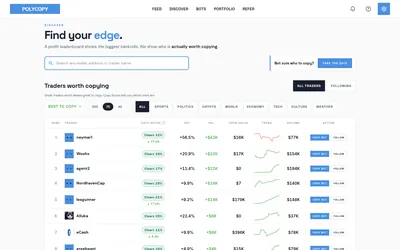

Find traders worth researching, try paper copying, or run a copy bot with your own rules and budget.
- Trading mode Paper · Manual · Live automation
- Access Web
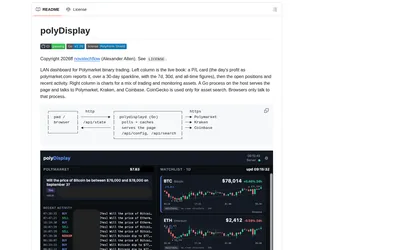
Run a local browser dashboard showing a public Polymarket wallet’s positions, activity and P&L beside crypto price charts.
- Access Web · iPadOS · Android
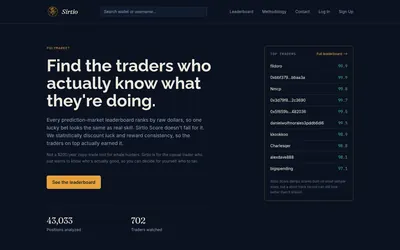

Compare selected Polymarket traders using a score that adjusts recent realized returns for sample size and consistency.
- Access Web
Frequently asked questions about PredictFolio
Can I research another trader without owning their wallet?
Yes. Public trader discovery and profile research are part of the service. Verification applies to generating your own wallet report.
Can I export transactions?
The yearly report supports PDF and CSV and includes realized P&L and fees.
Can I include Kalshi results?
Yes. Import the other venue’s export and display its P&L separately or summed with Polymarket.