 Polytoolhub
What is polyDisplay?
polyDisplay is a self-hosted dashboard designed for a tablet or always-visible browser. A Go process polls upstream services and serves a cached page to devices on your network. It uses a public wallet address for the portfolio view and can protect its local API with a PIN.
Who it is for
- Users keeping a portfolio view on a spare tablet
- Technical users who prefer a local dashboard
- Operators monitoring positions alongside reference crypto prices
Features and coverage
- Available on
- Web, Go, Docker, iPad, Android
- Markets & venues
- Polymarket
- Portfolio column
Display positions and recent wallet activity.
- P&L display
Show the daily change, a 30-day sparkline and longer reporting windows.
- Asset charts
Configure the crypto assets shown beside the portfolio.
- Price fallback
Use Kraken at runtime with Coinbase fallback.
- Market context
Read Gamma end times and relevant Up/Down reference information.
- Tablet presentation
Use light/dark mode and a home-screen shortcut.
- Local API protection
Enable the PIN and token-based access for configuration and state endpoints.
Workflows with polyDisplay
Create an always-on display
Run the service on a home machine, set the public wallet and asset watchlist, then open it from a tablet on the same network.
Review a position with its reference asset
Compare the wallet entry, market end time and corresponding crypto chart without switching applications.
Change the monitored setup
Update wallet and candle settings in the dashboard, and maintain the asset list through its search and configuration controls.
Pricing and total cost
There is no listed hosted subscription. The source uses the PolyForm Shield license, which permits the documented internal use but restricts competing products. Hosting is your own cost.
Getting started
Before you start: Without a PIN, the API is open; the Docker example requires explicit PIN configuration.
- Choose the supported local installer, Go runtime or Docker route.
- Set the public Polymarket address and asset list.
- Configure POLYDISPLAY_PIN and the token secret.
- Start the service and open its LAN address.
- Add the page to the tablet home screen if desired.
Useful links
What to check
- Without a PIN, the API is open; the Docker example requires explicit PIN configuration.
- Positions, activity and P&L refresh on different schedules.
- The daily P&L follows sample-based upstream windows rather than a simple midnight boundary.
- Saved dashboard asset configuration can override the environment list.
- This is a monitoring dashboard, not an order terminal.
A closer look
Ratings & reviews
User reviews 0
The main score switches to user ratings after 5 published reviews.
A specific example helps the next person choose the right tool.
Write a review
How was your experience with polyDisplay?
Share what you used, what worked and what could be better. We confirm your email and review the submission before publishing.
To submit a review, email info@polytradingbot.com with the tool name, your rating and your experience. Enable JavaScript to prepare a draft here.
Related tools
Browse category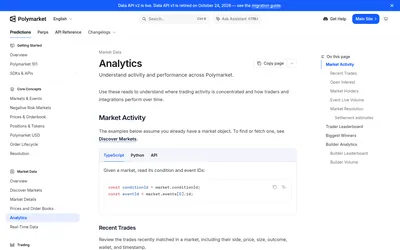

Build wallet dashboards and market analytics from public positions, activity, trades, holders, open interest and rankings.
- Data coverage Positions · Account activity
- Access API
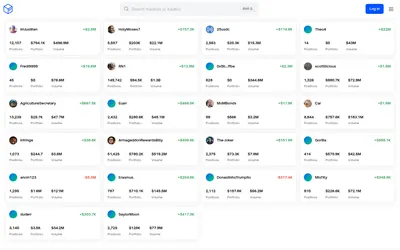

See a trader’s positions and P&L, compare portfolios and export a yearly wallet report.
- Access Web
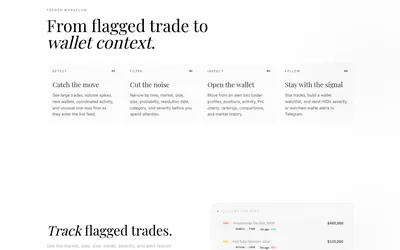
Filter unusual Polymarket trades, inspect wallet context and send high-severity or watchlist activity to Telegram.
- Access Web · Telegram
Frequently asked questions about polyDisplay
Does it need a wallet private key?
The portfolio display uses a public address.
Can it run on a tablet alone?
A host runs the Go service; the tablet displays the browser page.
Where do crypto charts come from?
Kraken supplies runtime data with Coinbase fallback; CoinGecko is used for asset search.
Why do panels update at different times?
Each upstream dataset has its own polling schedule.