 Polytoolhub
What is PolyTrack?
Polytrack connects a flagged-trade feed with wallet profiles, comparisons and follow-up alerts. Each trade includes the market, side, size, wallet and reason it was flagged. You can narrow the feed, investigate the account, save the trade and continue following the wallet rather than treating every alert as an isolated signal.
Who it is for
- Traders investigating large or unusual transactions
- Researchers comparing two wallets
- Users who want a filtered dashboard plus optional Telegram delivery
Features and coverage
- Available on
- Web, Telegram
- Markets & venues
- Polymarket
- Flagged trade feed
Track large trades, volume spikes, new wallets and unusual one-way activity.
- Advanced filters
Filter by time, size, side, market, category, severity, probability and resolution date.
- Wallet profiles and comparisons
Inspect positions, P&L, volume, market count and average trade size side by side.
- Leaderboards
Rank wallets across day, week, month and all-time ranges.
- Heatmaps and analytics
See where flagged volume clusters and compare buy/sell pressure.
- Watchlists and saved trades
Label wallets and star trades for follow-up.
- Telegram alerts
Send HIGH-severity or watched-wallet activity through your configured bot and chat.
Workflows with PolyTrack
Investigate a flagged trade
Read its alert reason, narrow the feed to the market and open the wallet. Compare the position with the account’s recent activity before saving it for follow-up.
Monitor a shortlist
Add labels to watched wallets and send their activity to Telegram while keeping broader low-severity traffic in the dashboard.
Pricing and total cost
All listed features are included in each payment option.
Weekly card subscription
$10/week
- Full dashboard and alerts
Annual card subscription
$99.99/year
- Full dashboard and alerts
Lifetime crypto payment
$99.99 one-time
- Full dashboard and alerts
Getting started
Before you start: Marketing feed examples are explicitly illustrative; use the live dashboard for actual activity.
- Choose the dashboard access plan.
- Configure the feed filters and preferred panels.
- Open wallet profiles and add the accounts you want to watch.
- Configure your Telegram bot and chat if you want off-dashboard alerts.
Useful links
What to check
- Marketing feed examples are explicitly illustrative; use the live dashboard for actual activity.
- Severity is a product classification and needs the accompanying alert reason.
- Telegram delivery requires its own configured bot/chat destination.
A closer look
Ratings & reviews
User reviews 0
The main score switches to user ratings after 5 published reviews.
A specific example helps the next person choose the right tool.
Write a review
How was your experience with PolyTrack?
Share what you used, what worked and what could be better. We confirm your email and review the submission before publishing.
To submit a review, email info@polytradingbot.com with the tool name, your rating and your experience. Enable JavaScript to prepare a draft here.
Related tools
Browse category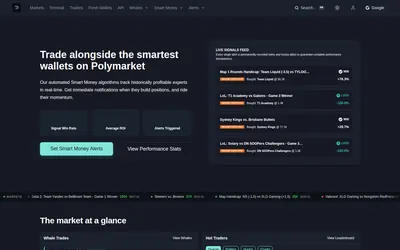
Get price and wallet alerts in Telegram or email, then investigate the move in a trading terminal.
- Trading mode Paper
- Access Web · Telegram · Email
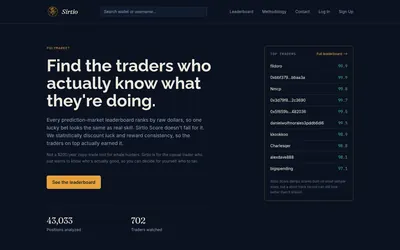

Compare selected Polymarket traders using a score that adjusts recent realized returns for sample size and consistency.
- Access Web
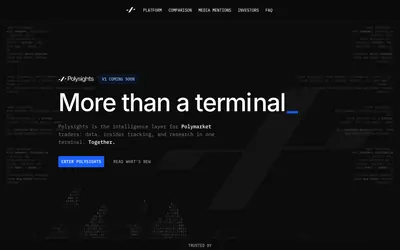

Investigate traders, unusual wallet activity and market data in one research terminal.
- Access Web
Frequently asked questions about PolyTrack
Are features different between payment options?
The product lists the full dashboard for every payment option.
Can I compare two wallets?
Yes. The comparison view includes volume, P&L, market count and average trade size.
Can I receive only alerts for my watchlist?
Watched-wallet activity is one of the supported Telegram delivery scopes.