 Polytoolhub
What is Polysights?
Polysights organizes market discovery, wallet analytics and research in one product. Insider Finder is its distinctive workflow: start with wallets showing unusual activity, then inspect the positions and market context behind the signal. Sports and general market views provide additional entry points.
Who it is for
- Researchers investigating unusual wallet behavior
- Traders who want markets and wallet profiles in one workspace
- Users following sports markets through a dedicated desk
Features and coverage
- Available on
- Web
- Markets & venues
- Polymarket
- Research topics
- Wallet tracking, Sports
- Market discovery
Browse odds, volume and market filters.
- Trader analytics
Inspect P&L, positions and history for a wallet or a defined cluster.
- Insider Finder
Investigate activity patterns selected by the product’s detection system.
- Research Hub
Read theses, news and discussion around markets.
- Sports dashboard
Use a separate sports-focused view.
- Terminal workflow
The product combines charts, books and account actions where available in the current release.
Workflows with Polysights
Investigate an unusual wallet
Open Insider Finder, inspect the wallet’s positions and timing and trace activity back to the market. Compare other trades by the same wallet before interpreting one isolated event.
Build market context
Use discovery to select a market, read relevant research and inspect the active holders or trader profiles.
Pricing and total cost
A complete current subscription tariff is not published on the product page.
Getting started
Before you start: An Insider Finder label identifies a pattern for investigation, not a verified insider identity.
- Follow Enter Polysights from the official site.
- Choose market discovery, Insider Finder or the sports dashboard.
- Open a market or wallet to inspect its details.
- Use the account flow only for functions that require your own profile or execution access.
Useful links
What to check
- An Insider Finder label identifies a pattern for investigation, not a verified insider identity.
- Public pages mix V1 release language with upcoming-version labels; use the live module’s controls to determine availability.
- Wallet-cluster results depend on the addresses included in the cluster.
A closer look
Ratings & reviews
User reviews 0
The main score switches to user ratings after 5 published reviews.
A specific example helps the next person choose the right tool.
Write a review
How was your experience with Polysights?
Share what you used, what worked and what could be better. We confirm your email and review the submission before publishing.
To submit a review, email info@polytradingbot.com with the tool name, your rating and your experience. Enable JavaScript to prepare a draft here.
Related tools
Browse category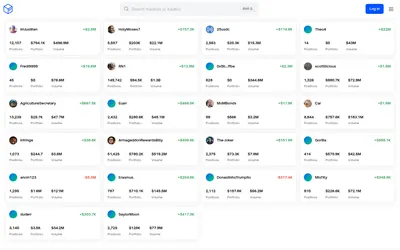

See a trader’s positions and P&L, compare portfolios and export a yearly wallet report.
- Access Web
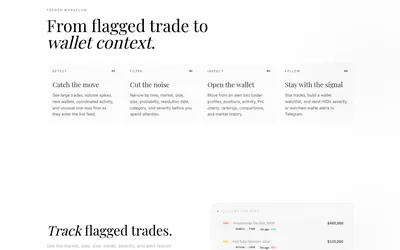

Filter unusual Polymarket trades, inspect wallet context and send high-severity or watchlist activity to Telegram.
- Access Web · Telegram
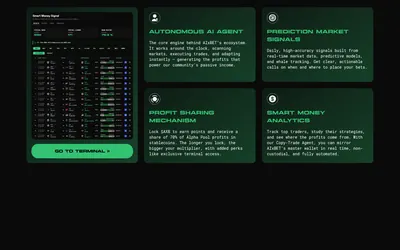

Research smart-money wallets, market signals and P&L through an AI-oriented terminal with AXB-based access options.
- Access Web
Frequently asked questions about Polysights
What is Insider Finder used for?
It helps identify and investigate wallets whose trading activity looks unusual or informed.
Can I focus on sports?
Yes. The product links a dedicated sports dashboard.
Is it only a trading terminal?
No. Market data, wallet analytics and research are central parts of the product.