 Polytoolhub

What is HuskyWeather?
HuskyWeather is built around the station that matters to a weather contract. The web terminal places observed daily highs and lows beside model expectations, decoded aviation reports and historical station behavior. The official Telegram bot is also identified as a Polymarket weather-analysis tool; the web terminal has a separate Free/Pro feature split.
Who it is for
- Users researching station-specific temperature contracts
- Weather traders checking models against observations
- Readers studying wind and cloud effects on the daily high
Features and coverage
- Available on
- Web, Telegram
- Markets & venues
- Polymarket
- Station overview
Compare the day’s observations with expected model highs.
- Decoded reports
Read METAR conditions and TAF forecasts.
- Heating history
Inspect seasonal station behavior and wind context.
- Model comparison
Use multi-model highs after free account registration.
- Satellite context
Inspect cloud development over the station.
- Live sensors
Pro adds between-METAR temperature readings where supported.
- Precipitation radar
Pro adds local radar context.
- Conditions edge
Pro exposes historical model deviations by conditions.
- Smart-money view
Pro displays profitable-wallet positions in station buckets.
Workflows with HuskyWeather
Research a contract
Match its station, date and temperature definition before opening the terminal.
Follow the daily high
Compare observed readings, cloud cover and expected peak timing.
Check a model estimate
Review station history and weather conditions that have produced systematic deviations.
Pricing and total cost
Basic station conditions, decoded TAF and daily METARs remain free. A free account adds multi-model highs and heating passports. Pro adds the station brief, conditions edge, smart money, live temperature, nearby stations and radar; the public source did not expose a reliable numeric price.
Getting started
- Open the Telegram bot or web terminal.
- Find the contract’s resolution station.
- Read current observations.
- Create a free account if needed for models and history.
- Choose Pro only for its additional research views.
Useful links
What to check
- Web Pro features should not be assumed to exist identically in the Telegram chat.
- Sensor cadence and availability vary by station.
- The contract’s named resolution source remains the basis for interpreting a weather reading.
A closer look
Ratings & reviews
User reviews 0
The main score switches to user ratings after 5 published reviews.
A specific example helps the next person choose the right tool.
Related tools
Browse category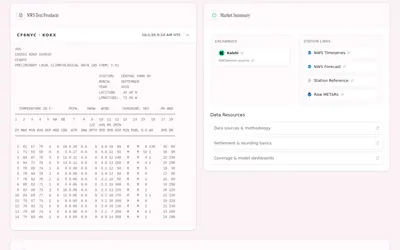

Research weather contracts using station-specific observations, forecasts, official weather reports and market coverage by city.
- Access Web
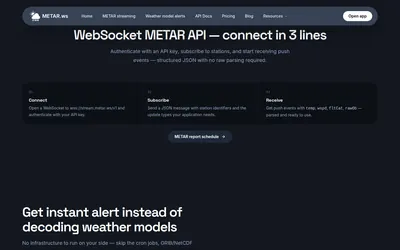
Stream airport observations and station-level weather-model signals for temperature-market research without maintaining a GRIB parsing pipeline.
- Access API
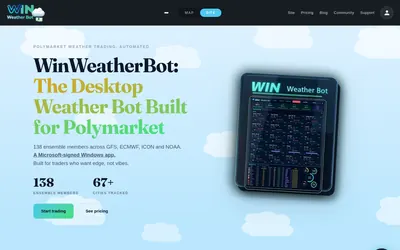

Run a Windows weather-market scanner and trading bot with ensemble comparisons, city/region exposure caps and configurable drawdown stops.
- Trading mode Live automation
- Access Windows
Frequently asked questions about HuskyWeather
Is there an official Telegram bot?
Yes, huskyweatherbot.
What remains free?
Station conditions, decoded TAF and day METARs; a free account adds models and heating history.
Does the terminal place orders?
The reviewed functions are weather and wallet research.