 Polytoolhub
What is METAR.ws?
METAR.ws combines decoded METAR/SPECI observations with forecast high and low temperatures through one WebSocket integration. It retains observation and receipt times separately and includes station coordinates and source metadata, which helps compare a weather market’s reference location with the data actually being consumed.
Who it is for
- Developers building weather-market monitors
- Researchers comparing forecasts and observations
- Teams needing station-level data with source timestamps
Features and coverage
- Available on
- WebSocket, REST API
- Research topics
- Airport weather, Temperature models
- Decoded observations
Receive temperature, wind, visibility and flight category with the raw report.
- Separate timestamps
Distinguish observation time from platform receipt time.
- Station metadata
Use coordinates and elevation to align stations and model grids.
- Model signals
Receive derived highs/lows when model runs become available.
- Lifecycle events
Track detected, partial and day-complete model output.
- Freshness fields
Inspect grid-point distance and source age.
- Historical API
Retrieve past METAR/SPECI data at plan-specific limits.
- WebSocket subscriptions
Select stations and event types over an authenticated connection.
Workflows with METAR.ws
Monitor a weather contract
Match the exact settlement station and units, then subscribe to its observation events.
Compare model runs
Store model, run time, source freshness and forecast extreme alongside the eventual observation.
Audit latency
Compare observation time with receipt time rather than treating every newly received report as a new measurement.
Pricing and total cost
Published EUR plans distinguish testing, a limited station set and broad production access.
Sandbox
Free
- 1 API key
- 1 WebSocket connection
- Model testing across stations
- Historical API 1 request/second
Starter
€49/month; 7-day trial
- 10 stations
- 2 WebSocket connections
- 1 API key
- Historical API 10 requests/second
Professional
€199/month
- All stations
- 5 API keys
- 10 WebSocket connections
- Historical API 100 requests/second
Getting started
Before you start: A forecast extreme is not a measured settlement result.
- Check station coverage and the required model.
- Create an API key.
- Connect to the documented WebSocket endpoint.
- Subscribe to station identifiers and event types.
- Retain raw reports, units and both timestamps.
- Handle partial model runs and reconnects explicitly.
Useful links
What to check
- A forecast extreme is not a measured settlement result.
- The reference station, timezone and rounding convention must match the market rule.
- Sandbox and paid plans have different observation and station entitlements; inspect the plan matrix.
- Source publication and model-run timing bound data availability.
A closer look
Ratings & reviews
User reviews 0
The main score switches to user ratings after 5 published reviews.
A specific example helps the next person choose the right tool.
Write a review
How was your experience with METAR.ws?
Share what you used, what worked and what could be better. We confirm your email and review the submission before publishing.
To submit a review, email info@polytradingbot.com with the tool name, your rating and your experience. Enable JavaScript to prepare a draft here.
Related tools
Browse category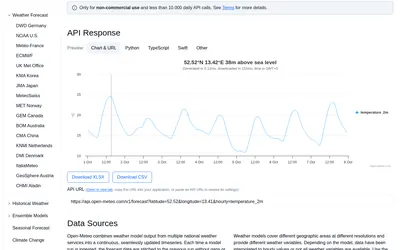

Retrieve weather forecasts, model comparisons and historical forecast runs for research around weather-linked prediction markets.
- Access API
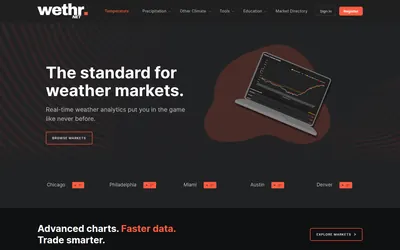

Compare station observations and weather models, then set alerts for the conditions you follow.
- Access Web · API
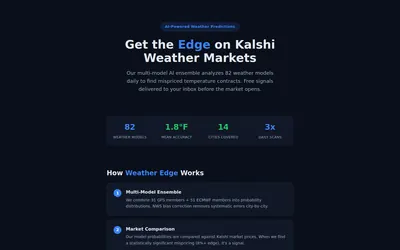
Read a weather-ensemble methodology and receive temperature-market signals based on model probability versus Kalshi prices.
- Access Web · Email
Frequently asked questions about METAR.ws
Does it include raw METAR text?
Yes, alongside decoded fields.
Must I parse GRIB files?
The model product provides station-level derived signals.
Is historical data available?
Yes, through a rate-limited API.
Why keep two timestamps?
They distinguish when an observation occurred from when the service received it.