 Polytoolhub
What is Wethr?
Wethr puts weather-market stations alongside detailed observations and analytical tools. The main distinction between plans is useful in practice: Free observations carry an extra three-minute delay, Basic removes it, and Professional adds forecast/model analysis and APIs. Developer expands API capacity and push coverage.
Who it is for
- Temperature-market researchers
- Users comparing model bias and station observations
- Developers consuming weather data and notifications
Features and coverage
- Available on
- Web, REST API, Push
- Markets & venues
- Kalshi, Polymarket, Weather research
- Research topics
- Station observations, Weather model accuracy
- Station charts
Review current and historical temperature and wind.
- Multi-station dashboard
Compare stations in one workspace.
- Model table and viewer
Compare forecast paths across models.
- Accuracy and bias analysis
Evaluate model behavior for the selected station.
- NWS evolution
Track changes in the official forecast.
- Similar Days
Compare historical conditions with the current setup.
- Notifications
Use temperature and high/low alerts.
- Rain and tornado dashboards
Research additional climate events.
- APIs and push
Consume observations, forecasts and precipitation programmatically.
Workflows with Wethr
Research a temperature contract
Match the exact settlement station and time window, then compare observations, neighboring stations and model paths.
Check model bias
Use the accuracy view before weighting a forecast in a probability estimate.
Build a monitor
Choose API or push access based on request volume and number of stations.
Pricing and total cost
Annual billing advertises two months free.
Free
$0
- Current/historical charts
- Wind
- Extra 3-minute delay
- Ads
Basic
$14.99/month
- No Free-tier delay
- No ads
- Multi-station and widget dashboards
- Release schedule
Professional
$24.99/month
- Model and accuracy tools
- Notifications
- 60 API requests/minute
- 5,000 requests/day
- Push for 5 stations
Developer
$99/month
- Professional features
- 300 requests/minute
- 100,000/day
- Push for all stations
- Model Accuracy and Nearby Stations APIs
Enterprise
Custom
- Higher limits and integrations
Getting started
Before you start: The chart separates confirmed highs from probable extremes; those values serve different purposes.
- Find the contract’s specified weather station.
- Open its temperature or precipitation view.
- Read the chart legend and data timestamps.
- Compare model forecasts with observations.
- Choose the required delay and analysis tier.
- Configure station-specific alerts or API access.
Useful links
What to check
- The chart separates confirmed highs from probable extremes; those values serve different purposes.
- A nearby station may help analysis but is not a substitute for the contract’s settlement station.
- The platform’s observation time and the final official climate report can differ.
- Free’s three-minute delay is additional to the source’s own release timing.
A closer look
Ratings & reviews
User reviews 0
The main score switches to user ratings after 5 published reviews.
A specific example helps the next person choose the right tool.
Write a review
How was your experience with Wethr?
Share what you used, what worked and what could be better. We confirm your email and review the submission before publishing.
To submit a review, email info@polytradingbot.com with the tool name, your rating and your experience. Enable JavaScript to prepare a draft here.
Related tools
Browse category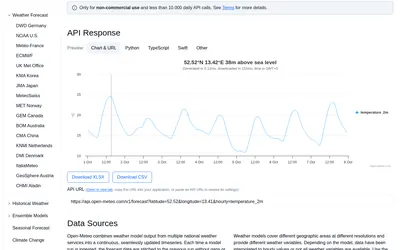

Retrieve weather forecasts, model comparisons and historical forecast runs for research around weather-linked prediction markets.
- Access API
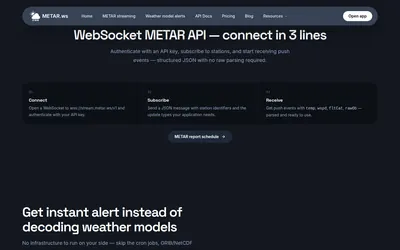

Stream airport observations and station-level weather-model signals for temperature-market research without maintaining a GRIB parsing pipeline.
- Access API
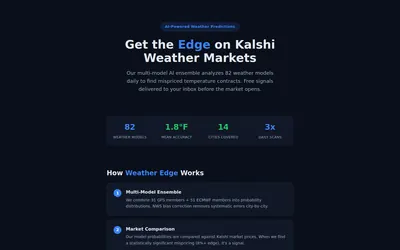
Read a weather-ensemble methodology and receive temperature-market signals based on model probability versus Kalshi prices.
- Access Web · Email
Frequently asked questions about Wethr
Which plan removes the extra delay?
Basic and above.
Does Professional include API access?
Yes, at 60 requests/minute and 5,000/day.
How many push stations does Professional include?
Five.
Does Developer include model accuracy data?
Yes.