 Polytoolhub
What is Climate Sight?
Climate Sight organizes weather research around the station behind a market. It distinguishes nearby locations that can settle differently—such as Central Park and LaGuardia, or different Chicago and Dallas airports—and combines observation and forecast surfaces with links to official data. The station page also identifies market types and settlement resources, which helps connect a weather reading to the exact contract being researched.
Who it is for
- Traders comparing daily temperature markets
- Researchers who need the correct observation station
- Users checking forecast changes against recorded observations
Features and coverage
- Available on
- Web
- Markets & venues
- Polymarket, Kalshi, Other supported weather venues
- Research topics
- Weather stations, Temperature markets
- Station-based navigation
Choose a named airport or observation site, rather than only a broad city label.
- Venue coverage
Review which weather markets are associated with a station and venue.
- Market date selector
Move between dates to keep the observation window aligned with the contract.
- Observed and forecast maxima
Compare the recorded daily high with the model forecast when the account data is available.
- Observation and report surfaces
Use Recent Observations and NWS Text Products for underlying weather context.
- Official station links
Open NWS time series, forecasts, station references and raw METAR resources.
- Settlement resources
Read the linked settlement and rounding guidance alongside the market.
- Multiple weather sources
The service lists NOAA, NWS, Tomorrow, FAA and IEM among its inputs.
Workflows with Climate Sight
Identify the settlement station
Read the market rules, then choose the matching station in Climate Sight. Do not substitute another airport in the same city.
Compare the day’s high with the forecast
Set the market date, inspect recorded observations and the forecast maximum, then review the official report relevant to settlement.
Research a new location
Use coverage and station-reference links to check which venue and contract types the city page supports.
Pricing and total cost
The coverage directory and station-reference pages are public. The site offers account creation for the research product but does not publish a complete subscription schedule on the public pages.
Getting started
Before you start: Nearby stations can produce different daily highs; city names alone are insufficient for matching a contract.
- Find the exact station named by the market.
- Select that location and the relevant date.
- Sign in where required to load the research data.
- Compare observations, forecast values and the report timestamps.
- Use the settlement guide and official station links to interpret rounding and the daily measurement window.
Useful links
What to check
- Nearby stations can produce different daily highs; city names alone are insufficient for matching a contract.
- The public station page can show empty readings before account data loads.
- Machine-learning buy signals are marked as coming soon on the product page.
- Observation time, forecast time and settlement report are distinct data points.
A closer look
Ratings & reviews
User reviews 0
The main score switches to user ratings after 5 published reviews.
A specific example helps the next person choose the right tool.
Write a review
How was your experience with Climate Sight?
Share what you used, what worked and what could be better. We confirm your email and review the submission before publishing.
To submit a review, email info@polytradingbot.com with the tool name, your rating and your experience. Enable JavaScript to prepare a draft here.
Related tools
Browse category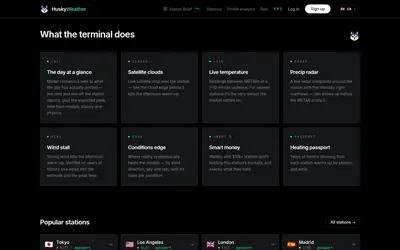

Compare station observations, forecast models and historical warming patterns through Husky’s weather terminal and Telegram entry point.
- Access Web · Telegram
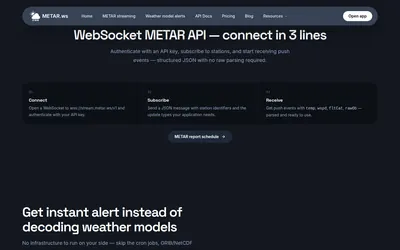
Stream airport observations and station-level weather-model signals for temperature-market research without maintaining a GRIB parsing pipeline.
- Access API
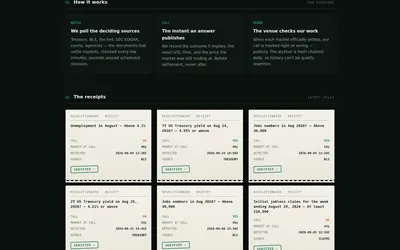
Track the official documents that decide markets, with timestamped calls, source receipts and a public settlement ledger.
- Access Web
Frequently asked questions about Climate Sight
Does it cover only US cities?
The coverage list includes US and international locations.
Why are there several entries for one city?
Different stations, such as separate airports, can be used by different contracts.
Are the advertised ML buy signals available?
The public product page labels them as coming soon.
Where can I check the original weather source?
Station pages link official time series, forecasts, references and raw METAR data.