 Polytoolhub
What is Virae?
Virae combines a Polymarket terminal with specialized agents. Its public agent cards describe the markets, signal logic and risk gates behind each strategy. Paper results are shown as such, making the strategy record useful for research before deciding whether to activate an account workflow.
Who it is for
- Users comparing several agent strategies
- Traders researching wallet copying from Telegram
- Users who want to inspect paper results before funding automation
Features and coverage
- Available on
- Telegram, Web
- Markets & venues
- Polymarket
- Research topics
- Prediction agents, Wallet copying
- Telegram entry
The Polymarket bot has a separate official handle from the memecoin product.
- Strategy cards
Inspect the stated signal, market universe and controls.
- Short-horizon crypto agents
The catalog includes BTC/ETH time-window strategies.
- Maker ladder strategy
A pre-market BTC strategy describes layered quotes.
- Weather research
A weather agent uses GFS ensemble information.
- Post-count research
A separate agent family models Elon Musk posting activity.
- Paper records
Review the published simulated trade history.
- Copy workspace
The leaderboard links to copying, with account and wallet setup required.
Workflows with Virae
Compare agents
Match each agent’s market universe to your research, then inspect its paper trades and risk gates.
Use the correct bot
Open the Polymarket-specific Telegram destination, then review the account’s available features.
Prepare copying
Inspect the selected wallet and configure available size and exposure limits before enabling the workflow.
Pricing and total cost
The public page presents cashback tiers of 8%, 14%, 20% and 30%. These are cashback percentages, not a complete trading-fee schedule. The bot’s account flow is the place to inspect the actual applicable charges.
Getting started
Before you start: The public agent records are paper results.
- Open the official Polymarket bot.
- Check private-beta access requirements.
- Read the chosen agent’s market and signal description.
- Review paper results and drawdown.
- Inspect wallet setup and permissions.
- Confirm the account’s available sizing and stop controls.
Useful links
What to check
- The public agent records are paper results.
- The product is presented as private beta; access may differ by account.
- Memecoin and Polymarket workflows are separate.
- Cashback tiers do not establish the net cost of a particular trade.
A closer look
Ratings & reviews
User reviews 0
The main score switches to user ratings after 5 published reviews.
A specific example helps the next person choose the right tool.
Write a review
How was your experience with Virae?
Share what you used, what worked and what could be better. We confirm your email and review the submission before publishing.
To submit a review, email info@polytradingbot.com with the tool name, your rating and your experience. Enable JavaScript to prepare a draft here.
Related tools
Browse category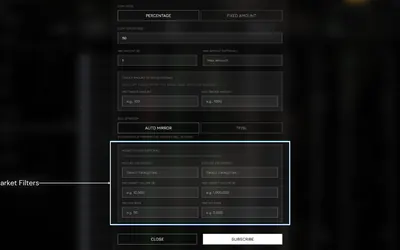

Research wallets and trade through Telegram or the web, with percentage/fixed copying, source-trade filters and distinct copy and Autopilot exit behavior.
- Trading mode Manual · Live automation
- Access Web · Telegram


Copy Polymarket wallets in Telegram with fixed or percentage sizing, isolated sub-wallets, separate buy/sell controls and detailed execution notifications.
- Trading mode Manual · Live automation
- Access Telegram
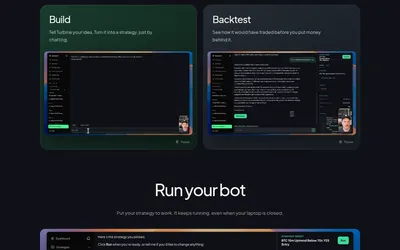

Describe a prediction-market strategy in chat, inspect a backtest and run a bot in a hosted environment.
- Trading mode Paper · Live automation
- Access Web · MCP
Frequently asked questions about Virae
Which Telegram link is for Polymarket?
The linked virae_polymarket_bot handle.
Are the displayed agent returns live-account returns?
The public cards label their records as paper performance.
Does every agent trade the same events?
No. The catalog separates crypto, weather and post-count strategies.
Is copying available without an account?
The copy workflow requires login and a ready wallet.