 Polytoolhub
What is TurbineFi?
TurbineFi’s Studio workflow moves from strategy description to historical testing and deployment. Its public library separates strategy families and research variations, with individual historical simulations that include losing examples. Plans differ mainly by weekly deployment allowance and concurrent bots.
Who it is for
- Users turning explicit trading rules into bots
- Researchers iterating on backtested strategies
- Traders who want a runtime that stays on when their laptop closes
Features and coverage
- Available on
- Web, Hosted bots, MCP
- Markets & venues
- Kalshi, Polymarket
- Research topics
- AI strategy building, Backtesting
- Conversational strategy builder
Turn an idea into an inspectable strategy.
- Backtesting engine
Review historical behavior before deployment.
- Paper trading
Test current market behavior without live capital.
- Hosted runtime
Keep supported bots running independently of the local laptop.
- Strategy library
Explore crypto, weather and arbitrage approaches.
- Deep research
Higher plans add extended strategy research.
- Deployment quotas
Manage weekly changes and concurrent running bots.
- Developer documentation
Read Studio, sandbox, data-feed and MCP guidance.
Workflows with TurbineFi
Specify a rule
State market selection, entry, exit and sizing rather than only a profit goal.
Review a backtest
Inspect sample dates, net PnL, trade count and drawdown before accepting a strategy.
Move through paper to live
Observe current-market behavior and confirm venue-specific execution support before enabling funded deployment.
Pricing and total cost
Studio capacity is measured in deploys per week and simultaneous bots.
Starter
$9/month
- 10 deploys/week
- 1 bot at a time
- Backtest and paper trading
- Crypto, weather and arbitrage bots
Basic
$99/month
- 100 deploys/week
- 3 concurrent bots
- Deep research
Pro
$199/month
- 400 deploys/week
- 5 concurrent bots
- Concierge support
Fees and usage costs
- Annual plans are paid upfront. The pricing page says billed periods are non-refundable; cancellation stops the next renewal.
Getting started
Before you start: A deployment allowance is not a count of profitable strategies or completed trades.
- Open Studio and choose a venue workflow.
- Describe the full strategy conditions.
- Inspect the generated logic.
- Run a backtest and paper session.
- Review account permissions and runtime limits.
- Deploy and monitor the bot’s activity and logs.
Useful links
What to check
- A deployment allowance is not a count of profitable strategies or completed trades.
- Historical simulation results differ from live execution.
- Strategy and venue support should be confirmed in the selected runtime.
- The public library’s aggregate counters are not necessary for evaluating an individual strategy.
A closer look
Ratings & reviews
User reviews 0
The main score switches to user ratings after 5 published reviews.
A specific example helps the next person choose the right tool.
Write a review
How was your experience with TurbineFi?
Share what you used, what worked and what could be better. We confirm your email and review the submission before publishing.
To submit a review, email info@polytradingbot.com with the tool name, your rating and your experience. Enable JavaScript to prepare a draft here.
Related tools
Browse category

Research Kalshi markets in chat, backtest rules, monitor positions and cross-check Polymarket prices without delegating trade execution.
- Trading mode Read-only
- Access Web
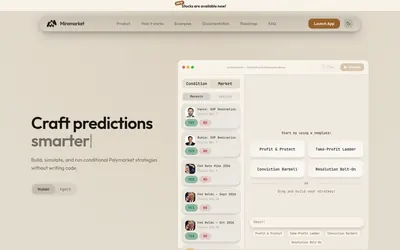

Build Polymarket trading rules on a visual canvas, draft strategies in plain English and simulate price- or time-triggered actions before running them.
- Trading mode Paper · Live automation
- Access Web
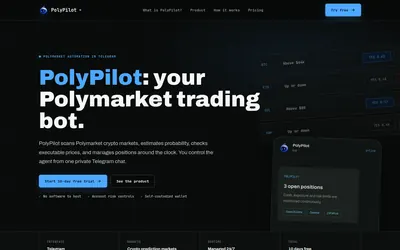

Run a managed crypto-market trading agent from Telegram, with account exposure limits, position monitoring and a subscription based on open-position value.
- Trading mode Live automation
- Access Telegram
Frequently asked questions about TurbineFi
Will the bot stop when my laptop closes?
The product describes a hosted runtime.
Does Starter include paper trading?
Yes.
How many bots can Pro run?
Five concurrently.
Can I cancel renewal?
Yes, with access continuing through the paid period.