 Polytoolhub
What is Prediction Pilot?
Prediction Pilot is a Kalshi-first research copilot. It combines market books, weather sources and open-web information, then saves plain-English strategy rules as scheduled scans. Polymarket is used for equivalent-contract price checks; orders still require the user to act through Kalshi.
Who it is for
- Kalshi users who want chat-based research
- Researchers testing simple strategy rules
- Users monitoring positions and cross-venue price gaps
Features and coverage
- Available on
- Web
- Markets & venues
- Kalshi, Polymarket
- Research topics
- AI research, Scheduled strategy scans
- Cited research
Combine venue data, NWS forecasts and web sources in an answer.
- Opportunity filters
Inspect volume, spread, closing time and price bands.
- Plain-English strategies
Convert a described setup into saved scan rules.
- Historical backtests
The FAQ describes 90 days of settled Kalshi data with train/validation splits.
- Backtest diagnostics
Review trade count, PnL, drawdown and category results.
- Scheduled scans
Choose five-minute, hourly or daily schedules.
- Notifications
Receive push, email or in-app alerts.
- Position health
Review exposure and position flags through read-only account data.
- Cross-venue checks
Compare relevant Polymarket contracts during analysis.
Workflows with Prediction Pilot
Test a rule
Describe a setup, inspect the encoded conditions and review both sample size and drawdown.
Monitor a strategy
Save the rule, select its schedule and notification channel, then review each match.
Investigate a price gap
Check outcome equivalence, book depth and fees before opening either venue.
Pricing and total cost
A no-card starting allowance followed by a credit-based monthly plan.
Signup allowance
Free
- 250,000 credits
- No card required
Copilot
$14/month
- 2.5 million credits
- Research, backtests and scheduled scans
- Position monitoring
Fees and usage costs
- Overage is $10 per million credits.
- The FAQ lists default soft/hard overage caps of $10/$25; message counts depend on model and question size.
Getting started
Before you start: It does not place trades automatically.
- Start with the free credit allowance.
- Ask a research question and inspect its sources.
- Connect Kalshi read-only access if portfolio analysis is needed.
- Test a strategy before scheduling it.
- Configure notifications and usage caps.
- Review proposed trades in the venue yourself.
Useful links
What to check
- It does not place trades automatically.
- Kalshi is the primary platform; Polymarket support is for cross-checking.
- Ninety days can be a small sample for infrequent strategies.
- Marketing message estimates are not a fixed per-message allowance.
A closer look
Ratings & reviews
User reviews 0
The main score switches to user ratings after 5 published reviews.
A specific example helps the next person choose the right tool.
Write a review
How was your experience with Prediction Pilot?
Share what you used, what worked and what could be better. We confirm your email and review the submission before publishing.
To submit a review, email info@polytradingbot.com with the tool name, your rating and your experience. Enable JavaScript to prepare a draft here.
Related tools
Browse category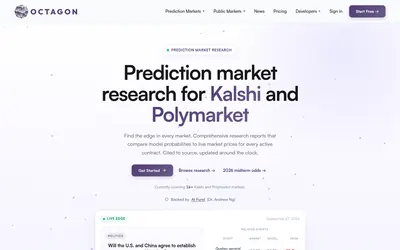

Read source-linked prediction-market research, compare model probabilities with prices and access the analysis through reports, API, MCP or a trading CLI.
- Access Web · API · CLI · MCP
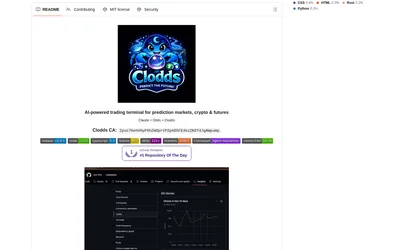
Run a self-hosted conversational trading terminal with Polymarket discovery, strategy tools, messaging integrations and configurable account access.
- Access Web · Telegram · Discord · MCP
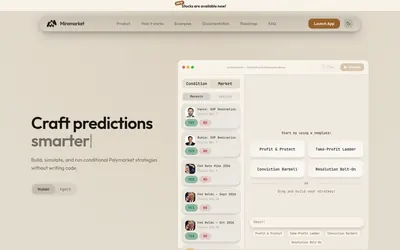

Build Polymarket trading rules on a visual canvas, draft strategies in plain English and simulate price- or time-triggered actions before running them.
- Trading mode Paper · Live automation
- Access Web
Frequently asked questions about Prediction Pilot
Does it execute orders?
No. The FAQ says the user must click through to Kalshi.
Is a credit card needed to try it?
No.
Can I backtest from chat?
Yes, using the described settled-market dataset.
Can I limit overage?
The product describes configurable warning and pause caps.