 Polytoolhub
What is CloddsBot?
CloddsBot combines a local gateway, browser chat and messaging channels around an AI trading assistant. Its scope extends beyond prediction markets to other crypto venues. For Polymarket users, the relevant pieces are market discovery, portfolio queries, whale tracking, strategy modules and credentialed execution.
Who it is for
- Technical users running a personal trading assistant
- Developers combining chat with market tools
- Operators who need local control over configuration and logs
Features and coverage
- Available on
- Node.js, Web, Telegram, Discord, MCP
- Markets & venues
- Polymarket, Kalshi, Other configured venues
- Local WebChat
Use the built-in browser interface with persistent conversations and project organization.
- Messaging channels
Connect supported services such as Telegram and Discord.
- Polymarket market discovery
Find recurring crypto rounds and other supported markets.
- Strategy modules
Configure supported copy, DCA, arbitrage and other strategy workflows.
- Risk controls
Use documented exposure, loss-limit and kill-switch settings.
- MCP tools
Expose bundled capabilities to supported AI clients.
- Local persistence
Keep conversation and trading state in the configured databases.
Workflows with CloddsBot
Build a research assistant
Install the current release, configure the model provider and start with market and portfolio reads in WebChat.
Add a messaging interface
Configure one channel through onboarding and verify that commands target the intended local gateway.
Operate an automated module
Select its venue and credentials, define size and loss limits and inspect the resulting decisions in the trade ledger.
Pricing and total cost
The project is MIT-licensed and self-hosted. Model-provider API usage, servers, paid data services and venue charges are separate operating costs.
Getting started
Before you start: Node.js 20 is unsupported and can fail dependency installation.
- Use Node.js 22 or newer.
- Install the current GitHub release rather than the abandoned npm package.
- Run the onboarding wizard and configure the model provider.
- Open the local WebChat interface or connect one supported channel.
- Configure only the venue modules and account actions needed.
- Run the diagnostic command before persistent operation.
Useful links
What to check
- Node.js 20 is unsupported and can fail dependency installation.
- The old npm clodds package is no longer maintained.
- A supported messaging channel does not imply that every venue supports the same execution features.
- Credentialed modules can perform account actions; read-only research and automated execution need distinct configuration.
- Model and data-provider usage can continue while the gateway runs.
A closer look
Ratings & reviews
User reviews 0
The main score switches to user ratings after 5 published reviews.
A specific example helps the next person choose the right tool.
Write a review
How was your experience with CloddsBot?
Share what you used, what worked and what could be better. We confirm your email and review the submission before publishing.
To submit a review, email info@polytradingbot.com with the tool name, your rating and your experience. Enable JavaScript to prepare a draft here.
Related tools
Browse category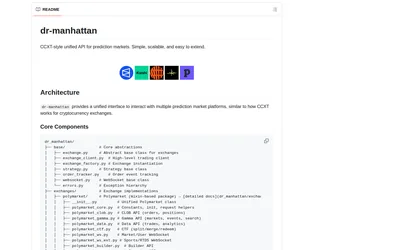
Use a common Python interface for prediction-market discovery, orders, positions and streaming, with optional MCP access.
- Language Python
- Access API · MCP
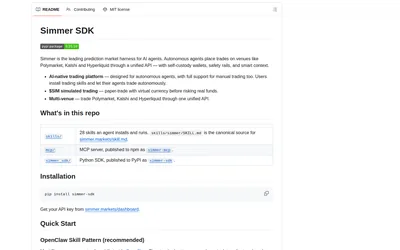

Build prediction-market agents with market research, multiple paper modes, historical replay and supported live-venue integrations.
- Language Python
- Access CLI
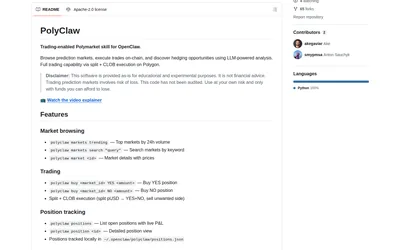
Give OpenClaw market discovery, wallet commands, position tracking and an LLM-assisted search for covering market pairs.
- Access CLI
Frequently asked questions about CloddsBot
Is it a hosted Telegram bot?
The core product runs on your machine or server; Telegram is one possible interface.
Can I use a browser?
Yes. The gateway includes WebChat.
Which installation source is current?
Use the release linked by the repository, not the old npm package.
What costs remain with free source code?
Model calls, infrastructure, optional data and venue fees.