 Polytoolhub
What is RivoMarkets?
Rivo connects whale activity and trader records with a trading workspace. Users can define a trigger by trader, venue, category, size, keyword or entry price, then backtest and run it on paper. Live autopilot has a narrower venue list than the research terminal: Kalshi, Polymarket US and Gemini.
Who it is for
- Users researching repeatable trader-following rules
- Traders comparing venues and account exposure
- Developers wanting included API/MCP access
Features and coverage
- Available on
- Web, Telegram alerts, API, MCP
- Markets & venues
- Polymarket, Polymarket US, Kalshi, Gemini
- Research topics
- Trader research, Rule-based bots
- Trader lookup
Inspect observed wins, losses, PnL and activity.
- Whale context
Keep market, side, entry and size attached to a signal.
- Four-venue terminal
Build supported orders and manage connected positions.
- Rule builder
Combine trader or trade-attribute triggers.
- Historical testing
Score rules against resolved markets.
- Paper bots
Observe new qualifying entries without spending funds.
- Live autopilot
Promote supported bots with per-trade and per-day ceilings.
- Telegram alerts
Receive matching whale-trade notifications.
- Developer access
API and MCP are included under documented limits.
Workflows with RivoMarkets
Test a copy rule
Choose a trader, inspect the history, backtest at your size and run paper entries.
Promote a bot
Connect a supported live venue and define both trade and daily ceilings before enabling execution.
Compare exposure
Review positions and working orders together rather than treating each venue as an isolated book.
Pricing and total cost
One published subscription covers the workspaces and developer access.
Rivo
$15/month
- Four-venue research and terminal
- Backtesting and paper strategies
- Supported live bots
- API and MCP subject to documented limits
Getting started
Before you start: Global Polymarket is included in research and paper strategies but is not listed among live-autopilot venues.
- Open the terminal and inspect a trader or market.
- Create a trigger or use a template.
- Backtest and run it on paper.
- Connect the intended venue account.
- Set trade/day limits for live automation.
- Monitor orders and revise or stop the rule as needed.
Useful links
What to check
- Global Polymarket is included in research and paper strategies but is not listed among live-autopilot venues.
- Funds remain in connected venue accounts according to the provider.
- Historical settled performance and paper fills differ from live execution.
- The subscription does not remove underlying venue fees.
A closer look
Ratings & reviews
User reviews 0
The main score switches to user ratings after 5 published reviews.
A specific example helps the next person choose the right tool.
Write a review
How was your experience with RivoMarkets?
Share what you used, what worked and what could be better. We confirm your email and review the submission before publishing.
To submit a review, email info@polytradingbot.com with the tool name, your rating and your experience. Enable JavaScript to prepare a draft here.
Related tools
Browse category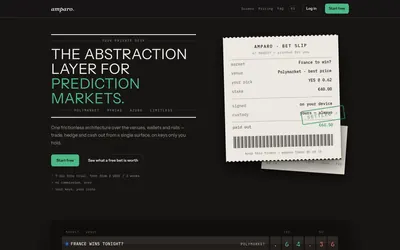

Compare supported prediction venues in one terminal, with local signing, bank-to-crypto funding workflows and modular software access.
- Trading mode Manual
- Access Web
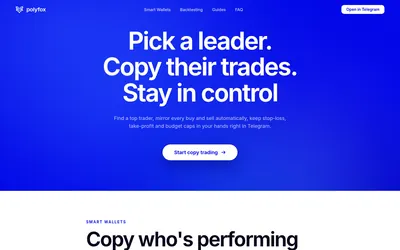

Copy Polymarket wallets in Telegram with fixed or percentage sizing, isolated sub-wallets, separate buy/sell controls and detailed execution notifications.
- Trading mode Manual · Live automation
- Access Telegram
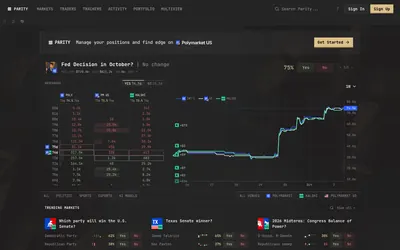

Compare prediction-market order books and organize markets, traders, activity and positions across Polymarket, Kalshi and Polymarket US.
- Access Web
Frequently asked questions about RivoMarkets
Does autopilot support all four venues?
The site lists live autopilot on Kalshi, Polymarket US and Gemini.
Is API access extra?
It is included, subject to documentation limits.
Can I paper-test first?
Yes.
Does Rivo hold funds?
The provider says funds remain at the connected venues.