 Polytoolhub
What is Parity?
Parity places a multi-venue order-book view alongside market discovery and portfolio navigation. The public interface labels the venue for each quote and lets users move between markets, traders, trackers, activity and a multiview workspace. It is useful for comparing the same event without losing the identity of the underlying contract.
Who it is for
- Users researching prices across several venues
- Traders who want an order-book ladder view
- Users organizing market and trader monitoring in one workspace
Features and coverage
- Available on
- Web
- Markets & venues
- Polymarket, Kalshi, Polymarket US
- Research topics
- Order-book comparison, Multi-venue workspace
- Venue filters
Separate global Polymarket, Polymarket US and Kalshi.
- Order-book comparison
Inspect quoted prices and visible sizes by venue.
- Market discovery
Browse trending events and topic groups.
- Market context
Review volume, liquidity and recent price changes.
- Trader navigation
Find public trader-related views.
- Trackers and activity
Organize monitoring beyond a single market page.
- Portfolio workspace
Access position-management navigation after sign-in.
- Multiview
Open the dedicated multi-panel workspace.
Workflows with Parity
Compare an event
Search the title, identify each venue’s contract and inspect the quote and size columns.
Monitor a market
Follow its price movement, liquidity and activity rather than the probability alone.
Organize a workspace
Use trackers and multiview for a set of related markets, keeping venue labels visible.
Pricing and total cost
The public landing interface does not display a numeric subscription or platform-fee table.
Getting started
Before you start: Global Polymarket and Polymarket US are separate venue labels and should not be merged.
- Search for a market or trader.
- Choose the desired venue filter.
- Open the relevant contract and its order book.
- Compare depth and resolution terms.
- Sign in only for the account-specific workspace you need.
Useful links
What to check
- Global Polymarket and Polymarket US are separate venue labels and should not be merged.
- Quotes for similarly worded events can have different settlement conditions.
- A displayed ladder is available liquidity, not a promise that a later order will receive that price.
- Account-specific trading permissions depend on the underlying venue connection.
A closer look
Ratings & reviews
User reviews 0
The main score switches to user ratings after 5 published reviews.
A specific example helps the next person choose the right tool.
Write a review
How was your experience with Parity?
Share what you used, what worked and what could be better. We confirm your email and review the submission before publishing.
To submit a review, email info@polytradingbot.com with the tool name, your rating and your experience. Enable JavaScript to prepare a draft here.
Related tools
Browse category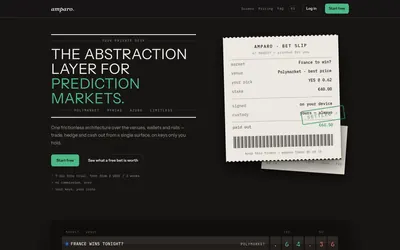

Compare supported prediction venues in one terminal, with local signing, bank-to-crypto funding workflows and modular software access.
- Trading mode Manual
- Access Web
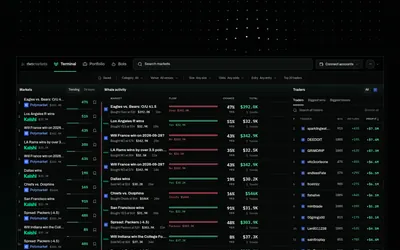

Research traders, compare four venues and turn wallet or market triggers into backtested, paper-traded and selectively live bots.
- Trading mode Paper
- Access Web · Telegram · API · MCP
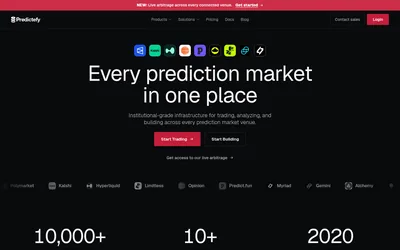

Compare matched prediction markets, stream normalized data and develop multi-venue strategies with a terminal, API and SDK.
- Data coverage Markets · Prices · Order books · Cross-venue matches
- Access Web · API · MCP
Frequently asked questions about Parity
Which venues are named?
Polymarket, Kalshi and Polymarket US.
Can I see order-book sizes?
The public comparison view includes price levels and size columns.
Is there a portfolio section?
Yes.
Does a shared title prove two contracts are equivalent?
No. Compare their resolution terms.