 Polytoolhub
What is PolyTrak?
PolyTrak focuses on whether a trader’s behavior is practical to copy. It combines performance diagnostics with return on traded volume, exit style and liquidity sensitivity, then turns the analysis into suggested sizing and exit parameters for a separate execution tool. The workflow starts with a public wallet address and your own budget.
Who it is for
- Users preparing a copy-trading configuration
- Researchers comparing trading efficiency rather than total PnL alone
- Traders choosing between proportional exits and holding to resolution
Features and coverage
- Available on
- Web
- Markets & venues
- Polymarket
- Research topics
- Copy configuration, Wallet analysis
- Wallet analysis
Evaluate available PnL history, win rate, trading patterns and risk-adjusted metrics.
- Smart Score
Combine profitability, consistency and risk-management diagnostics into a 0–100 score.
- Return on volume
Compare profit with the amount traded to distinguish efficient activity from high-volume turnover.
- Exit behavior
Identify partial selling and hold-to-resolution patterns that affect how a copy should exit.
- Liquidity assessment
Inspect the execution sensitivity of a strategy, including thin markets and slippage concerns.
- Configuration suggestions
Generate sizing, exposure and exit-mode suggestions for the named copy platforms.
Workflows with PolyTrak
Prepare a bot setup
Paste a wallet address, enter the budget requested by the workflow and review the resulting configuration. Transfer each parameter into the chosen bot and check that the control has the same meaning.
Compare two potential leaders
Look at return on volume, drawdown and exit behavior together. A higher total profit can coexist with a less practical copying pattern.
Review exits
Determine whether the source wallet sells partially or holds to settlement, then compare the suggested exit mode with the bot’s available controls.
Pricing and total cost
The public site provides wallet-analysis entry points but does not specify a complete paid-plan or per-analysis price schedule.
Getting started
Before you start: PolyTrak generates analysis and configuration suggestions; the separate bot executes trades.
- Open Analyze and paste a public Polymarket wallet address.
- Run the wallet analysis.
- Review Smart Score, return on volume, drawdown, liquidity and exit behavior.
- Use your own budget when generating sizing suggestions.
- Copy the relevant settings into PolyCop, PolyGun or TheTradeFox and verify each parameter there.
Useful links
What to check
- PolyTrak generates analysis and configuration suggestions; the separate bot executes trades.
- A suggested setting must be mapped to the target bot’s actual unit and behavior, especially percentages, fixed prices and exit modes.
- Return on volume measures profit per dollar traded and is different from return on deposited capital.
A closer look
Ratings & reviews
User reviews 0
The main score switches to user ratings after 5 published reviews.
A specific example helps the next person choose the right tool.
Write a review
How was your experience with PolyTrak?
Share what you used, what worked and what could be better. We confirm your email and review the submission before publishing.
To submit a review, email info@polytradingbot.com with the tool name, your rating and your experience. Enable JavaScript to prepare a draft here.
Related tools
Browse category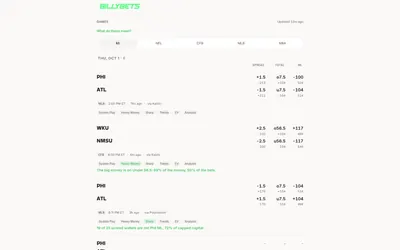
Compare sports prices with money-flow, wallet, analyst and model signals, or query the same game research through a free MCP server.
- Access Web · MCP
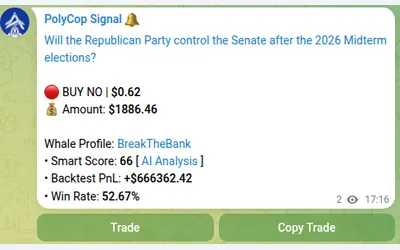

Copy Polymarket wallets in Telegram with market or limit orders, granular exposure limits, order-book pricing and a separate BTC automation mode.
- Trading mode Manual · Live automation
- Access Telegram
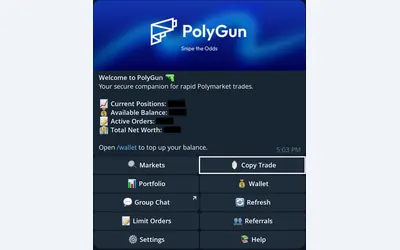

Trade Polymarket in Telegram, copy wallets with three sizing modes, manage TP/SL and automate crypto entries with AutoPilot.
- Trading mode Manual · Live automation
- Access Telegram
Frequently asked questions about PolyTrak
Does PolyTrak trade for me?
Its documented workflow ends with settings for an external copy platform.
Which bots are named?
PolyCop, PolyGun and TheTradeFox.
Why examine exit behavior?
A wallet that sells in portions needs different copying logic from one that normally waits for resolution.
Is PolyTrak the same as PolyTrack.cash?
No. This card covers the wallet-analysis and copy-configuration service at polytrak.io.