 Polytoolhub
What is Polyteller?
Polyteller adds small workflow controls directly to the Polymarket browsing experience. Its main functions address timing and accidental disclosure: show an event end time in your local zone, schedule reminders and mask balances before screen sharing. A separate confirmation setting adds another step before a trade, with keyboard shortcuts for confirming or cancelling.
Who it is for
- Users following event deadlines across time zones
- Streamers and screen sharers who want portfolio values hidden
- Traders who want an extra confirmation step for order clicks
Features and coverage
- Available on
- Chrome extension, Chromium browsers
- Markets & venues
- Polymarket
- Research topics
- Privacy display, Event timing
- Local-time countdown
Convert the event end time and maintain a live countdown.
- DST handling
Account for daylight-saving changes and show transition-period warnings.
- Multiple reminder times
Configure more than one notification point before an event ends.
- Portfolio privacy mode
Mask displayed balances and portfolio values across open Polymarket tabs.
- Persistent privacy setting
Keep the masking preference between browser sessions.
- Trade confirmation
Enable an optional prompt with Enter and Escape shortcuts.
- Navigation handling
Update the countdown when the market changes or show a refresh hint if needed.
- Chromium support
The provider lists Chrome 110+ and compatible Chromium browsers such as Edge and Brave.
Workflows with Polyteller
Prepare for screen sharing
Enable Privacy Mode from the extension, inspect every visible Polymarket tab and check that the values you need hidden are masked.
Track an event deadline
Open the market, confirm its local-time countdown and set reminders at the intervals useful to your workflow.
Add an order-click check
Enable Trade Safety, then review the confirmation behavior on the browser size you actually use.
Pricing and total cost
The extension is advertised as free through the Chrome Web Store.
Getting started
Before you start: The provider says trade-confirmation dialogs are disabled on small screens; verify the behavior at your actual viewport size.
- Install from the official Chrome Web Store listing.
- Open Polymarket and pin the extension if useful.
- Check the displayed event end time and local zone.
- Configure reminder times from the extension.
- Enable Privacy Mode before presenting your screen.
- Turn on Trade Safety if you want the additional confirmation step.
Useful links
What to check
- The provider says trade-confirmation dialogs are disabled on small screens; verify the behavior at your actual viewport size.
- Portfolio masking covers displayed values, not every possible identifying element on a page.
- Notifications depend on the browser and operating system’s permission and background behavior.
- The countdown follows an event time; settlement can be a separate process.
A closer look
Ratings & reviews
User reviews 0
The main score switches to user ratings after 5 published reviews.
A specific example helps the next person choose the right tool.
Write a review
How was your experience with Polyteller?
Share what you used, what worked and what could be better. We confirm your email and review the submission before publishing.
To submit a review, email info@polytradingbot.com with the tool name, your rating and your experience. Enable JavaScript to prepare a draft here.
Related tools
Browse category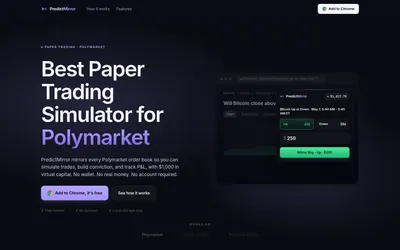

Practice Polymarket in a browser panel with live prices, a virtual bankroll and local trade history.
- Trading mode Paper
- Access Browser extension
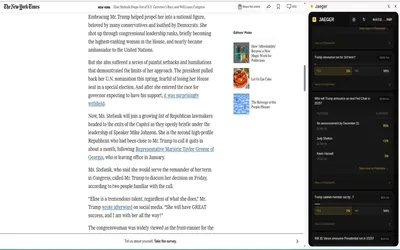

Find Polymarket markets related to the page or highlighted text you are reading, including a dedicated Twitter/X integration.
- Access Browser extension
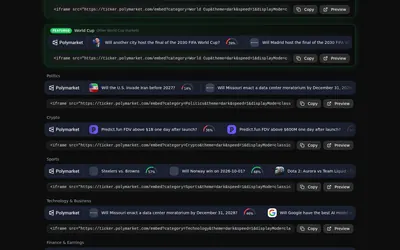

Build a live market ticker for a stream or website, with controls for theme, speed and price format.
- Access Web
Frequently asked questions about Polyteller
Does Privacy Mode apply across tabs?
The product describes immediate masking across open Polymarket tabs.
Can I set several reminders?
Yes. Multiple advance-notification times are supported.
Will the trade prompt appear on a small screen?
The FAQ says it is automatically disabled there.
Does it replace the market’s resolution rules?
No. It adds timing and interface controls to the existing page.