 Polytoolhub
What is Jaeger?
Jaeger is a browser discovery extension. It takes the subject of an article, post or selection and surfaces related prediction markets without requiring a separate search session. The useful next step is to open the matched market and check whether its resolution wording actually matches the claim being discussed.
Who it is for
- Readers researching news-linked markets
- Twitter/X users checking market context
- Users who repeatedly search Polymarket while browsing
Features and coverage
- Available on
- Chrome extension
- Markets & venues
- Polymarket
- Research topics
- Contextual market search, News research
- Page-context matching
Find markets connected with the current webpage.
- Text selection
Use a highlighted passage to narrow the topic.
- Twitter/X integration
Access the product’s specialized social browsing path.
- Market discovery
Surface relevant questions while the source material is still open.
- Chrome extension
Install through the official store listing.
- Degen mode
The store lists an optional mode; its precise ranking logic is not documented there.
Workflows with Jaeger
Research an article
Read the original claim, invoke the extension and compare the proposed market’s deadline and resolution criteria.
Narrow a broad topic
Highlight the specific statement instead of searching the entire page.
Check a social post
Use the X integration, then follow the market link to inspect price and liquidity.
Pricing and total cost
The Chrome Web Store listing does not publish a subscription or in-app price table.
Getting started
Before you start: A related market may measure a narrower or different claim than the article.
- Open the official Chrome listing.
- Review the extension permissions.
- Install in a supported browser.
- Visit a relevant article or social post.
- Invoke matching on the page or a selection.
- Open and verify the resulting market.
Useful links
What to check
- A related market may measure a narrower or different claim than the article.
- The extension is a discovery tool; the listing does not document an order-execution workflow.
A closer look
Ratings & reviews
User reviews 0
The main score switches to user ratings after 5 published reviews.
A specific example helps the next person choose the right tool.
Write a review
How was your experience with Jaeger?
Share what you used, what worked and what could be better. We confirm your email and review the submission before publishing.
To submit a review, email info@polytradingbot.com with the tool name, your rating and your experience. Enable JavaScript to prepare a draft here.
Related tools
Browse category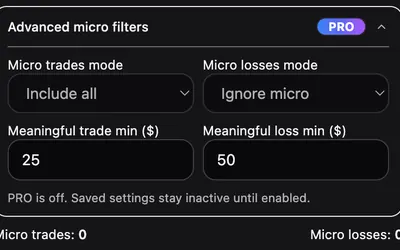

Set session budgets, cooling-off rules and self-exclusion controls around Polymarket, with a dashboard of trading-behavior risk signals.
- Access Browser extension
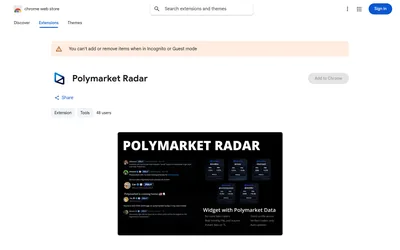

Show Polymarket trader statistics beside supported X accounts and open their venue profiles from a hover overlay.
- Access Browser extension


Find Polymarket markets related to posts while browsing X through a lightweight Chrome extension.
- Access Browser extension
Frequently asked questions about Jaeger
Does it only work on X?
No. The listing describes general webpages plus a special X integration.
Can I search from a selected sentence?
Yes.
Does it replace the market’s resolution rules?
No; inspect the destination market.
Is automatic trading documented?
No.