 Polytoolhub
What is PM Risk Guard?
PM Risk Guard adds on-page guardrails and a separate browser-extension dashboard. Its score combines loss streak, activity, exposure, period PnL and order-flow intensity. You configure intervention thresholds and notifications before trading, then use the dashboard to see how the session compares with those limits.
Who it is for
- Users who want predefined session limits
- Traders reviewing loss-chasing behavior
- Users seeking an on-page pause mechanism
Features and coverage
- Available on
- Chrome extension
- Markets & venues
- Polymarket
- Behavior score
Combine loss streak, frequency, exposure and PnL signals.
- Cooling-off
The provider describes soft guidance at 71 and hard guardrails at 85.
- Budgets
Set daily and weekly limits.
- Self-exclusion
Configure a manual exclusion window.
- Notifications
Choose browser alert thresholds.
- Dashboard
Inspect score, bankroll, exposure and period PnL.
- Local state
Settings remain in browser extension storage.
- Optional coaching
Pro adds an AI Discipline Coach and more configuration capacity.
Workflows with PM Risk Guard
Set a session policy
Define the budget, loss threshold and cooldown before opening positions.
Review an alert
Compare the dashboard’s score components with the action that triggered it.
Prepare a pause
Set an exclusion window and inspect the resulting on-page behavior.
Pricing and total cost
Core cooling-off, exclusion, budgets and alerts are free.
Free
$0
- Core guardrails and browser alerts
Pro
$4.99/month or $39.99/year
- AI Discipline Coach
- Advanced cooling-off timeframes
- Micro-trade filters
- Unlimited saved wallets
Trial: Seven-day Pro trial.
Getting started
Before you start: These are browser-interface controls, not exchange-wide restrictions across every device.
- Install the official extension.
- Connect the relevant wallet view.
- Set budgets and cooling-off policy.
- Enable desired notifications.
- Review the dashboard during a session.
Useful links
What to check
- These are browser-interface controls, not exchange-wide restrictions across every device.
- The score measures configured behavior signals, not a market’s probability of loss.
- Browser notification permissions affect alerts.
A closer look
Ratings & reviews
User reviews 0
The main score switches to user ratings after 5 published reviews.
A specific example helps the next person choose the right tool.
Write a review
How was your experience with PM Risk Guard?
Share what you used, what worked and what could be better. We confirm your email and review the submission before publishing.
To submit a review, email info@polytradingbot.com with the tool name, your rating and your experience. Enable JavaScript to prepare a draft here.
Related tools
Browse category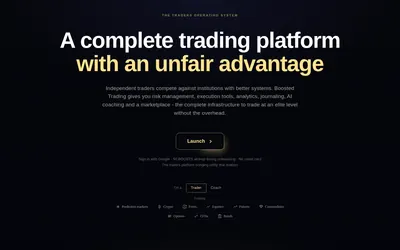

Trade Polymarket with configurable order-book panels, automatic journaling and risk rules that can block new buys after a limit is reached.
- Trading mode Manual
- Access Web
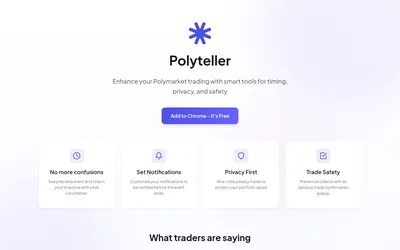

Add local-time countdowns, reminders and portfolio privacy controls to Polymarket.
- Access Browser extension
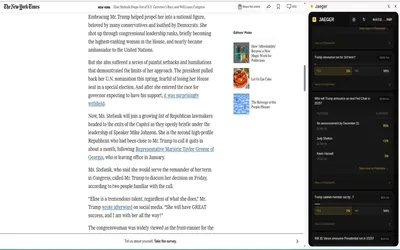

Find Polymarket markets related to the page or highlighted text you are reading, including a dedicated Twitter/X integration.
- Access Browser extension
Frequently asked questions about PM Risk Guard
Are basic guardrails paid?
No. They are free.
Does it custody funds?
The provider says it does not collect private keys or custody assets.
What does Pro add?
Coaching, additional timeframes, filters and saved-wallet capacity.