 Polytoolhub
What is Boosted Trading?
Boosted Trading combines execution with trading-process controls. Its Polymarket workspace shows both outcome books, live fills, positions, open orders and an auction timeline. You can rearrange the panels, use price-based shortcuts and review the resulting session in a journal. The distinguishing feature is pre-committed risk management: breaching a rule disables new buys while leaving position-closing available.
Who it is for
- Active traders who want execution and journaling together
- Users who need enforceable session limits
- Traders reviewing short-duration auction decisions after settlement
Features and coverage
- Available on
- Web
- Markets & venues
- Polymarket
- Research topics
- Trading discipline, Execution review
- Two-outcome book view
Inspect UP and DOWN liquidity side by side, with price sliders and depth.
- Order controls
Place market and limit orders, split or merge outcome tokens, and review shares, cost and fees before submission.
- Configurable shortcuts
Set one-click sizing and pricing controls for different market types.
- Risk auto-lock
Use limits such as daily loss, consecutive losers, time windows and maximum trade duration to block additional buys.
- Auction timeline
Move between current and completed rounds without leaving the workspace.
- Session journal
Collect orders, positions, history, emotions and risk information for review.
- Custom panel layout
Move, resize, float, dock and combine panels into tabs.
- Performance review
Use session metrics, replay and shared profiles or private groups to examine execution and discipline.
Workflows with Boosted Trading
Set up a trading session
Arrange the book, position and order panels, configure sizing shortcuts and commit the risk rules before opening a position.
Review a completed round
Choose it from the auction timeline, inspect the chart and order history, then compare the decisions with the session journal.
Stop adding exposure after a limit
Use auto-lock to disable new buys once a configured rule is breached, while retaining the ability to close held positions.
Pricing and total cost
The entry page offers Google sign-in without a card and a 50 BOOSTS onboarding allocation for its marketplace. It does not publish a complete subscription or execution-fee schedule on that page.
Getting started
Before you start: Auto-lock blocks new buys; it does not automatically describe every position-closing action.
- Launch the app and complete sign-in and onboarding.
- Choose the Polymarket workspace and intended market or auction.
- Arrange the order book, chart, positions and history panels.
- Configure risk limits and one-click sizing before trading.
- Review the displayed order cost and fee.
- Use the automatic journal to review the completed session.
Useful links
What to check
- Auto-lock blocks new buys; it does not automatically describe every position-closing action.
- An estimated auction reference level is displayed differently from a confirmed level.
- Public trader profiles expose only the detail a trader chooses to share.
- The 50 BOOSTS onboarding allocation is marketplace credit, not a quoted dollar trading balance.
A closer look
Ratings & reviews
User reviews 0
The main score switches to user ratings after 5 published reviews.
A specific example helps the next person choose the right tool.
Write a review
How was your experience with Boosted Trading?
Share what you used, what worked and what could be better. We confirm your email and review the submission before publishing.
To submit a review, email info@polytradingbot.com with the tool name, your rating and your experience. Enable JavaScript to prepare a draft here.
Related tools
Browse category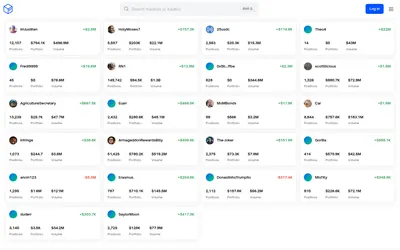

See a trader’s positions and P&L, compare portfolios and export a yearly wallet report.
- Access Web
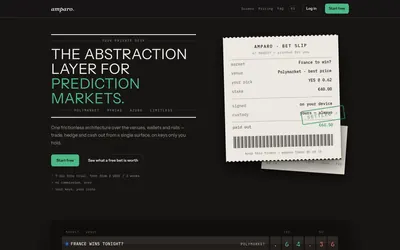

Compare supported prediction venues in one terminal, with local signing, bank-to-crypto funding workflows and modular software access.
- Trading mode Manual
- Access Web
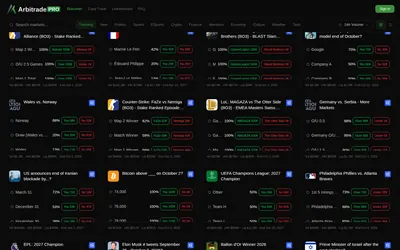

Browse Polymarket events, copy traders and configure six position-management automations, including trailing stops and break-even exits.
- Trading mode Manual · Live automation
- Access Web
Frequently asked questions about Boosted Trading
Can the app stop me opening more positions?
Its risk auto-lock disables buys when configured limits are breached.
Can I still close positions after a lock?
Yes. The described control leaves closing available.
Does it record unfilled orders?
The order-history panel retains placed orders, including unfilled ones, after the auction resolves.
Can I customize the workspace?
Yes. Panels can be moved, resized, floated, docked and combined into tabs.