 Polytoolhub
What is ArbitradePro?
ArbitradePro combines a market browser and trading interface with configurable position-management strategies. Its automation menu separates entry or scaling rules from exit rules: loss-recovery sizing and momentum pyramiding sit alongside stop loss, take profit, trailing stop and break-even management. Market cards display outcomes, volume, liquidity and expiry so you can inspect the contract before choosing a strategy.
Who it is for
- Traders who want automated exits alongside market discovery
- Users comparing fixed stops with trailing or break-even rules
- Traders reviewing copy candidates through a leaderboard
Features and coverage
- Available on
- Web
- Markets & venues
- Polymarket
- Research topics
- Position automation, Copy trading
- Market discovery
Browse trending and new events across politics, sports, esports, crypto, finance and other categories.
- Market context
Inspect outcome prices, liquidity, volume and the end date on the event list.
- STOP and TKPF
Configure a price floor for a market sell or a target price for taking profit.
- TRAL
Use a stop that follows the position’s price peak rather than a permanently fixed floor.
- BREV
Move the stop toward cost basis once the position is in profit.
- LORE
Increase stake size after a decline through the loss-recovery strategy.
- LVRG
Scale into rising prices through a momentum-pyramiding strategy.
- Copy-trader discovery
Use Copy Trade and Leaderboard to investigate source traders before configuring replication.
Workflows with ArbitradePro
Add an exit rule
Choose a market and outcome, review liquidity, then configure STOP, TKPF or TRAL around the intended position. Inspect the automation state after order entry.
Compare two scaling approaches
Use LORE for the documented increase after declines or LVRG for additions on rising prices. Work out total exposure across every possible addition before enabling either.
Research a copy candidate
Open the leaderboard, inspect the trader and use the dedicated copy flow instead of treating a rank as a complete configuration.
Pricing and total cost
The documented platform fee is 1% on transactions or operations executed through its tools, plus US$0.015 per sign.
Fees and usage costs
- 1% platform fee on an executed transaction or operation.
- US$0.015 per sign.
- Network, venue, spread and liquidity-related costs can also apply.
Getting started
Before you start: LORE increases exposure after declines; later steps require more capital.
- Browse the market list and inspect the exact outcome and expiry.
- Sign in and follow the account, wallet and deposit flow.
- Review the displayed execution costs, including the platform and signing charges.
- Configure one automation and its trigger before combining strategies.
- Inspect the resulting position and active automation state after execution.
Useful links
What to check
- LORE increases exposure after declines; later steps require more capital.
- The LVRG description refers to pyramiding into momentum and does not by itself establish a borrowed-capital leverage ratio.
- A stop triggered at cost basis can still execute away from that level because of spread and available liquidity.
A closer look
Ratings & reviews
User reviews 0
The main score switches to user ratings after 5 published reviews.
A specific example helps the next person choose the right tool.
Write a review
How was your experience with ArbitradePro?
Share what you used, what worked and what could be better. We confirm your email and review the submission before publishing.
To submit a review, email info@polytradingbot.com with the tool name, your rating and your experience. Enable JavaScript to prepare a draft here.
Related tools
Browse category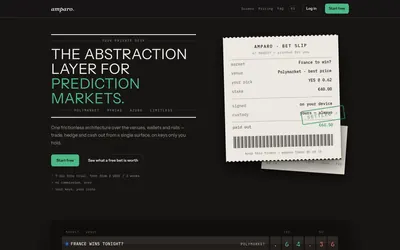

Compare supported prediction venues in one terminal, with local signing, bank-to-crypto funding workflows and modular software access.
- Trading mode Manual
- Access Web
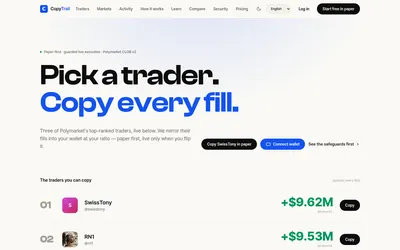

Test a wallet-copy strategy on paper, inspect the fills, then set live budgets and slippage limits.
- Trading mode Paper · Live automation
- Access Web
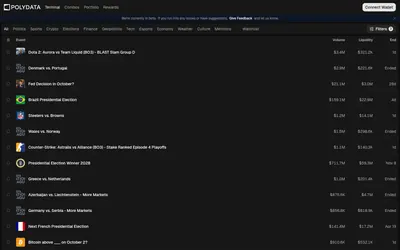

Research Polymarket wallets, discover active markets and move from portfolio analytics into a focused trading terminal.
- Trading mode Manual
- Access Web
Frequently asked questions about ArbitradePro
What automations are available?
LORE, LVRG, stop loss, take profit, trailing stop and break even.
How does trailing stop differ from stop loss?
A trailing stop follows the price peak; the basic stop uses the configured floor.
What does the platform charge?
The fee page specifies 1% per transaction or operation and $0.015 per sign, with additional execution costs possible.
Can I browse before signing in?
The public market list shows events and outcome prices before account creation.