 Polytoolhub
What is Polydata?
Polydata brings market discovery, wallet analysis and execution into one product. A portfolio lookup covers public wallet positions and performance; leaderboards help compare traders across categories. Market views emphasize liquidity, activity and price movement, while an ecosystem dashboard provides aggregate context. The intended workflow is to inspect a signal and the wallet behind it before opening an order.
Who it is for
- Users who want portfolio and market analysis together
- Traders comparing category-specific leaderboard activity
- Builders researching the surrounding Polymarket tool ecosystem
Features and coverage
- Available on
- Web
- Markets & venues
- Polymarket
- Research topics
- Portfolio analysis, Market discovery
- Wallet portfolio lookup
Analyze public positions, PnL, volume and win rate for a Polymarket wallet.
- Market discovery
Surface questions by liquidity, activity velocity, category and price changes.
- Trader leaderboards
Rank accounts using PnL, volume and win-rate views across categories.
- Market depth and exposure
Inspect liquidity and position exposure before moving to execution.
- Trading terminal
Open an order-entry workspace from the research flow.
- Ecosystem overview
Monitor aggregate volume, active traders, markets and open interest.
- Builder directory
Browse projects and builder activity alongside the analytics product.
Workflows with Polydata
Research a wallet’s exposure
Open Portfolio with a public address, inspect its positions and realized results, then open the markets responsible for the largest exposure.
Find an active market
Use the market-discovery views, check depth and liquidity, then move to the terminal only after selecting the intended outcome.
Compare trader categories
Use the leaderboard’s category views to avoid comparing strategies that operate in unrelated market types.
Pricing and total cost
The public product page does not provide a complete subscription or execution-fee schedule. Review the app’s charges before using funded order entry.
Getting started
Before you start: Public wallet analysis and funded order entry are separate steps.
- Launch the app from the official Polydata website.
- Start with a public wallet lookup or market-discovery view.
- Inspect positions, PnL and market depth for the selected item.
- Use the relevant leaderboard category to compare traders.
- Complete the app’s account and wallet flow only if you want to execute orders.
Useful links
What to check
- Public wallet analysis and funded order entry are separate steps.
- Realized PnL, current exposure and win rate answer different questions; compare them together.
- The builder directory is an ecosystem resource, separate from the product’s trading terminal.
A closer look
Ratings & reviews
User reviews 0
The main score switches to user ratings after 5 published reviews.
A specific example helps the next person choose the right tool.
Write a review
How was your experience with Polydata?
Share what you used, what worked and what could be better. We confirm your email and review the submission before publishing.
To submit a review, email info@polytradingbot.com with the tool name, your rating and your experience. Enable JavaScript to prepare a draft here.
Related tools
Browse category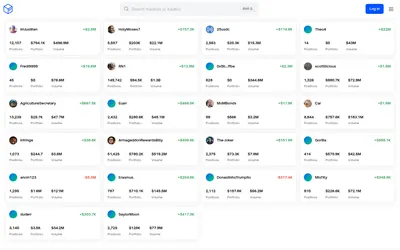

See a trader’s positions and P&L, compare portfolios and export a yearly wallet report.
- Access Web
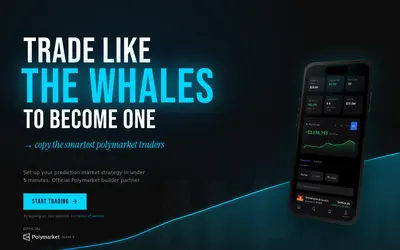

Find Polymarket traders to copy, configure automated positions and monitor account or market activity from a web app.
- Trading mode Live automation
- Access Web
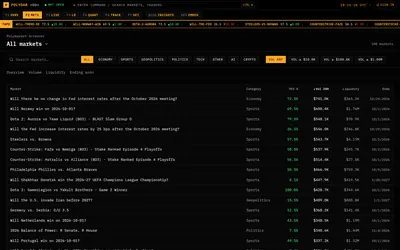
Monitor Polymarket with a terminal-style market screener, public trader rankings, large-trade feed and activity breakdowns.
- Access Web
Frequently asked questions about Polydata
Can I analyze another wallet?
Yes. The portfolio product is designed for public Polymarket wallet lookup.
Does it have a leaderboard?
Yes. It ranks traders by metrics including PnL, volume and win rate across categories.
Can I trade after researching a market?
The product includes a terminal for moving from analysis to order entry.
Is Polydata the same as Polymarketdata?
No. This card covers polydata.org; the similarly named historical-data service has its own record.