 Polytoolhub
What is Alpha Whale?
Alpha Whale brings trader discovery and copy execution into the same web workflow. The service presents account histories with trade counts, win rates and performance, then lets you configure copying with stop-loss controls. It also advertises an auto-bonding workflow for high-probability markets and alerts on selected accounts and markets. Use the trader record and the copy configuration together: choosing an account is only the first step.
Who it is for
- Users who prefer a browser-based copying interface
- Traders comparing account histories before following them
- Users monitoring a small set of wallets and markets
Features and coverage
- Available on
- Web
- Markets & venues
- Polymarket
- Research topics
- Copy trading, Wallet research
- Trader discovery
Compare candidate accounts using the trade counts, win-rate and performance information shown in the product.
- Copy execution
Select an account and configure an automated copy relationship rather than manually repeating each trade.
- Stop-loss controls
Add an exit rule to a copying setup through the configuration controls.
- Auto-bonding
Use the separate bonding workflow to manage the product’s high-probability-market strategy.
- Wallet and market alerts
Follow activity on selected accounts and questions to focus monitoring on a relevant shortlist.
- Position monitoring
The product shows active positions and their performance alongside strategy-management controls.
Workflows with Alpha Whale
Build a copy shortlist
Compare several accounts, paying attention to trade count and the markets responsible for their returns. Open the copying configuration only after choosing the account you want to follow.
Configure before enabling
Review the copy amount and available exit controls, then monitor the resulting positions. Revisit the setup when the target trader’s activity changes.
Monitor first
Use account and market alerts to observe a strategy before assigning money to an automated copy.
Pricing and total cost
The public landing page does not publish a complete fee schedule. Review the app’s trading and strategy charges before enabling a funded workflow.
Getting started
Before you start: Auto-bonding and copying are different strategy workflows; inspect the configuration for the one you select.
- Open the Alpha Whale app and create an account.
- Explore candidate traders and open their available performance information.
- Choose the copy-trading or auto-bonding workflow.
- Review the funding, sizing and exit controls presented for that workflow.
- Use position monitoring and alerts to follow subsequent activity.
Useful links
What to check
- Auto-bonding and copying are different strategy workflows; inspect the configuration for the one you select.
- A headline win rate does not show how much each win or loss contributed. Compare it with the account’s trade history and position sizes.
- Execution features require the app’s account and funding setup.
A closer look
Ratings & reviews
User reviews 0
The main score switches to user ratings after 5 published reviews.
A specific example helps the next person choose the right tool.
Write a review
How was your experience with Alpha Whale?
Share what you used, what worked and what could be better. We confirm your email and review the submission before publishing.
To submit a review, email info@polytradingbot.com with the tool name, your rating and your experience. Enable JavaScript to prepare a draft here.
Related tools
Browse category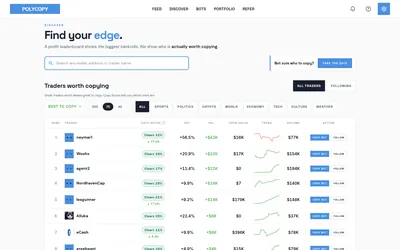

Find traders worth researching, try paper copying, or run a copy bot with your own rules and budget.
- Trading mode Paper · Manual · Live automation
- Access Web
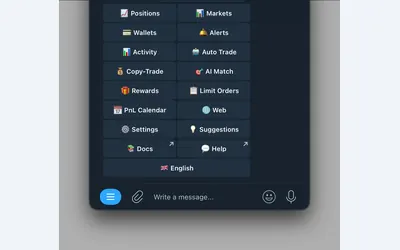

Manage wallet copying, alerts and automated strategies from Telegram or a connected web terminal.
- Trading mode Manual · Live automation
- Access Web · Telegram
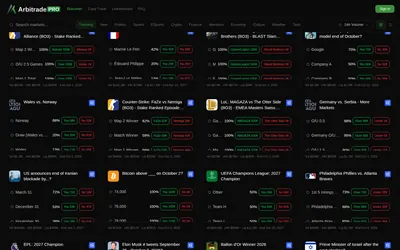

Browse Polymarket events, copy traders and configure six position-management automations, including trailing stops and break-even exits.
- Trading mode Manual · Live automation
- Access Web
Frequently asked questions about Alpha Whale
Is Alpha Whale a Telegram bot?
Its primary destination is a web app. The Telegram link on the website is a community destination.
Can I set exits when copying?
The service advertises stop-loss controls within its copy configuration.
What else does it automate?
It also offers a separate auto-bonding workflow.
Can I get alerts without watching every market?
Yes. Alerts can focus on selected accounts and markets.