 Polytoolhub
What is Polymarket Radar?
Polymarket Radar adds a POLY indicator next to supported usernames on X. Hovering reveals trading-activity statistics fetched from the Polymarket API, with a route to the trader’s profile. It is useful when you want to inspect the public record behind a market-related post without leaving your reading workflow first.
Who it is for
- Users following Polymarket traders on X
- Researchers connecting social commentary with public trading records
Features and coverage
- Available on
- Chrome extension, X
- Markets & venues
- Polymarket
- Research topics
- Social trader research
- Username indicators
Mark supported X accounts with a POLY icon.
- Hover statistics
Read trading-activity information in an overlay.
- Profile navigation
Open the associated Polymarket profile quickly.
- API-backed updates
The developer describes automatic updates through the official Polymarket API.
- Account coverage
The listing describes support for more than 1,000 active traders.
Workflows with Polymarket Radar
Check a commentator’s record
Hover over the POLY icon, inspect the available statistics and open the trader profile for fuller context.
Investigate a specific position
Use the overlay as a starting point, then inspect the market and wallet directly.
Pricing and total cost
No paid plan or subscription price is listed in the Chrome Web Store description.
Getting started
Before you start: Coverage is a supported-account list, not every X user.
- Install Polymarket Radar from its Chrome Web Store page.
- Open X and find a supported trader account.
- Hover over the POLY icon.
- Open the linked Polymarket profile when you need more detail.
Useful links
What to check
- Coverage is a supported-account list, not every X user.
- An overlay summarizes public activity; it does not verify the identity or motives behind a post.
- The extension does not document copying or order execution.
A closer look
Ratings & reviews
User reviews 0
The main score switches to user ratings after 5 published reviews.
A specific example helps the next person choose the right tool.
Write a review
How was your experience with Polymarket Radar?
Share what you used, what worked and what could be better. We confirm your email and review the submission before publishing.
To submit a review, email info@polytradingbot.com with the tool name, your rating and your experience. Enable JavaScript to prepare a draft here.
Related tools
Browse category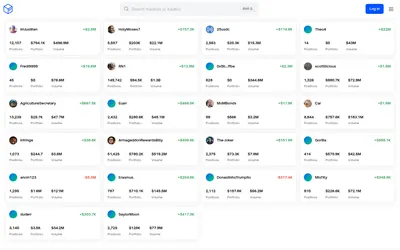

See a trader’s positions and P&L, compare portfolios and export a yearly wallet report.
- Access Web
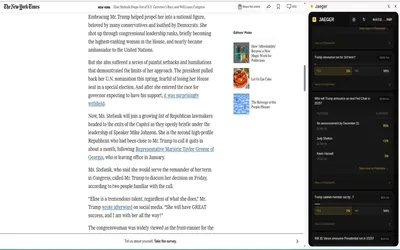

Find Polymarket markets related to the page or highlighted text you are reading, including a dedicated Twitter/X integration.
- Access Browser extension
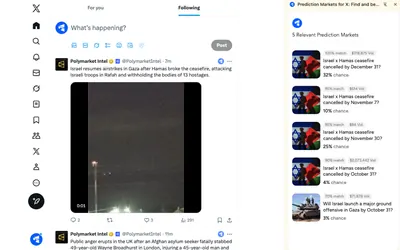

Find Polymarket markets related to posts while browsing X through a lightweight Chrome extension.
- Access Browser extension
Frequently asked questions about Polymarket Radar
Where do I see the statistics?
In a hover overlay beside supported X usernames.
Where does the data come from?
The developer names the official Polymarket API.
Does every account have an overlay?
No. The extension supports a mapped set of traders.
Can I open the full profile?
Yes. Quick navigation is a listed feature.