 Polytoolhub
What is Polymarket Live Ticker?
Polymarket Live Ticker is a browser-source and embed builder for showing market probabilities alongside other content. You can preview category feeds or create a custom ticker, choose the display style and copy the generated output into a website or streaming scene. It is a publishing tool, with refresh timing suited to a broadcast overlay rather than order execution.
Who it is for
- Streamers adding market probabilities to a broadcast
- Publishers embedding a compact market feed
- Creators who want a ticker without building an API integration
Features and coverage
- Available on
- Web, OBS, Streamlabs, Website embed
- Markets & venues
- Polymarket
- Research topics
- Broadcast overlays, Market publishing
- Category presets
Preview feeds such as breaking news, politics and sports-related collections.
- Custom ticker builder
Create a selection for the markets you want to display.
- Theme controls
Choose the appearance to match a light or dark scene.
- Display format
Switch between classic presentation, percentage probabilities and cent prices.
- Motion and height settings
Adjust scroll speed and ticker height for the available space.
- Live preview
Inspect the output before adding it to a broadcast or page.
- Copy and embed workflow
Use the generated URL or embed output with OBS, Streamlabs or a website.
Workflows with Polymarket Live Ticker
Add a broadcast overlay
Select a category, tune its height and speed, preview the result and add the generated URL as a Browser Source in your streaming software.
Build a topic-specific strip
Open the custom ticker builder, choose the intended markets and verify that long questions remain readable at the chosen speed.
Embed in an article page
Use the generated embed output and check it at the page’s actual width before publishing.
Pricing and total cost
The public ticker builder and category previews are available without a listed subscription or account requirement.
Getting started
Before you start: The page gives conflicting refresh descriptions—five minutes near the heading and two minutes in the setup area—so treat it as a periodically refreshed overlay.
- Choose a category preview or create a custom ticker.
- Set theme, display format, speed and height.
- Preview the resulting ticker.
- Copy the generated source URL for OBS or the embed markup for a webpage.
- Add it to the scene or page and position it.
- Check text readability and whether the selected feed has active markets.
Useful links
What to check
- The page gives conflicting refresh descriptions—five minutes near the heading and two minutes in the setup area—so treat it as a periodically refreshed overlay.
- A category with no active markets can produce an empty feed.
- Use a URL in an OBS Browser Source and embed markup in a webpage; the destination expects different input formats.
A closer look
Ratings & reviews
User reviews 0
The main score switches to user ratings after 5 published reviews.
A specific example helps the next person choose the right tool.
Write a review
How was your experience with Polymarket Live Ticker?
Share what you used, what worked and what could be better. We confirm your email and review the submission before publishing.
To submit a review, email info@polytradingbot.com with the tool name, your rating and your experience. Enable JavaScript to prepare a draft here.
Related tools
Browse category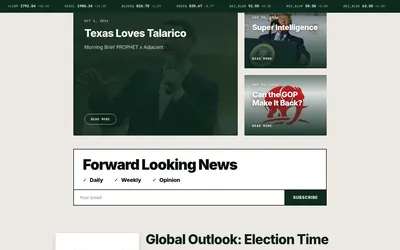

Follow event-contract benchmarks, thematic indices, reference rates and news organized around prediction-market moves.
- Access Web · API · Email
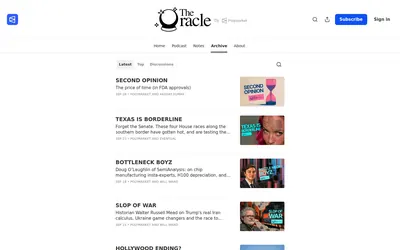

Read Polymarket’s editorial publication for market context, interviews and forecasting ideas across politics, economics, technology and sports.
- Access Web · Email
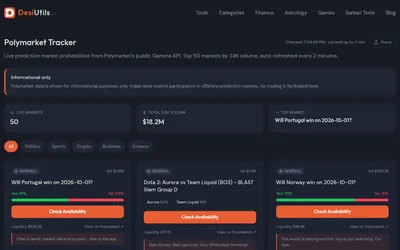

Browse a free, account-free view of the 50 highest-volume Polymarket questions, with probabilities, liquidity and simple topic filters.
- Access Web
Frequently asked questions about Polymarket Live Ticker
Does it work with OBS?
Yes. The page documents adding it as a Browser Source.
Can I show cents instead of probabilities?
Yes. Both price-in-cents and percentage display options are available.
Can I change its height?
Yes. Height is one of the builder controls.
Is this suitable as an execution-price feed?
Its purpose is a periodically refreshed broadcast or website overlay.