 Polytoolhub
What is DesiUtils Polymarket Tracker?
The DesiUtils tracker is a compact read-only dashboard built from Polymarket’s public Gamma API. It displays a limited high-volume selection and refreshes while the page remains open. Its role is quick observation: view the current outcomes, narrow the list by a rough topic category and follow a source link when you need the native market details.
Who it is for
- Readers who want a simple probability dashboard
- Users checking active questions without creating an account
- Researchers who need a quick link back to the original market
Features and coverage
- Available on
- Web
- Markets & venues
- Polymarket
- Research topics
- Public market overview
- Top-50 selection
Browse markets selected by 24-hour volume rather than the full catalog.
- Outcome probabilities
Read the displayed prices as percentages for each listed outcome.
- Liquidity and volume
Compare the activity and liquidity attached to each market card.
- Topic filters
Use Politics, Sports, Crypto, Business and Science to narrow the selection.
- Automatic refresh
The page refreshes every two minutes and uses an upstream cache of up to two minutes.
- Source links
Open the corresponding Polymarket page from a card.
- Share action
Use the page’s sharing control to send the dashboard link.
Workflows with DesiUtils Polymarket Tracker
Take a quick market snapshot
Open the tracker, note its checked time and scan the largest-volume questions. Compare liquidity before treating similar probabilities as equally actionable.
Find a topic
Select the approximate category and read the complete market question, then open the native record for resolution details.
Pricing and total cost
Free, with no signup or payment required.
Public tracker
Free
- Market cards, filters and automatic refresh
Getting started
Before you start: The dashboard contains 50 selected markets, not the complete Polymarket catalog.
- Open the tracker in a browser.
- Check the displayed refresh time.
- Choose a topic filter or leave All selected.
- Read the full question, outcomes, volume and liquidity.
- Follow the source link for the original market details.
Useful links
What to check
- The dashboard contains 50 selected markets, not the complete Polymarket catalog.
- Topic categories are assigned by question keywords and are not official venue classifications.
- A two-minute refresh plus caching is unsuitable for reading a live execution price.
- A likely-resolved badge is a dashboard hint; use the venue record for settlement status.
A closer look
Ratings & reviews
User reviews 0
The main score switches to user ratings after 5 published reviews.
A specific example helps the next person choose the right tool.
Write a review
How was your experience with DesiUtils Polymarket Tracker?
Share what you used, what worked and what could be better. We confirm your email and review the submission before publishing.
To submit a review, email info@polytradingbot.com with the tool name, your rating and your experience. Enable JavaScript to prepare a draft here.
Related tools
Browse category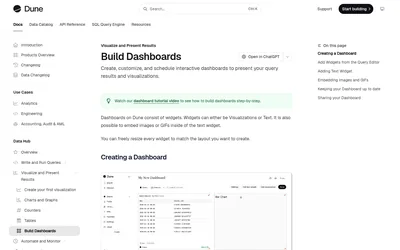

Query blockchain data with SQL and turn the results into shareable dashboards for volumes, wallets, fills and other prediction-market research.
- Access Web · API
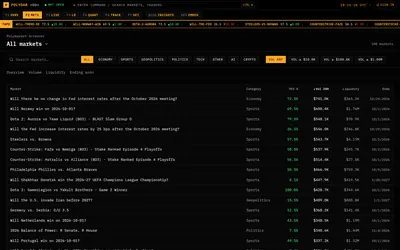
Monitor Polymarket with a terminal-style market screener, public trader rankings, large-trade feed and activity breakdowns.
- Access Web
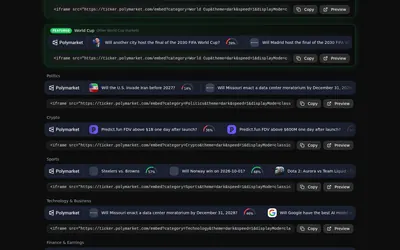

Build a live market ticker for a stream or website, with controls for theme, speed and price format.
- Access Web
Frequently asked questions about DesiUtils Polymarket Tracker
Do I need an account?
No.
Where does the data come from?
Polymarket’s public Gamma API, normalized through the DesiUtils server.
How often does it refresh?
Every two minutes while open, with an upstream cache of up to two minutes.
Can I trade in this dashboard?
No. It displays data and links to the original market.