 Polytoolhub
What is PolyPulse?
PolyPulse detects the question on a Polymarket market page and uses Perplexity to generate relevant research summaries. The extension is deliberately focused: open it on a market, read the summary and refresh it when you want new information. Your own Perplexity key supplies the AI access.
Who it is for
- Chrome users who want news context without leaving a market
- Researchers who already use a Perplexity API account
- Users looking for a narrow alternative to a large analytics terminal
Features and coverage
- Available on
- Chrome extension
- Markets & venues
- Polymarket
- Automatic market detection
Reads the active market question to prepare relevant research.
- On-demand summaries
Generates analysis when you open the extension.
- Manual refresh
Refresh Summary requests an updated view.
- Caching
Reuses previous results to reduce repeated API calls.
- Local key setting
The product stores the configured Perplexity key in the browser.
- Source-oriented research
Summaries focus on news and information relevant to the question.
Workflows with PolyPulse
Catch up on a market
Open the Polymarket event, open PolyPulse and read the generated summary. Follow the relevant sources to understand the development behind the price.
Refresh after a news event
Use Refresh Summary after a material update rather than assuming a cached result includes it.
Pricing and total cost
The extension is free and community-supported. Perplexity API access uses your own account and its separate usage billing.
Getting started
Before you start: A Perplexity API key is required; ordinary browser access to Perplexity is not the same credential.
- Follow the official link to the Chrome Web Store.
- Install PolyPulse and open it from the toolbar.
- Obtain your own Perplexity API key and enter it in settings.
- Visit a Polymarket market and open the extension.
Useful links
What to check
- A Perplexity API key is required; ordinary browser access to Perplexity is not the same credential.
- Summaries are generated on demand and can be cached.
- The extension provides research summaries, not trade execution.
A closer look
Ratings & reviews
User reviews 0
The main score switches to user ratings after 5 published reviews.
A specific example helps the next person choose the right tool.
Write a review
How was your experience with PolyPulse?
Share what you used, what worked and what could be better. We confirm your email and review the submission before publishing.
To submit a review, email info@polytradingbot.com with the tool name, your rating and your experience. Enable JavaScript to prepare a draft here.
Related tools
Browse category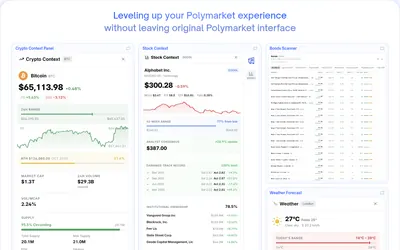

Bring charts, news, holder analytics and comment filters directly into Polymarket.
- Access Browser extension
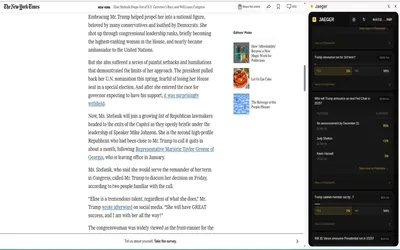

Find Polymarket markets related to the page or highlighted text you are reading, including a dedicated Twitter/X integration.
- Access Browser extension


Start an AI research task from a Polymarket or Kalshi market URL using a Valyu-connected forecasting interface.
- Access Web
Frequently asked questions about PolyPulse
Do I need a Perplexity account?
Yes. You need an API key from your own account.
Does the summary update continuously?
It is generated on demand; use Refresh Summary for a fresh result.
Where is the key stored?
The product describes browser-local key storage.
Is PolyPulse itself paid?
The extension is free; API usage is billed separately by Perplexity.