 Polytoolhub
What is PolyHelper?
PolyHelper expands the Polymarket interface you already use. It detects the type of event and shows relevant context in a sidebar: crypto prices on crypto markets, sports information on matches, forecasts on weather contracts and polling on elections. It also adds trader analytics and tools for screening holders, comments and liquidity rewards.
Who it is for
- Traders who prefer working inside the native Polymarket website
- Users comparing market odds with external data
- Researchers who regularly switch between different event categories
Features and coverage
- Available on
- Browser extension
- Markets & venues
- Polymarket
- Research topics
- Crypto, Sports, Weather, Politics, Macro, Equities, Esports
- Market-specific context
Panels cover crypto, stocks, macro releases, weather, elections, esports, UFC and other event types.
- Charts
Candlestick charts, multiple timeframes and volume overlays bring underlying asset movement next to the contract.
- Holder analysis
Inspect the top 10, 20 or 50 holders and their P&L over 24 hours, 7 days, 30 days or all time.
- News and event intelligence
Relevant X feeds, conflict monitoring and PizzINT context appear alongside markets.
- Sportsbook comparison
Compare Polymarket outcomes with bookmaker odds and inspect per-book differences.
- Trader and portfolio views
Profile analytics and a P&L calendar help explain a wallet’s record.
- Liquidity research
LP reward information and a bonds scanner help filter markets by incentives, price, time and volume.
- Comment filters
Filter Polymarket comments by YES/NO holder side and position to add context to the discussion.
Workflows with PolyHelper
Research an event without tab switching
Open a Polymarket event and use its context panel to compare the contract with external prices, forecasts or sports information. Open the original data source when you need the exact underlying measurement.
Investigate a crowded position
Open the holder panel, choose a holder count and period, and compare large positions with the traders’ longer records.
Compare sports prices
Use the bookmaker panel to find which book and outcome creates the displayed difference before evaluating the trade.
Pricing and total cost
Free to install through the official extension listing.
Getting started
Before you start: Panels depend on the event category and available external data.
- Follow Install Extension from polyhelper.io to the official browser listing.
- Install the extension and open a supported Polymarket event.
- Enable or customize the panels relevant to the markets you trade.
- Use the product documentation for installation and panel settings.
Useful links
What to check
- Panels depend on the event category and available external data.
- Bookmaker odds and external forecasts use their own update schedules.
- The extension adds research context; market resolution still follows the individual contract rules.
A closer look
Ratings & reviews
User reviews 0
The main score switches to user ratings after 5 published reviews.
A specific example helps the next person choose the right tool.
Write a review
How was your experience with PolyHelper?
Share what you used, what worked and what could be better. We confirm your email and review the submission before publishing.
To submit a review, email info@polytradingbot.com with the tool name, your rating and your experience. Enable JavaScript to prepare a draft here.
Related tools
Browse category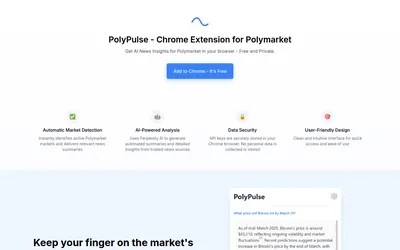

Generate and refresh news summaries for the Polymarket page you are viewing, using a Chrome extension and your own Perplexity API key.
- Access Browser extension
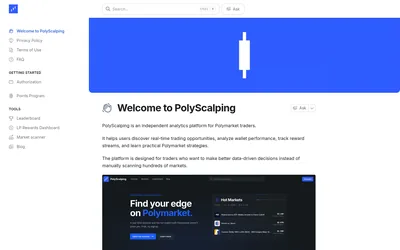

Scan markets, compare trader rankings and separate trading earnings from liquidity rewards.
- Access Web
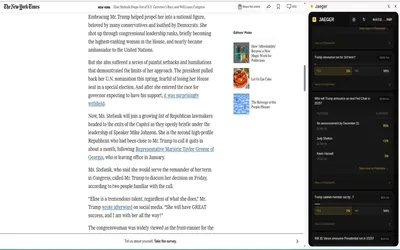

Find Polymarket markets related to the page or highlighted text you are reading, including a dedicated Twitter/X integration.
- Access Browser extension
Frequently asked questions about PolyHelper
Does PolyHelper replace Polymarket?
No. It adds panels and interface features to the Polymarket website.
Can I compare holder performance over different periods?
Yes. The holder panel includes 24-hour, 7-day, 30-day and all-time views.
Which markets have dedicated panels?
The product includes crypto, stocks, sports, weather, elections, macro and several specialist event categories.