 Polytoolhub
What is PolyScalping?
PolyScalping is designed for screening markets and understanding where wallet earnings come from. Its scanner supports reusable presets and configurable columns. Leaderboards and LP views separate trading activity from reward streams, helping you evaluate both directional trading and liquidity provision.
Who it is for
- Traders scanning many markets against the same criteria
- Liquidity providers comparing eligible markets and competition
- Researchers who want earnings breakdowns rather than a single P&L total
Features and coverage
- Available on
- Web
- Markets & venues
- Polymarket
- Market scanner
Filter the market list, choose columns and save or share reusable presets.
- Trader leaderboard
Compare wallet addresses, labels, volume and tracked earnings.
- Earnings breakdown
Separate trading results from rebates and different reward streams.
- LP market analysis
Inspect reward spread, minimum share requirements and competition when choosing where to quote.
- Personal rewards
Review earnings, a 30-day history, active markets and the current epoch timer.
- Position and order filters
Focus LP monitoring on open positions, orders or favorite markets.
Workflows with PolyScalping
Create a repeatable scan
Select the columns and filters that define your opportunity set, then save a preset. Reuse it to compare the same criteria across sessions.
Choose LP markets
Inspect incentives together with minimum size, eligible spread and competition. After placing quotes, use personal rewards and active-market views to track participation.
Compare wallet strategies
Open the leaderboard and separate trade earnings from rewards and rebates before deciding what the wallet actually does.
Pricing and total cost
The service is currently free, according to its FAQ.
Getting started
Before you start: Personal reward fields can be empty until a wallet is connected.
- Open the scanner and start with a public market view.
- Set filters and columns, then save a preset.
- Use the leaderboard for public wallet research.
- Connect a wallet for detailed personal analytics or trading functions.
Useful links
What to check
- Personal reward fields can be empty until a wallet is connected.
- Reward eligibility depends on quote size, spread and the current market rules.
- The live app can present a browser security checkpoint; documentation remains available separately.
A closer look
Ratings & reviews
User reviews 0
The main score switches to user ratings after 5 published reviews.
A specific example helps the next person choose the right tool.
Write a review
How was your experience with PolyScalping?
Share what you used, what worked and what could be better. We confirm your email and review the submission before publishing.
To submit a review, email info@polytradingbot.com with the tool name, your rating and your experience. Enable JavaScript to prepare a draft here.
Related tools
Browse category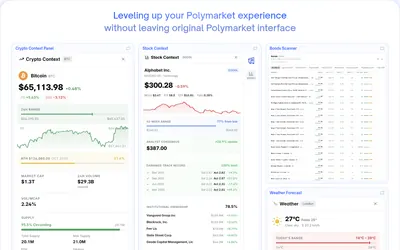

Bring charts, news, holder analytics and comment filters directly into Polymarket.
- Access Browser extension
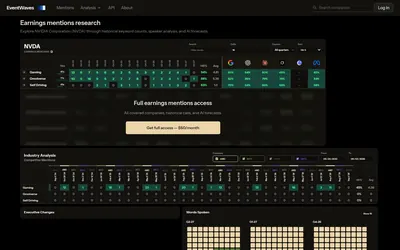

Check how often a phrase appeared in past earnings calls before researching a mention market.
- Access Web
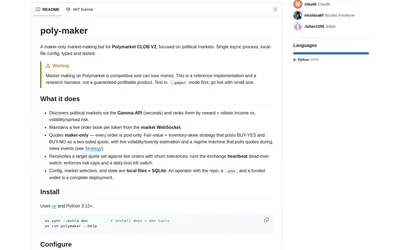
Run a configurable maker-only Polymarket bot with inventory-aware quotes, paper mode, market selection and exposure controls.
- Trading mode Paper · Live automation
- Access CLI
Frequently asked questions about PolyScalping
Do I need to connect a wallet to browse?
Most analytics are available without connecting. Personal analytics and trading require a wallet.
Can I reuse a set of scanner filters?
Yes. Presets can be saved and shared.
Why separate rewards from trading profit?
A wallet can earn through liquidity incentives and rebates as well as directional trades; the breakdown explains its strategy.