 Polytoolhub
What is Polyman?
Polyman combines a market lobby with a feed of scored traders’ public activity. The web app shows market side, price, source activity and a configurable quick-buy amount; it also groups trending events and large recent price moves. The official Telegram bot describes copying, whale alerts and automated execution as its core workflow.
Who it is for
- Users discovering wallets before configuring copying
- Traders scanning recent market moves
- Users moving between Telegram and a web lobby
Features and coverage
- Available on
- Telegram, Web
- Markets & venues
- Polymarket
- Trader activity feed
Inspect scored wallets, their market, side and recent trade.
- Quick-buy controls
Preview the position implied by a selected dollar amount.
- Market movers
Switch between one-hour and daily movement views.
- Category navigation
Browse politics, sports, crypto, weather and other subjects.
- Crypto rounds
Select five-minute through daily Up/Down views.
- Telegram copying
Enter the official bot for its advertised copy workflow.
- Funding entry
The web app offers card or crypto deposits after sign-in.
- Portfolio area
Open the account’s position-management section.
Workflows with Polyman
Research a source wallet
Start from a trader activity card and inspect its record rather than copying the displayed score alone.
Find a repricing event
Open Big Movers, choose the time window and inspect the underlying question.
Prepare a copy
Open the official bot, select the source wallet and review the current sizing, exit and fee controls before activation.
Pricing and total cost
Public discovery is browsable. A reliable numerical fee schedule is not shown in the reviewed public lobby or bot profile.
Getting started
Before you start: The anonymous lobby is not a funded account test.
- Open the official Telegram bot or web app.
- Browse trader activity and movers.
- Inspect the intended event and outcome.
- Sign in for account actions.
- Review funding and order settings before committing funds.
Useful links
What to check
- The anonymous lobby is not a funded account test.
- A trader score is a provider ranking, not the same as a realized follower return.
- Some live reference-price charts were still loading in the public session; the trader and market tables remained visible.
A closer look
Ratings & reviews
User reviews 0
The main score switches to user ratings after 5 published reviews.
A specific example helps the next person choose the right tool.
Write a review
How was your experience with Polyman?
Share what you used, what worked and what could be better. We confirm your email and review the submission before publishing.
To submit a review, email info@polytradingbot.com with the tool name, your rating and your experience. Enable JavaScript to prepare a draft here.
Related tools
Browse category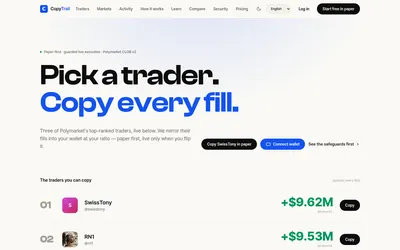

Test a wallet-copy strategy on paper, inspect the fills, then set live budgets and slippage limits.
- Trading mode Paper · Live automation
- Access Web
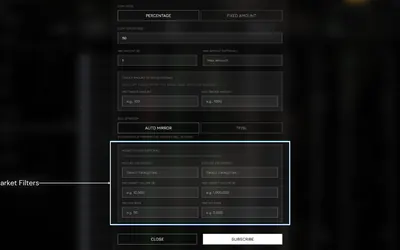

Research wallets and trade through Telegram or the web, with percentage/fixed copying, source-trade filters and distinct copy and Autopilot exit behavior.
- Trading mode Manual · Live automation
- Access Web · Telegram
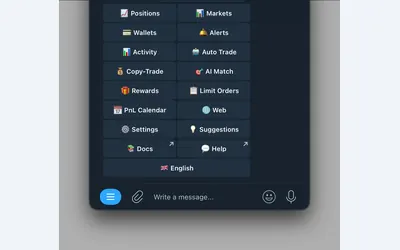

Manage wallet copying, alerts and automated strategies from Telegram or a connected web terminal.
- Trading mode Manual · Live automation
- Access Web · Telegram
Frequently asked questions about Polyman
Is there a web app?
Yes, at app.polyman.fun.
Which Telegram account is official?
PolymanApp_bot.
Can I browse without depositing?
The public lobby displays markets and trader activity.
Are quick-buy returns certain?
They are conditional outcome payouts shown for the selected side.