 Polytoolhub
What is pmxt-mcp?
PMXT MCP is the assistant interface to the PMXT ecosystem. It gives an MCP client structured tools for market research and, when configured, account and trading operations. Backend mode matters: hosted PMXT and a local pmxt-core instance use different credentials and capability boundaries.
Who it is for
- Developers connecting an assistant to prediction-market data
- Users building research workflows in MCP-compatible clients
- Teams separating read-only analysis from authorized account actions
Features and coverage
- Available on
- MCP, Node.js
- Markets & venues
- Multiple supported prediction venues
- Market tools
Discover supported markets and retrieve structured market data.
- Order-book research
Inspect available prices and books through PMXT methods.
- Account tools
Read supported balances and positions when configured.
- Optional execution
Expose supported order operations only with the corresponding backend and credentials.
- Hosted or local setup
Choose a PMXT service connection or self-hosted runtime.
- Shared venue model
Use the underlying PMXT schemas and adapter capabilities.
Workflows with pmxt-mcp
Give an assistant research access
Install the server in the client’s MCP configuration, start with market and book queries and verify the venue and outcome in every result.
Add a controlled account workflow
Configure only the needed account access and use the client’s action-confirmation controls for order operations.
Pricing and total cost
The MCP integration’s cost depends on its backend. Hosted calls use the PMXT plan; self-hosting adds your runtime and venue costs.
Getting started
Before you start: An MCP connection is an interface, not an independent dataset or exchange.
- Open the official pmxt-mcp repository.
- Follow its current package and MCP-client configuration instructions.
- Choose the backend and supply the required environment settings.
- Confirm that market queries return the intended venue.
- Enable account or execution access only for the intended workflow.
Useful links
What to check
- An MCP connection is an interface, not an independent dataset or exchange.
- Available methods inherit PMXT’s venue and backend support.
- Account tools and order tools require different permissions from public research.
A closer look
Ratings & reviews
User reviews 0
The main score switches to user ratings after 5 published reviews.
A specific example helps the next person choose the right tool.
Write a review
How was your experience with pmxt-mcp?
Share what you used, what worked and what could be better. We confirm your email and review the submission before publishing.
To submit a review, email info@polytradingbot.com with the tool name, your rating and your experience. Enable JavaScript to prepare a draft here.
Related tools
Browse category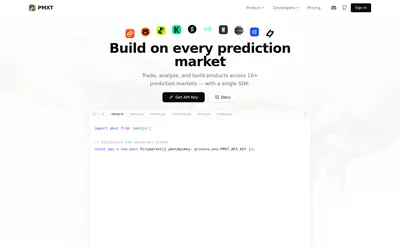
One hosted API key for cross-venue market search, matching, historical data and supported prediction-market trading methods.
- Data coverage Markets · Events · Order books · Prices · Cross-venue matches
- Access API
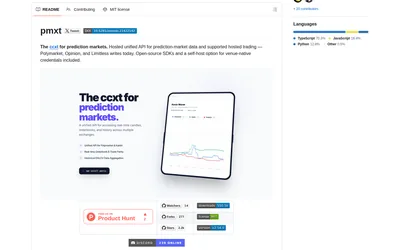
Use Python or TypeScript clients with a common prediction-market interface, targeting hosted PMXT or a locally run backend.
- Language Python · TypeScript
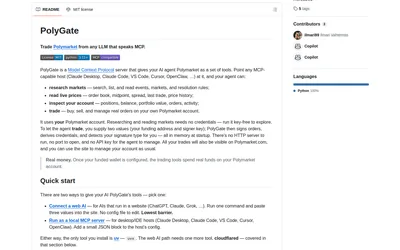
Connect an MCP-capable AI client to Polymarket research, live market reads and optionally your account’s order tools.
- Language Python
- Access CLI · MCP
Frequently asked questions about pmxt-mcp
Does MCP make every PMXT venue tradable?
No. It exposes the capabilities supported by the configured backend and venue.
Can I start with research only?
Yes. Begin with market and book access without adding execution credentials.
Do I need hosted PMXT?
The documented ecosystem supports hosted and local backend modes.