 Polytoolhub
What is Polygate?
PolyGate turns Polymarket operations into MCP tools. A credential-free setup supports research and prices; a configured wallet enables account and trading operations. It can run locally for desktop clients or expose a temporary authenticated HTTPS connector for supported web clients.
Who it is for
- Users of MCP-compatible research assistants
- Developers who want a compact Polymarket tool server
- Technical users connecting a local account workflow to an AI client
Features and coverage
- Available on
- MCP, Python, CLI
- Markets & venues
- Polymarket
- Market research
Search events, read questions and inspect resolution rules.
- Live price reads
Query books, midpoint, spread, last trade and supported history.
- Account inspection
Read positions, balance, activity and working orders when configured.
- Order tools
Place and cancel account orders through the enabled execution path.
- Local transport
Run through uvx in the desktop client’s MCP configuration.
- Web connector
Use the documented connect command with a temporary Cloudflare tunnel and OAuth credentials.
- Mode separation
Start research-only or explicitly enable trading for the web connector.
Workflows with Polygate
Add read-only research tools
Configure the local server without wallet credentials, then ask for market details and current book data.
Connect a web client
Run the connector, enter its printed MCP URL and OAuth credentials in a supported client and keep the local process running.
Add account operations
Configure the funding address and signer, inspect the account identity and expose the required order tools.
Pricing and total cost
MIT-licensed code with no listed server subscription. Model-client charges, infrastructure and venue costs are separate.
Getting started
Before you start: Stopping the connect process closes its tunnel.
- Install uv/uvx.
- Choose local MCP or the web connector path.
- Start research-only and inspect available tools.
- For the web path, install cloudflared and configure the generated connector credentials.
- Add wallet configuration only for account operations.
- Keep the connector process running while using its temporary URL.
Useful links
What to check
- Stopping the connect process closes its tunnel.
- The web path needs a client that supports the required remote MCP and OAuth flow.
- Local wallet credentials are stored in the host’s configuration environment.
- Adding execution credentials changes the tools’ capabilities from public research to account actions.
- Funding address and signer identity can be different.
A closer look
Ratings & reviews
User reviews 0
The main score switches to user ratings after 5 published reviews.
A specific example helps the next person choose the right tool.
Write a review
How was your experience with Polygate?
Share what you used, what worked and what could be better. We confirm your email and review the submission before publishing.
To submit a review, email info@polytradingbot.com with the tool name, your rating and your experience. Enable JavaScript to prepare a draft here.
Related tools
Browse category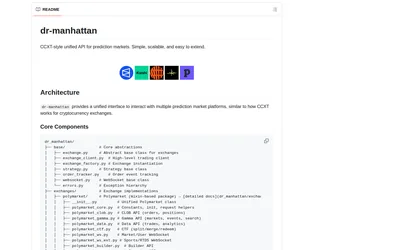
Use a common Python interface for prediction-market discovery, orders, positions and streaming, with optional MCP access.
- Language Python
- Access API · MCP
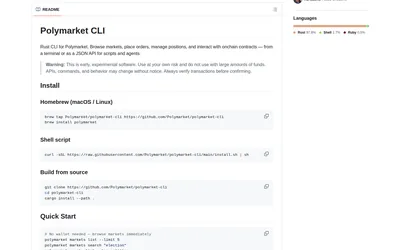

Browse markets, query books and script Polymarket operations from a Rust command-line client with table or JSON output.
- Language Rust
- Access CLI
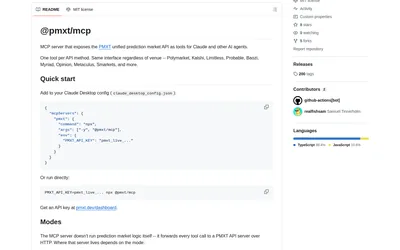

Expose PMXT market discovery, book data and supported account or order methods to an MCP-compatible assistant.
- Access MCP
Frequently asked questions about Polygate
Can I use it without a Polymarket account?
Public market research and price reads need no wallet credentials.
Does it require a public server?
The local MCP path does not; the web path uses a temporary tunnel.
Why did the web connector stop working?
Its local process and tunnel must remain running.
Does it create a separate trading account?
It uses the Polymarket account identified by your configured funding wallet and signer.