 Polytoolhub
What is Polymarket CLI?
Polymarket CLI wraps market discovery, price reads and account operations in terminal commands. Public commands work without a wallet, and JSON output makes the same interface useful in scripts. Configured account commands cover orders, approvals and supported conditional-token operations.
Who it is for
- Developers scripting market discovery and price queries
- Terminal users who want quick contract inspection
- Operators integrating explicit commands into account workflows
Features and coverage
- Available on
- CLI, Rust, JSON
- Markets & venues
- Polymarket
- Market discovery
List and search markets, events, tags and series.
- Public metadata
Read comments, profiles and sports metadata.
- Book queries
Retrieve books, side prices, midpoint, spread and last trade.
- Batch reads
Query several outcome tokens in a single command.
- Machine-readable output
Use JSON with exit codes for scripts.
- Order management
Create, inspect and cancel configured account orders.
- On-chain commands
Access supported approval, split, merge and redemption operations.
Workflows with Polymarket CLI
Create a research script
Search markets, retain outcome-token IDs and request books as JSON. Parse the error object and process exit status explicitly.
Inspect a trade candidate
Read the exact market, tick size, fee rate and ask or bid before constructing an order command.
Operate an account from the terminal
Inspect the configured wallet and signature type, then use narrowly scoped order and cancellation commands.
Pricing and total cost
The public CLI has no listed subscription. Venue fees and applicable on-chain transaction costs are separate.
Getting started
Before you start: Market IDs, condition IDs and outcome-token IDs serve different commands.
- Install through the official repository’s supported package or build route.
- Run a small public market listing.
- Use -o json for scripting.
- Resolve the correct outcome token before book or order commands.
- Configure wallet identity only for account actions.
- Check the installed release against current official wallet and client conventions.
Useful links
What to check
- Market IDs, condition IDs and outcome-token IDs serve different commands.
- A limit order size is a share count, while a market-buy amount is a spend amount.
- The README’s wallet examples use older proxy, EOA and Safe conventions; verify support for the account type in the installed version.
- JSON errors appear on stdout with a nonzero exit status.
- Approval and conditional-token commands submit transactions.
A closer look
Ratings & reviews
User reviews 0
The main score switches to user ratings after 5 published reviews.
A specific example helps the next person choose the right tool.
Write a review
How was your experience with Polymarket CLI?
Share what you used, what worked and what could be better. We confirm your email and review the submission before publishing.
To submit a review, email info@polytradingbot.com with the tool name, your rating and your experience. Enable JavaScript to prepare a draft here.
Related tools
Browse category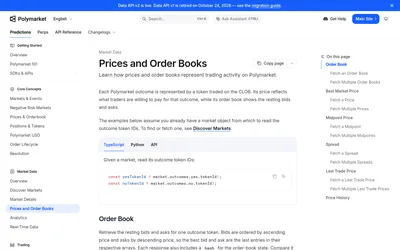

Read Polymarket prices and order books or build authenticated order placement, cancellation and account-order management.
- Data coverage Prices · Order books
- Access API
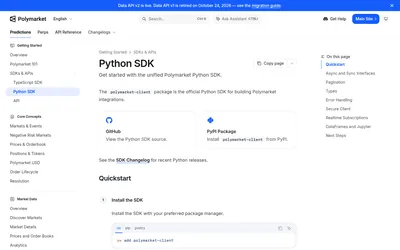

The official Python client for typed Polymarket data, sync or async account workflows, streaming and notebook-friendly analysis.
- Language Python
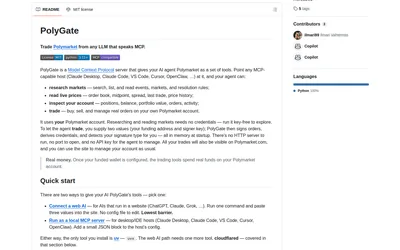
Connect an MCP-capable AI client to Polymarket research, live market reads and optionally your account’s order tools.
- Language Python
- Access CLI · MCP
Frequently asked questions about Polymarket CLI
Can I use it without a wallet?
Yes. Public market, price and book queries work without credentials.
How do scripts detect an error?
Check the nonzero exit code and JSON error output.
Is price the same as midpoint?
No. Side-specific prices refer to the bid or ask; midpoint is a separate query.
Does the CLI include cancellation?
Yes. Commands cover individual, grouped, market-scoped and all-order cancellation.