 Polytoolhub
What is Kalshi?
Kalshi’s market catalog spans elections, economics, weather, sports, crypto and other measurable events. The discovery screen separates trending questions, movers, newly listed markets and high-volume events. Each contract has its own rule, timing and price, so the useful research step is to open the precise market before comparing venues.
Who it is for
- Users trading event contracts directly
- Weather and economic-release researchers
- Developers connecting to an exchange API
Features and coverage
- Available on
- Web, Mobile, API
- Markets & venues
- Kalshi
- Research topics
- Event exchange, Market execution
- Topic discovery
Filter a broad catalog by subject.
- Market groups
Compare thresholds and related outcomes.
- Price and probability charts
Review changes over time.
- Order book
Inspect available prices and resting liquidity.
- Limit orders
Choose an execution price and manage working orders.
- Portfolio
Separate positions, balances and order history.
- Combos
Access supported multi-event contracts.
- Developer API
Build market-data and account workflows.
- Incentive programs
Inspect current market-specific liquidity programs.
Workflows with Kalshi
Research a release
Read the source, threshold, observation window and payout timeline.
Work an order
Inspect depth, set price and size, and monitor any unfilled remainder.
Compare a market
Match rules and include the series-specific fees before calculating a cross-venue gap.
Pricing and total cost
The general event-contract taker model is M × 0.07 × C × P × (1−P), with schedule rounding. Maker fees use M × 0.0175 × C × P × (1−P) on designated series; other resting orders have a zero maker multiplier. There is no membership or settlement fee. ACH deposits and withdrawals are listed as free; payment-rail and broker costs can differ.
Getting started
Before you start: Maker fees vary by series; a limit order that matches immediately is a taker.
- Find the exact contract.
- Read rules and settlement source.
- Complete account eligibility and verification.
- Choose the supported funding method.
- Inspect depth and fee information beside the order.
- Manage open orders and positions separately.
Useful links
What to check
- Maker fees vary by series; a limit order that matches immediately is a taker.
- Headline probability and the price available for your full size can differ.
- The exchange’s perpetual-futures product has separate margin and fee rules.
- An order placed through a broker can have additional broker charges.
A closer look
Ratings & reviews
User reviews 0
The main score switches to user ratings after 5 published reviews.
A specific example helps the next person choose the right tool.
Write a review
How was your experience with Kalshi?
Share what you used, what worked and what could be better. We confirm your email and review the submission before publishing.
To submit a review, email info@polytradingbot.com with the tool name, your rating and your experience. Enable JavaScript to prepare a draft here.
Related tools
Browse category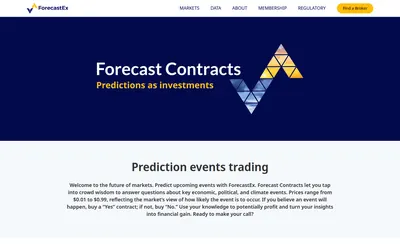

Research cash-settled Yes/No event contracts accessed through member brokers, with a one-cent execution fee and a monthly incentive-coupon mechanism.
- Access Web
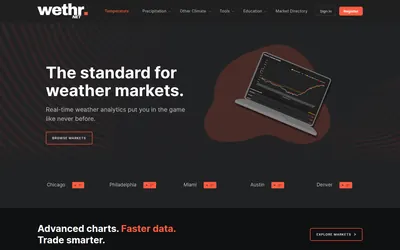

Compare station observations and weather models, then set alerts for the conditions you follow.
- Access Web · API
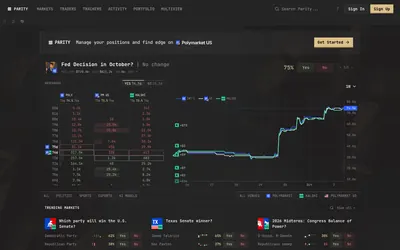

Compare prediction-market order books and organize markets, traders, activity and positions across Polymarket, Kalshi and Polymarket US.
- Access Web
Frequently asked questions about Kalshi
Are all resting orders fee-free?
No; designated series charge maker fees when filled.
Is there a settlement fee?
The event-contract schedule lists none.
Can developers access the exchange?
Yes, through its documented API.
Does canceling an unfilled resting order incur a maker fee?
The help page says no.