 Polytoolhub
What is ForecastEx?
ForecastEx has a distinctive close-out model: Yes and No are separate contracts, and a position is closed by buying the opposite contract. Correct outcomes settle at $1. Access is through a participating broker rather than a direct retail trading account on the exchange’s information site.
Who it is for
- Users comparing economic and climate contract venues
- Traders already using a participating broker
- Researchers studying event contracts with collateral income
Features and coverage
- Available on
- Member brokers, Web research
- Markets & venues
- ForecastEx
- Research topics
- Economic event contracts, Collateral coupons
- Binary contracts
Choose Yes or No for a specified event threshold.
- Multiple horizons
Research weekly, monthly, quarterly and annual questions.
- Published data sources
Read the government or other specified release used for resolution.
- One-cent increments
Contract prices are quoted in $0.01 steps.
- Opposite-contract close
Offset a position by purchasing its other side.
- Cash settlement
A correct contract settles at $1 and an incorrect one at $0.
- Incentive coupons
Collateral income is distributed to members monthly.
- Broker directory
Find the supported account-access path.
Workflows with ForecastEx
Research a data release
Match the contract threshold, reference period and named source with your forecast.
Estimate a round trip
Include the fee on the opening contract and on the opposite contract used to close.
Evaluate coupon treatment
Ask the chosen broker how much member-level collateral income it passes to clients.
Pricing and total cost
ForecastEx lists a $0.01 transaction fee per contract charged to each side at execution. Broker charges can be additional. The exchange passes collateral income to members; the client’s coupon treatment depends on the member broker.
Getting started
Before you start: Closing requires buying the opposite contract, so available price and fees determine the realized result.
- Read the contract specification and source.
- Choose a broker from the member directory.
- Complete that broker’s required account setup.
- Compare contract price and total fees.
- Use the broker’s supported order workflow.
- For early exit, inspect the opposite-contract cost.
Useful links
What to check
- Closing requires buying the opposite contract, so available price and fees determine the realized result.
- The monthly coupon does not replace a contract’s eventual $0 or $1 settlement.
- Member income and the amount passed to a retail client are distinct.
- The public information site is not the trading account.
A closer look
Ratings & reviews
User reviews 0
The main score switches to user ratings after 5 published reviews.
A specific example helps the next person choose the right tool.
Write a review
How was your experience with ForecastEx?
Share what you used, what worked and what could be better. We confirm your email and review the submission before publishing.
To submit a review, email info@polytradingbot.com with the tool name, your rating and your experience. Enable JavaScript to prepare a draft here.
Related tools
Browse category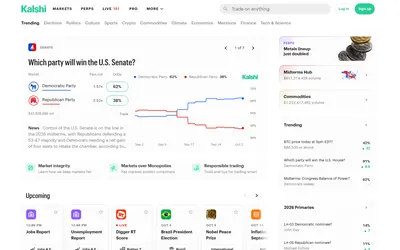
Trade defined event outcomes, inspect order books and resolution rules, and access the same exchange through web, mobile and developer interfaces.
- Access Web · API · Mobile app
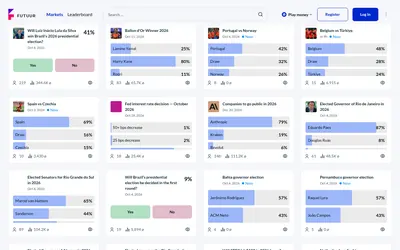

Explore global and Brazil-focused event markets, practice with virtual OOM or use the separate supported real-money trading mode.
- Access Web · API
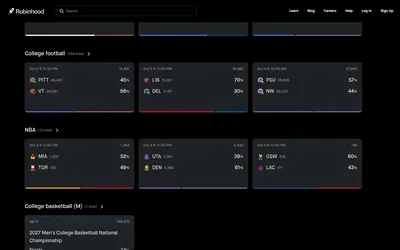

Trade partner-exchange event contracts from the Robinhood mobile app, including supported custom combos and dollar-based entry orders.
- Access Web · iOS · Android
Frequently asked questions about ForecastEx
Can I simply sell a ForecastEx contract to close?
The documented model closes by buying the opposite contract.
What does a correct contract pay?
$1 before considering the purchase cost and fees.
What is the exchange fee?
One cent per contract at execution.
Does every broker pass through the same coupon?
The member determines its client treatment.