 Polytoolhub
What is Futuur?
Futuur’s catalog includes elections, regional Brazilian politics, sports, economics and crypto thresholds. Its play-money and real-money modes serve different purposes. The developer and market-maker documentation describes a shared API structure with the currency mode chosen explicitly.
Who it is for
- Users researching Brazilian political outcomes
- Forecasters practicing with virtual currency
- Developers or liquidity providers integrating an additional venue
Features and coverage
- Available on
- Web, API
- Markets & venues
- Futuur
- Research topics
- Brazilian politics, Global event markets
- Political coverage
Compare national, state and local election questions.
- Sports outcomes
Browse match and tournament markets.
- Economic thresholds
Research rate decisions, employment and currency questions.
- Crypto markets
Compare daily direction and longer-horizon targets.
- Play-money mode
Use OOM for practice.
- Real-money mode
Use the supported settlement assets where available.
- Leaderboard
Compare forecasting activity and records.
- Trading API
HMAC-SHA512 authentication, limit/market orders, batches up to 20 and Pusher WebSocket streams.
- Maker rebates
The official program describes rebates on qualifying resting fills.
Workflows with Futuur
Research a regional question
Read the local resolution wording and compare related seats or candidates.
Practice a process
Use OOM to test question selection and forecast updates before interpreting any real-money result.
Integrate a maker
Choose currency mode explicitly and reconcile actual fills and rebates from the API.
Pricing and total cost
The official maker guide describes taker fees using 0.05 × shares × P × (1−P), with 80% of taker fees rebated to qualifying makers. The rebate changes the maker’s effective fill economics. Funding and account terms depend on the selected currency mode.
Getting started
Before you start: OOM is virtual and cannot be withdrawn as cash.
- Choose play-money or supported real-money mode.
- Find the exact event and read its criteria.
- Complete the relevant account requirements.
- Check currency, quote and liquidity.
- For API use, follow the current authentication guide.
- Review settlements and mode-specific performance.
Useful links
What to check
- OOM is virtual and cannot be withdrawn as cash.
- Do not combine OOM and real-money results into one trading return.
- Overlapping thresholds and multi-winner elections are not necessarily mutually exclusive outcomes.
- Maker rebates require qualifying fills, not just placing an order.
- The maker guide lists a $1 real-money minimum and API limits of 2,000 requests/minute and 30,000/day per account; OOM has no minimum.
A closer look
Ratings & reviews
User reviews 0
The main score switches to user ratings after 5 published reviews.
A specific example helps the next person choose the right tool.
Write a review
How was your experience with Futuur?
Share what you used, what worked and what could be better. We confirm your email and review the submission before publishing.
To submit a review, email info@polytradingbot.com with the tool name, your rating and your experience. Enable JavaScript to prepare a draft here.
Related tools
Browse category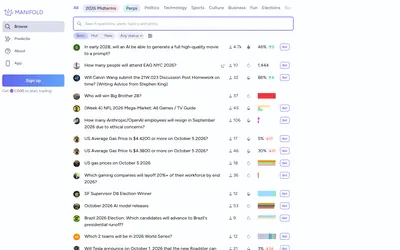

Create and trade play-money prediction markets, discuss the reasoning and build a public forecasting record with virtual mana.
- Access Web · Mobile app
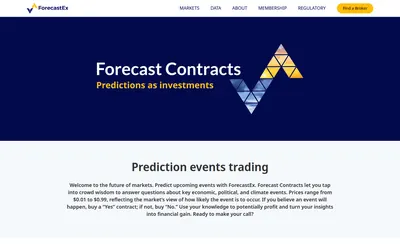

Research cash-settled Yes/No event contracts accessed through member brokers, with a one-cent execution fee and a monthly incentive-coupon mechanism.
- Access Web
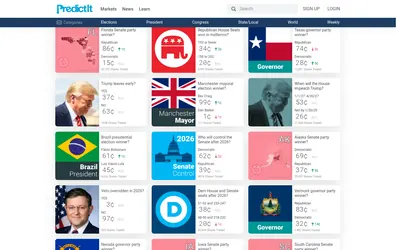

Research and trade political event shares through a focused catalog of elections, legislative outcomes, officeholders and related questions.
- Access Web
Frequently asked questions about Futuur
Is every Futuur position a cash position?
No; OOM is a separate play-money mode.
Does the catalog cover Brazil?
Yes, including regional political markets.
Can developers select the currency mode?
The API documentation makes it explicit.
Are resting orders automatically rebate income?
Only qualifying executed fills generate the described rebate.