 Polytoolhub
What is Bankr?
Bankr is an agent with a wallet, persistent memory, files and scheduled workflows. Its Polymarket integration supports market search, odds lookup, buying by dollar amount or share count, selling and redemption. The same agent state is used across its web and messaging surfaces. Prediction trading uses a dedicated Polymarket deposit-wallet flow, with collateral movement handled by the agent.
Who it is for
- Users who want natural-language position management
- Telegram users combining prediction markets with a wider crypto wallet
- Developers integrating trading through an agent or CLI
Features and coverage
- Available on
- Telegram, Web, CLI, API
- Markets & venues
- Polymarket, Hyperliquid, On-chain spot markets
- Research topics
- Conversational trading, Position management
- Market discovery
Ask for a topic, matchup or date window and inspect the corresponding outcomes.
- Dollar or share sizing
Request a specific dollar amount or a number of Yes/No shares.
- Position lookup
View open positions, redeemable winners and recent resolved losses.
- Early exit and redemption
Sell shares before resolution or claim positions that have settled with value.
- Deposit-wallet handling
Create the Polymarket deposit wallet as part of the first trade and sweep funds after sells.
- Residual collateral lookup
See leftover deposit-wallet collateral and request a sweep back to the main wallet.
- Shared agent state
Keep memory, files and preferences consistent across web, Telegram and supported developer surfaces.
- Scheduled agent workflows
Use the wider runtime for recurring prompts and monitoring tasks, checking that the chosen action supports the intended market.
Workflows with Bankr
Research before ordering
Ask for the exact event and date, inspect the returned market and outcome, then specify the amount or share count in a separate order request.
Review settled positions
Request positions, redeem winning outcomes and explicitly ask for older losing positions if you need a fuller accounting view.
Recover leftover collateral
If the position response shows a deposit-wallet balance, distinguish it from a holding or winning payout and use the documented sweep request when appropriate.
Pricing and total cost
The web terminal has a free allowance of five messages per 24-hour window. Bankr Club provides broader access, while Max Mode uses paid model credits. Telegram, API and other surfaces have their own access rules; the web allowance does not automatically apply there. Transaction and venue costs are separate from agent access.
Getting started
Before you start: The Polymarket integration is not available in connected-external-wallet mode or with API keys restricted to allowed recipients.
- Open the official Telegram bot or web terminal.
- Complete the account and access flow for that surface.
- Start with a market lookup and include the intended date or round.
- Inspect the wallet’s available collateral before requesting a purchase.
- Review the chosen market, side and size.
- After execution, ask for positions and any remaining deposit-wallet collateral.
Useful links
What to check
- The Polymarket integration is not available in connected-external-wallet mode or with API keys restricted to allowed recipients.
- The documented funding flow uses existing supported collateral first and can swap native assets or USD stablecoins from other chains to cover a shortfall.
- Older resolved losing positions are hidden by default; ask for them explicitly.
- A Telegram or API entitlement is separate from the free web-terminal message quota.
A closer look
Ratings & reviews
User reviews 0
The main score switches to user ratings after 5 published reviews.
A specific example helps the next person choose the right tool.
Write a review
How was your experience with Bankr?
Share what you used, what worked and what could be better. We confirm your email and review the submission before publishing.
To submit a review, email info@polytradingbot.com with the tool name, your rating and your experience. Enable JavaScript to prepare a draft here.
Related tools
Browse category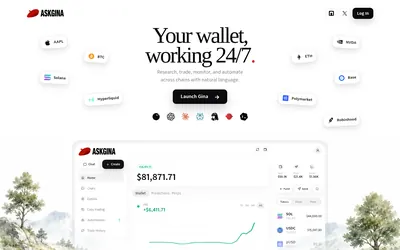

Research Polymarket, place orders and run scheduled wallet automations through a conversational agent or a connected AI client.
- Access Web · MCP
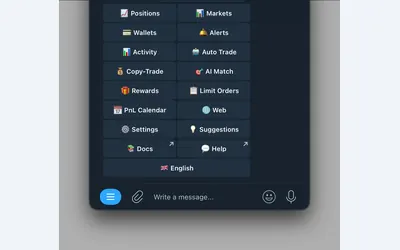

Manage wallet copying, alerts and automated strategies from Telegram or a connected web terminal.
- Trading mode Manual · Live automation
- Access Web · Telegram
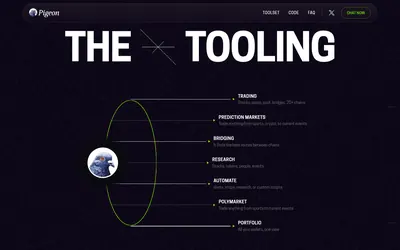

Research markets and manage supported trading workflows through chat, with a coding assistant for alerts, scheduled tasks and custom scripts.
- Access Web · Telegram · API · MCP
Frequently asked questions about Bankr
Can I buy by share count?
Yes. The guide documents both dollar-sized requests and a specified number of shares.
Why are old losing positions missing?
They are hidden by default after the recent-loss window; ask to show losing Polymarket positions.
Is leftover collateral a winning position?
No. It is unspent collateral in the deposit wallet and can be used or swept back.
Does the free web quota include Telegram?
No. The documentation describes separate access gates for other surfaces.