 Polytoolhub
What is Ask Gina?
Gina gives each account an agent with a wallet. You can ask for market discovery, inspect a position or describe a recurring strategy, then use separate trading permissions for execution. Prediction markets sit alongside spot assets and Hyperliquid perps, which makes Gina relevant to workflows that need several markets in one account. Its developer integration separates read-only research from write-capable trading.
Who it is for
- Users who prefer natural-language market research
- Traders building scheduled or event-driven wallet workflows
- Developers connecting a financial agent through MCP
Features and coverage
- Available on
- Web, MCP
- Markets & venues
- Polymarket, Hyperliquid, On-chain spot markets
- Research topics
- Trading agents, Automations
- Prediction-market research
Search events and inspect outcomes, order books, public market data and your positions.
- Conversational order workflow
Use the trading-enabled product to move from a market question into execution.
- Scheduled automations
Describe a scan, report or strategy and run the generated workflow repeatedly.
- Read-only MCP
Connect an assistant for research without giving it order placement, cancellation or fund-moving access.
- Trading MCP
Use the separate write-access path when the connected workflow needs execution.
- Persistent agent files
Store journals, order-book snapshots and reusable workflow files in a 1 GB filesystem.
- Multi-market portfolio
Work with predictions, spot assets and Hyperliquid perps through one product.
- Ready-made recipes
Start from examples such as recurring purchases, portfolio reports or reactive monitoring.
Workflows with Ask Gina
Research an expiring market
Ask for events ending within a specific window. Name the outcome, inspect its resolution date and book, then compare only contracts with matching rules.
Connect an AI client for research
Choose Gina Read, complete the documented connection and request a market or position. Add write access separately if you later want order execution.
Create a recurring review
Describe the markets, schedule and desired output, inspect the resulting automation and use a journal file to keep successive runs together.
Pricing and total cost
New users receive 3 million free credits each month. Additional credits are purchased from the signed-in account using assets in the Gina wallet.
Monthly free credits
3 million credits/month
- Credit allowance for using Gina
Fees and usage costs
- Additional credits use the price shown in the account purchase flow.
- Network-fee sponsorship depends on the supported route and quote.
Access: Credit usage and transaction costs are separate items.
Getting started
Before you start: Read-only access cannot place or cancel orders, redeem positions or move funds.
- Open Gina and create or sign in to an account.
- Start with a market research request and specify the event, outcome and date range.
- Choose the web app or a documented MCP client connection.
- Keep research access for lookups; enable trading access only for workflows that need orders.
- Review the created automation, its schedule and wallet activity.
- Inspect credit usage and any auto-top-up setting in the account.
Useful links
What to check
- Read-only access cannot place or cancel orders, redeem positions or move funds.
- An automation can execute repeatedly; its schedule and available wallet balance affect subsequent runs.
- Features and costs differ by market and route; a spot or LP example is not automatically a Polymarket feature.
A closer look
Ratings & reviews
User reviews 0
The main score switches to user ratings after 5 published reviews.
A specific example helps the next person choose the right tool.
Write a review
How was your experience with Ask Gina?
Share what you used, what worked and what could be better. We confirm your email and review the submission before publishing.
To submit a review, email info@polytradingbot.com with the tool name, your rating and your experience. Enable JavaScript to prepare a draft here.
Related tools
Browse category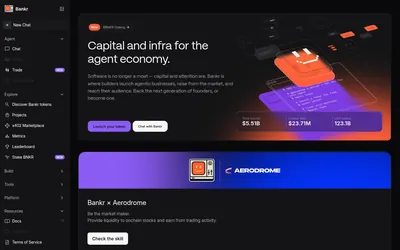

Search Polymarket and manage orders, shares and redemptions through a conversational agent available in Telegram, web and developer interfaces.
- Access Web · Telegram · API · CLI
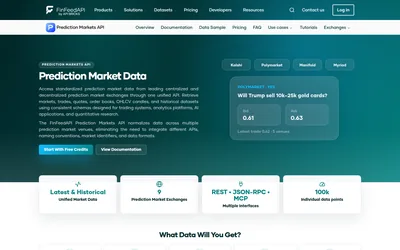

Access normalized prediction-market listings, trades, quotes, order books and historical candles through REST, JSON-RPC or MCP.
- Data coverage Markets · Trades · Prices · Order books
- Access API · MCP
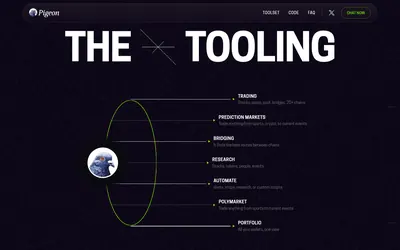

Research markets and manage supported trading workflows through chat, with a coding assistant for alerts, scheduled tasks and custom scripts.
- Access Web · Telegram · API · MCP
Frequently asked questions about Ask Gina
Can Gina run a strategy repeatedly?
Yes. Its automation product creates and runs recurring workflows.
Can I connect an assistant without enabling trading?
Yes. Gina Read provides a separate read-only path.
Does it support more than Polymarket?
Yes. The product also covers spot assets on multiple chains and Hyperliquid perps.
What is free?
The documented monthly allowance is 3 million credits for new users; additional credits are purchased in the account.